BitNinja: server resources overuse
Symptoms
When BitNinja is running, the CPU load reaches 100%, and the average load is 2.
Causes
Such behavior is caused by the specifics of the bitninja-ssl-termination module and its process /opt/bitninja-ssl-termination/sbin/bitninja-sslt.
Solution
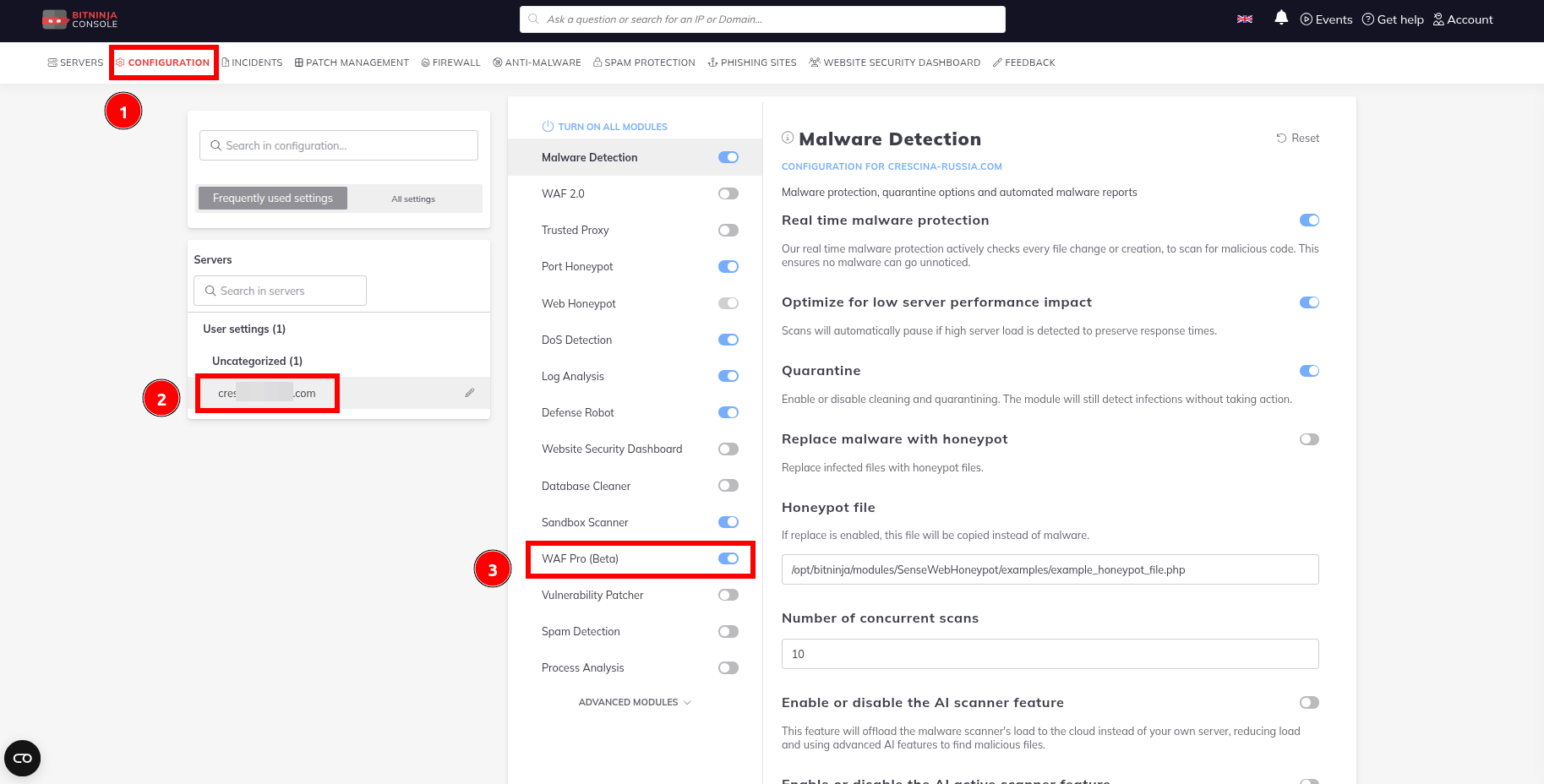
We recommend using the WAF3 module instead of WAF2, as this will preventoperation of the bitninja-ssl-termination module.
To enable WAF3, go to the BitNinja web interface and open the Configuration section. Next, select the target server and enable the WAF Pro (beta) module.