Our control panel comparison series moves on to aaPanel — a widely known free option that many developers recommend. But how does it perform next to ispmanager, a commercial panel built for both personal projects and hosting providers? In this guide, we compare their features, ease of use, performance, and practical use cases.
Let’s see how aaPanel stacks against ispmanager!

ispmanager
| 
aaPanel
| |
| Ease of use | ||
| Functionality | ||
| Security | ||
| Resource efficiency | ||
| Cost |
aaPanel vs ispmanager: Feature Overview
Supported OS

- Debian
- AlmaLinux
- Ubuntu
- Rocky Linux
- CloudLinux
- Windows
- AlmaLinux
- Debian
- Ubuntu
- Rocky Linux
- CloudLinux
Minimum hardware requirements

- 1 core CPU + 512MB RAM
- 20 GB disk
- 1 GB RAM (2 GB for AlmaLinux)
- 20 GB disk
Security features
- Fail2Ban
- aaPanel WAF (only for Nginx) + paid Nginx WAF and Apache WAF in the app store
- Fail2Ban
- ModSecurity (WAF)
- CloudFlare
- Firewall
- KernelCare
- BitNinja
- Blackwall
- DDoS-GUARD
Antivirus
- ClamAV
- ClamAV
- ImunifyAV
Spam protection
- DKIM
- SPF
- DMARC
- Black and white lists
- DKIM
- SPF
- DMARC
- DNS Blackhole Lists
- Black and white Lists
- SpamAssassin
- Greylisting
- SpamExperts
Backups
- Automated backups can be configured for websites and databases
- Built-in backup system with scheduling and remote storage support
Web server
- Nginx
- Apache
- OpenLiteSpeed
- Nginx + Apache
- Nginx + PHP-FPM
- Apache
- OpenLiteSpeed
- LiteSpeed
Programming languages/frameworks
- PHP (additional languages via App Store)
- PHP (lets you set up a different PHP version for each site)
- Python
- Node.js
Email management
- Mail marketing
- Auto-reply
- Email forwarders
- Mailbox import
- Email account management
- Webmail interface
- Email forwarders
- Auto-reply
- Email filters
- Mailbox import
DBMS
- MySQL
- SQLServer
- PostgreSQL
- MySQL
- MariaDB
- Percona
- PostgreSQL
Website Creation & CMS
- WordPress Toolkit (add WordPress, migrate site, add WP sets)
- One-click installation for popular CMSs (WordPress, Drupal, Joomla, etc.)
- Automated one-click WordPress setup
- Softaculous
Website builder
- No
- Site.pro
Automated certificate management for Let's Encrypt SSL certificates
- SSL can be issued after the site has been created
Max recommended accounts per panel
- Not publicly documented
- Some ispmanager setups run with over 2,000 accounts
Billing system integration
- WHMCS
- WHMCS
- Blesta
- HostBill
- BILLmanager
White label
- No
Roles and access permissions
- Administrator
- User
- Administrator
- Reseller
- User
- Granular access control (fine-tuned per user or task)
Updates
- No stable release schedule, 1-4 beta releases per month
- A stable release once a month
Interface
- Visually crowded but generally intuitive
- Simple, modern, and beginner-friendly
Language support
- 14 languages
- 15 languages
Support
- email support + Telegram and Discord
- Free 24/7 support
ispmanager: Quick Overview

ispmanager is a lightweight, fast, and fully featured hosting control panel built to simplify server, website, email, and security management. It includes all the essential tools for hosting and maintaining websites on a server: web server configuration, installation of popular CMSs (WordPress, Joomla, Drupal, and more), multi-version PHP support (plus Python and Node.js), a file manager with a graphical code editor, and automatic SSL issuance and renewal.
The panel lets you configure a mail server, manage domains and DNS, enable automated backups, and apply security modules such as antivirus and DDoS protection.
ispmanager isn’t limited to personal use but is also suitable for commercial hosting environments. It supports multi-user setups, reseller accounts, granular resource limits, user templates, and access controls, which makes it suitable for powering shared hosting infrastructure.
Pros
- Clean beginner-friendly UI
- Lightweight and stable (works smoothly even on small VPSs)
- Strong documentation and responsive 24/7 support
- Powerful multi-user and reseller features for hosting providers
Cons
- Offers fewer third-party integrations than cPanel or Plesk
aaPanel: Quick Overview
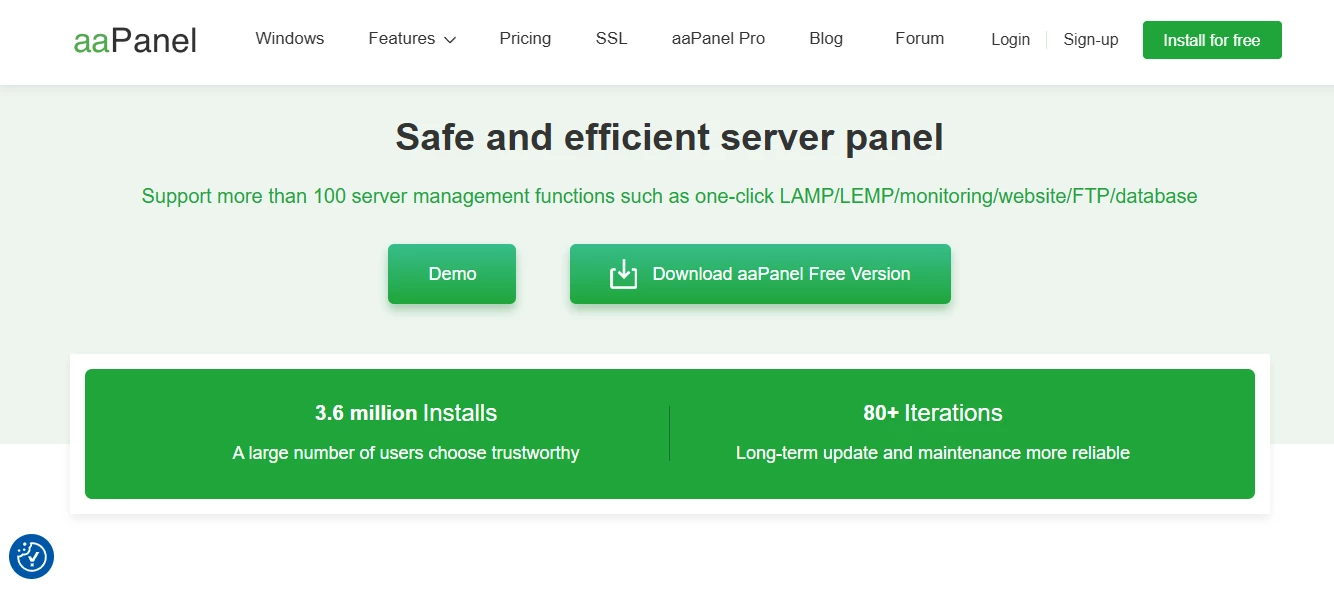
aaPanel is a developer-friendly, modular hosting control panel best known for its free license and flexibility. Out of the box, it offers a clean interface, a capable file manager, cron scheduling, and support for Apache, nginx, and OpenLiteSpeed. Many additional components — DNS, Docker, Node.js manager, and others — can be installed through its App Store.
The Pro version adds multi-user management and additional security tools. aaPanel also has its WordPress toolkit that lets you manage themes and plugins, configure security settings for your WordPress site, and more.
Pros
- Free plan available
- Flexible modular architecture
- Intuitive modern UI
- Preview of server resource usage
Cons
- Not suitable for reseller hosting
- No built-in website builder
ispmanager vs aaPanel: Interface & Usability
Interface
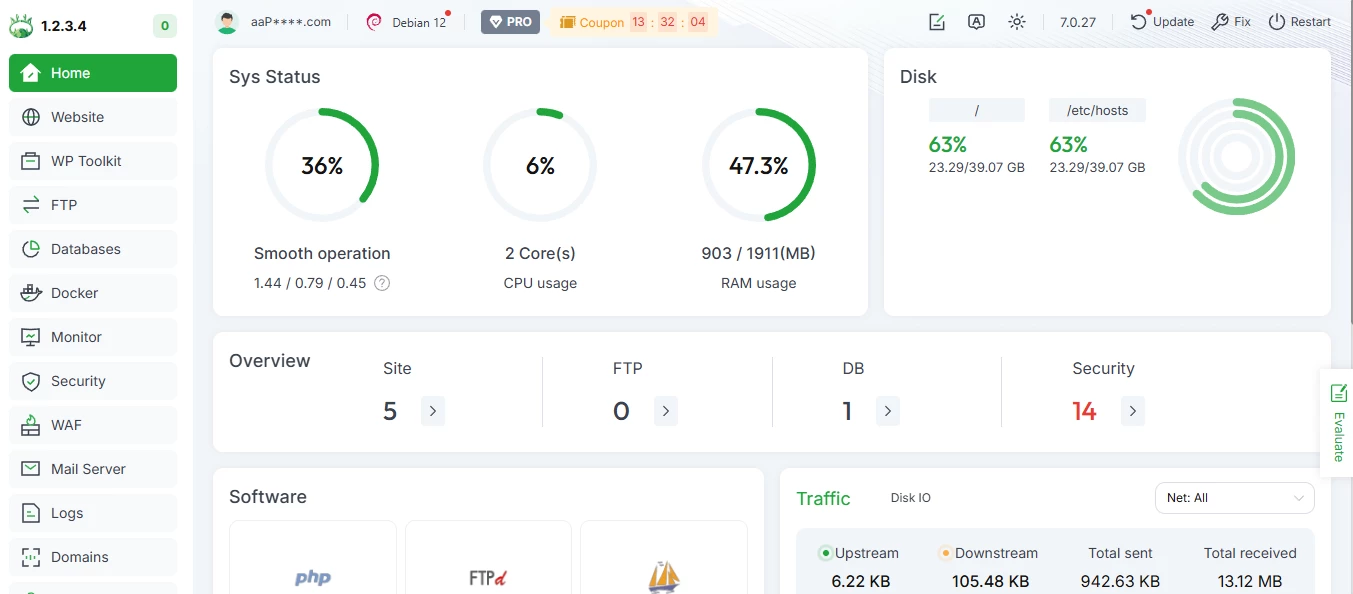
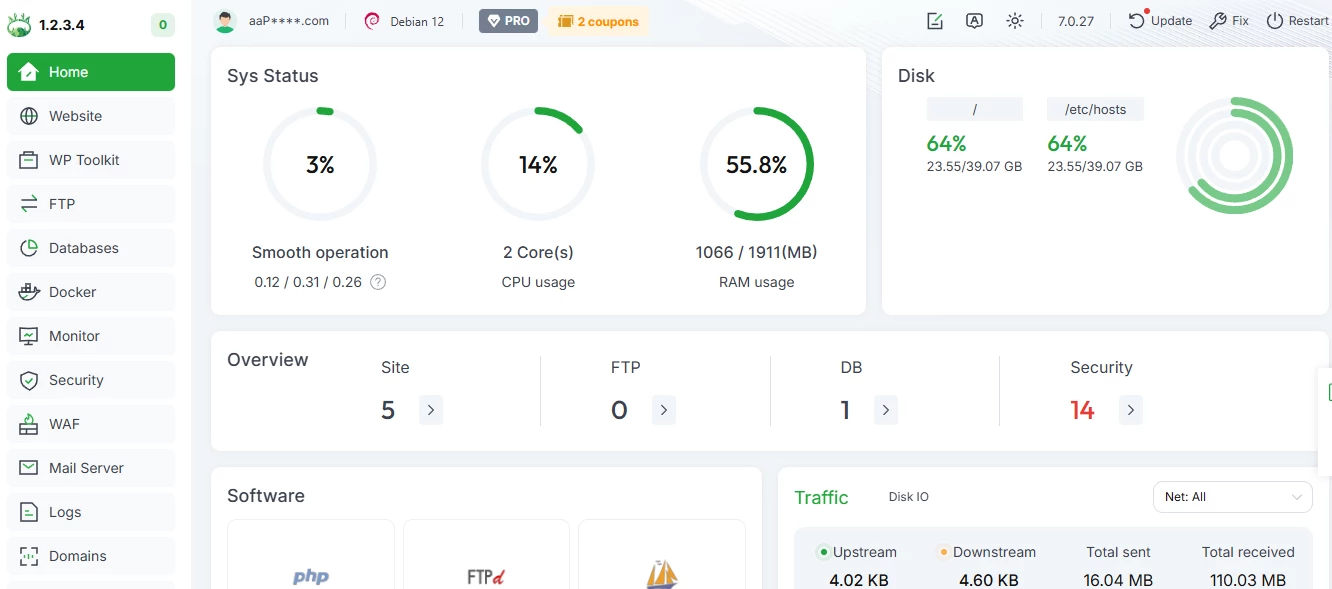
Both ispmanager and aaPanel offer a modern web interface with support for light and dark themes, plus the option to follow your system settings.
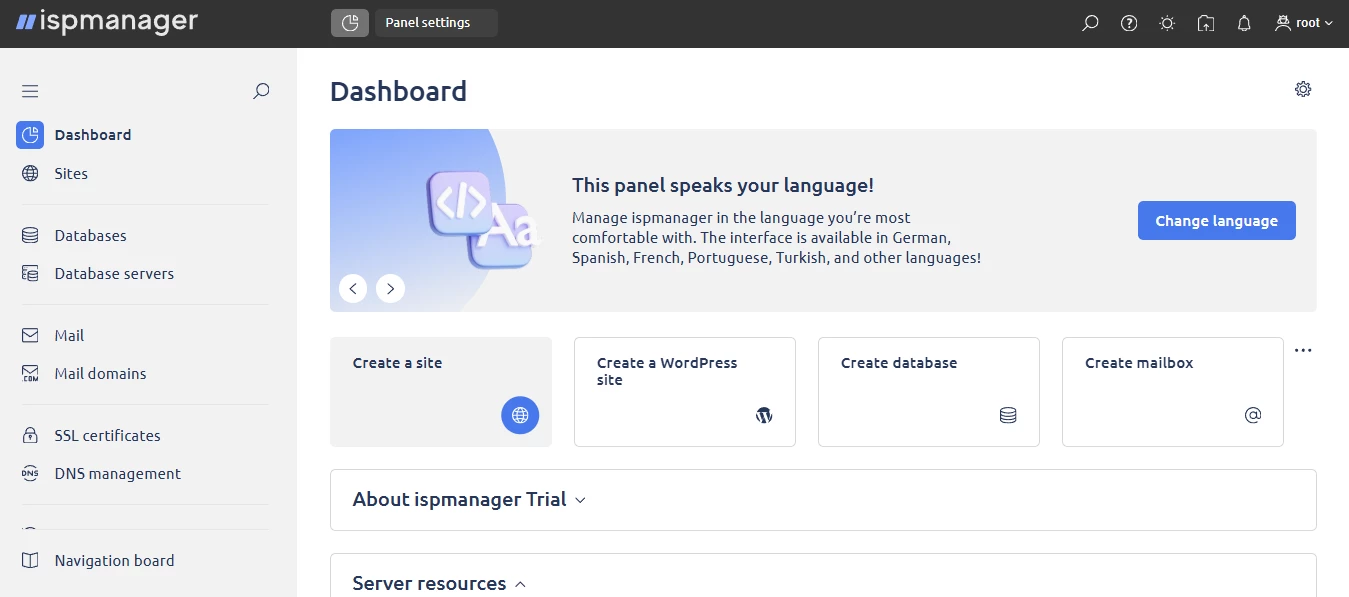
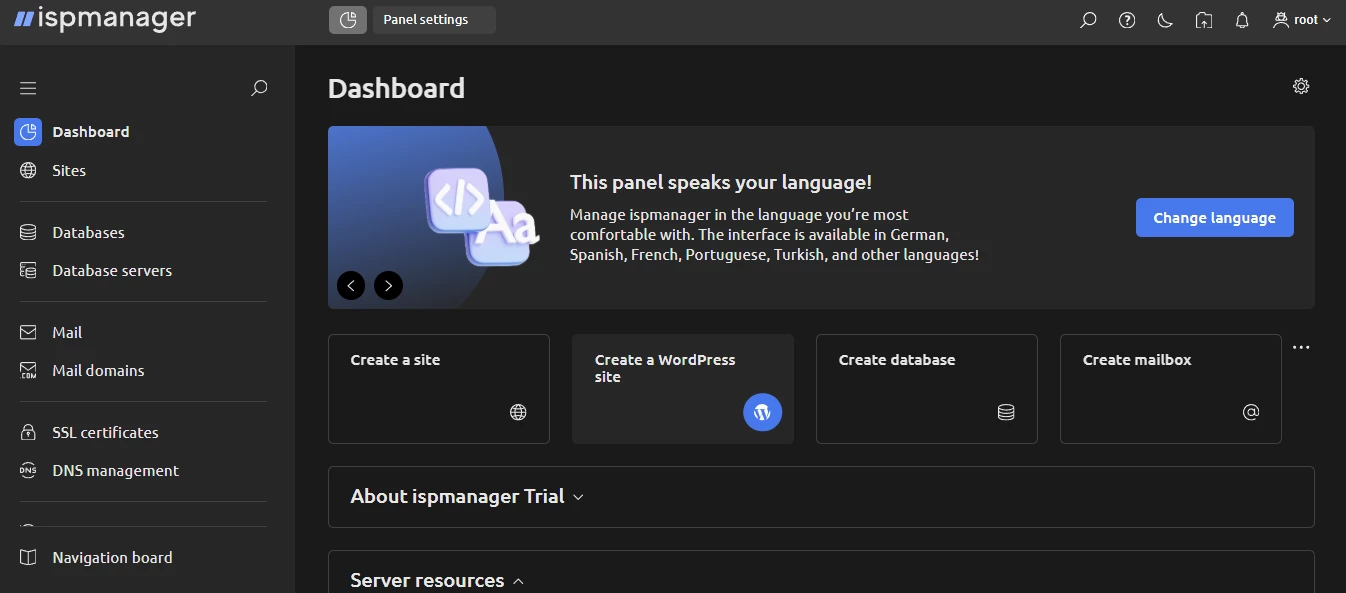
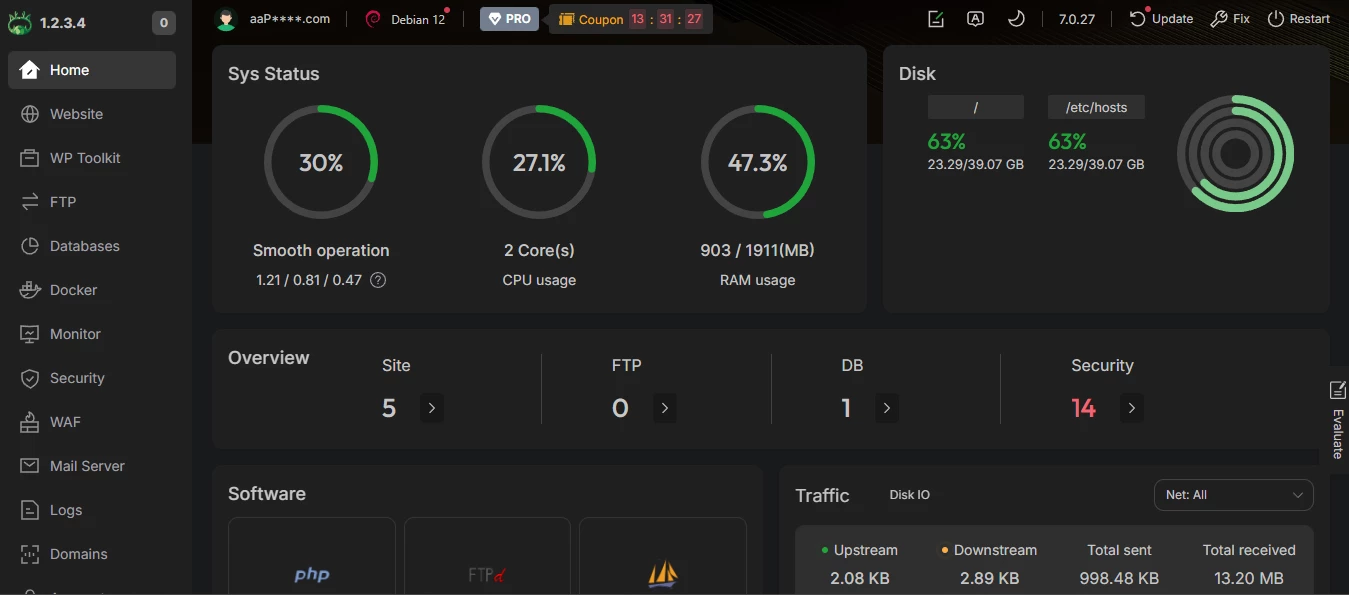
Visually, ispmanager looks clean and structured. You can customize the Dashboard by hiding or expanding the blocks you need to keep the workspace minimal.
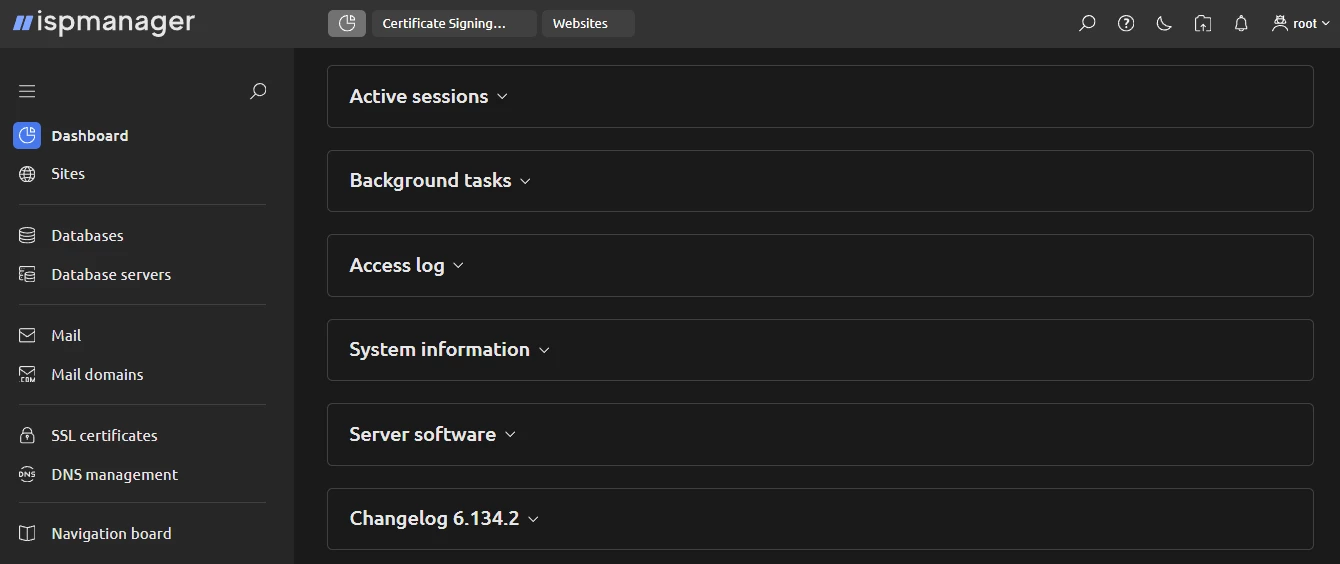
In aaPanel, all sections are displayed unfolded on a single screen. Some users may find this convenient (everything is immediately visible), while others may find it a bit overwhelming.
Usability
One of the most noticeable differences between the ispmanager vs aaPanel interfaces is the search bar. ispmanager includes a global search bar right on the Dashboard. It lets you type a keyword and instantly jump to the right page or tool.
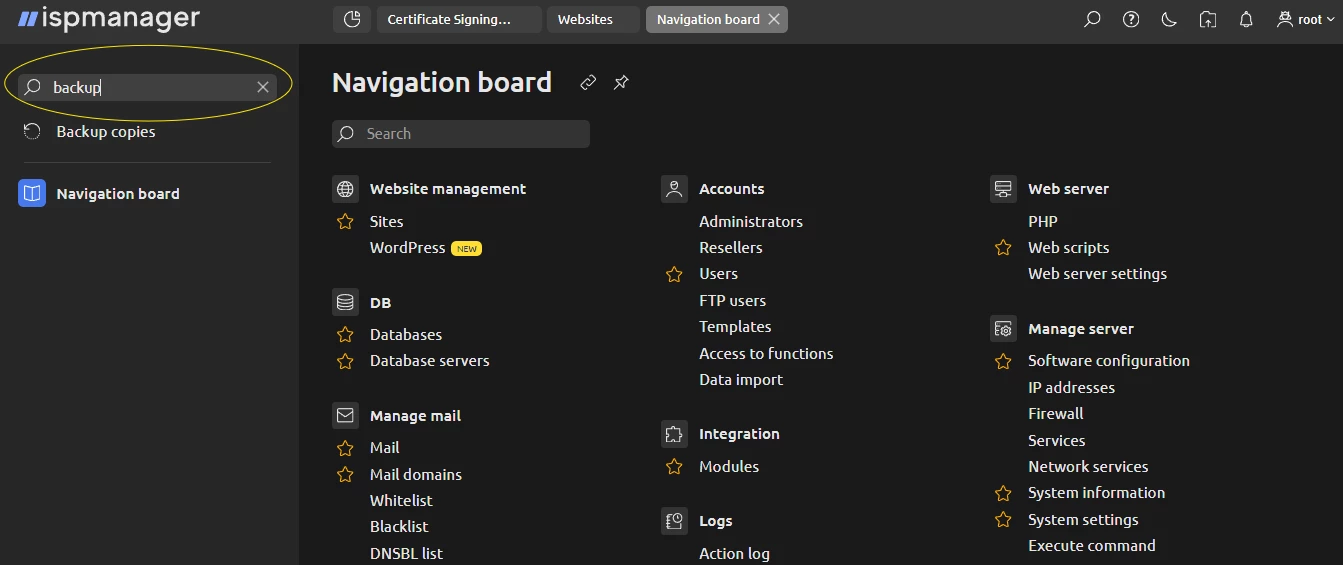
aaPanel does not offer a global search bar. Some sections have their own built-in search fields (e.g., website management or databases), but others do not (e.g., the email section).
Aside from basic stats (similar to aaPanel), ispmanager’s Dashboard is more action-oriented. You can launch the most common tasks with one click:
- create a site;
- create a WordPress site;
- create a database;
- create a mailbox;
- create a mail domain;
- create a DNS domain;
- create a cron job;
- create a backup, and more.
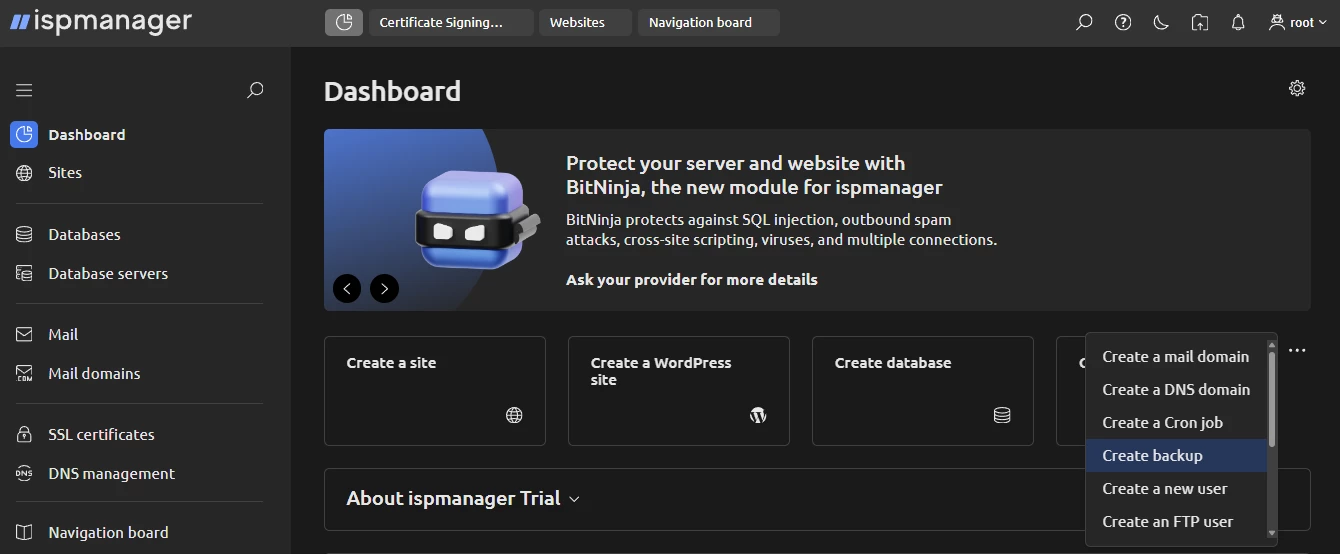
There’s also the Navigation board — a structured list of every function in the ispmanager panel. It acts like a universal menu for quick access, which is especially handy for new users.
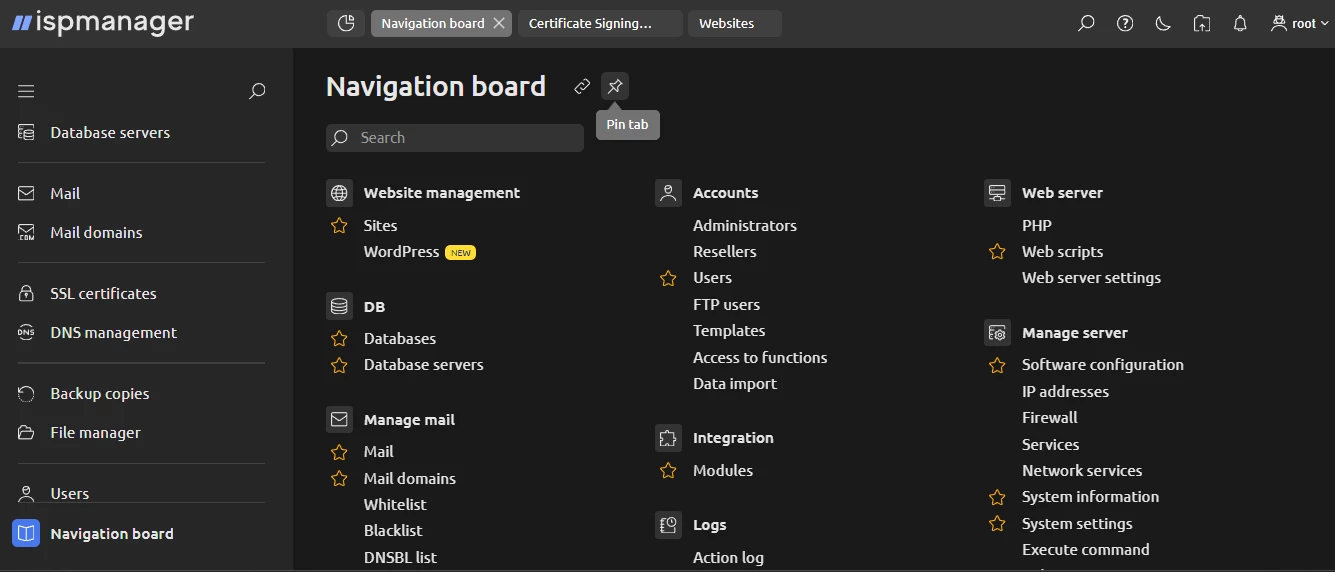
A nice feature about ispmanager’s interface is that it supports pinning sections and switching among several open tabs (similar to a web browser). This makes multitasking, such as editing a website while checking logs or managing databases, easier.
In aaPanel, actions start from the left sidebar.
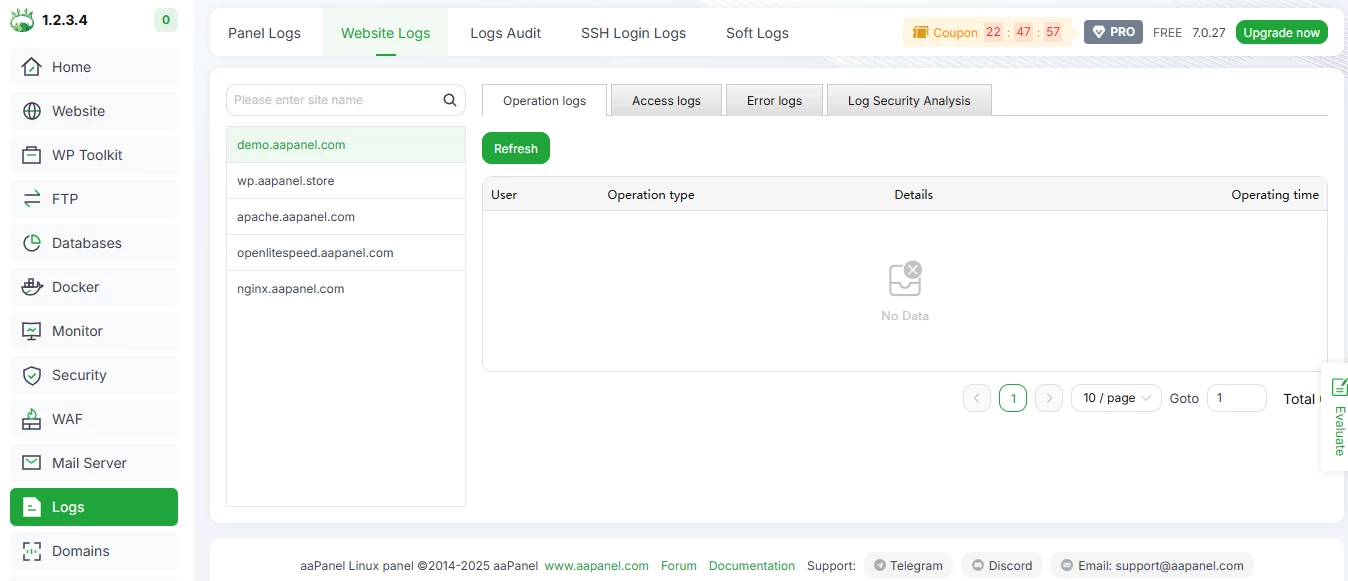
Each section may contain its own internal tabs, but they are isolated. You cannot pin or jump between multiple top-level sections in aaPanel simultaneously.
Final thoughts on usability and interface
If you're new to hosting control panels, ispmanager feels more beginner-friendly. The combination of a global search bar, the Navigation board, discoverable shortcuts on the Dashboard, and multi-tab support makes it easy to find what you need and complete tasks quickly.
aaPanel, on the other hand, is still pleasant to use — clean, modern, and not cluttered with ambiguous section names like in DirectAdmin (we discussed it in detail in our ispmanager vs DirectAdmin comparison). It does require a bit of time to learn where each tool lives in aaPanel, but on the whole, the interface is pretty intuitive.
ispmanager vs aaPanel: Performance & Functionality
When comparing performance and functionality between ispmanager and aaPanel, it’s important to draw one distinction early on: aaPanel’s free version lacks quite a lot of critical features. Multi-user management, file protection, full Docker management, detailed traffic analytics, full resource monitoring, and more are available only in aaPanel Pro.
Because of that, a fair comparison is ispmanager vs aaPanel Pro, not the free edition. And in this comparison, it seems that these two control panels were designed with different audiences and workflows in mind.
ispmanager is a versatile, all-in-one hosting control panel, suitable for:
- Website administrators;
- Web developers and agencies;
- Sysadmins;
- Hosting providers running shared hosting environments, selling VPSs, etc.
ispmanager hosting control panel supports quite a range of tasks out of the box:
| Website management | Mail server configuration | Hosting plan configuration | Security & system protection | SSL certificate management |
|
|
|
|
|
This is only part of the available functionality, but it shows how many types of users it can serve.
aaPanel feels more oriented toward developers who deploy their own projects (production or staging environments) and want a flexible, modular toolkit. It, among all else, includes:
- A solid file manager;
- Support for Apache, nginx, and OpenLiteSpeed;
- Cron scheduler;
- Website and database backups with support for remote storage.
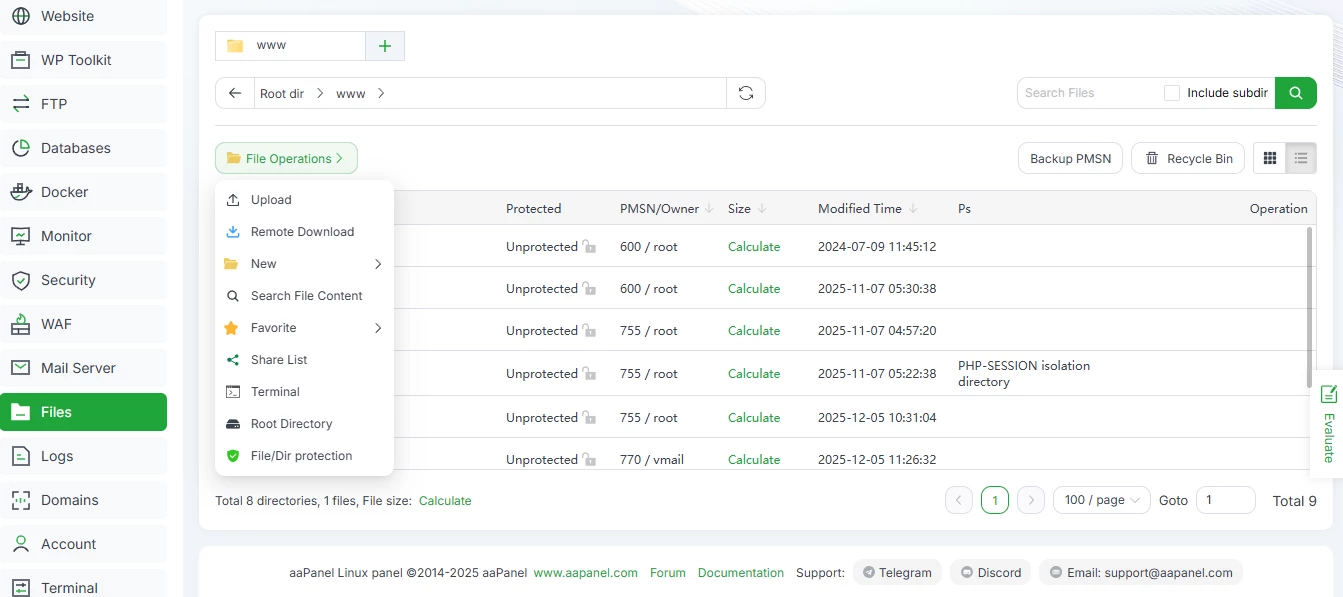
Its structure is primarily modular-based: if you need DNS management, Docker, MySQL, Node Version Manager, or any other utility, you install it.
This modularity can be too complicated for users with minimal technical skills, yet convenient for developers who want to enable only the components they actively use.
ispmanager also offers some modules (e.g., Site.pro or KernelCare), but foundational components such as DNS, Docker, and others come built-in.
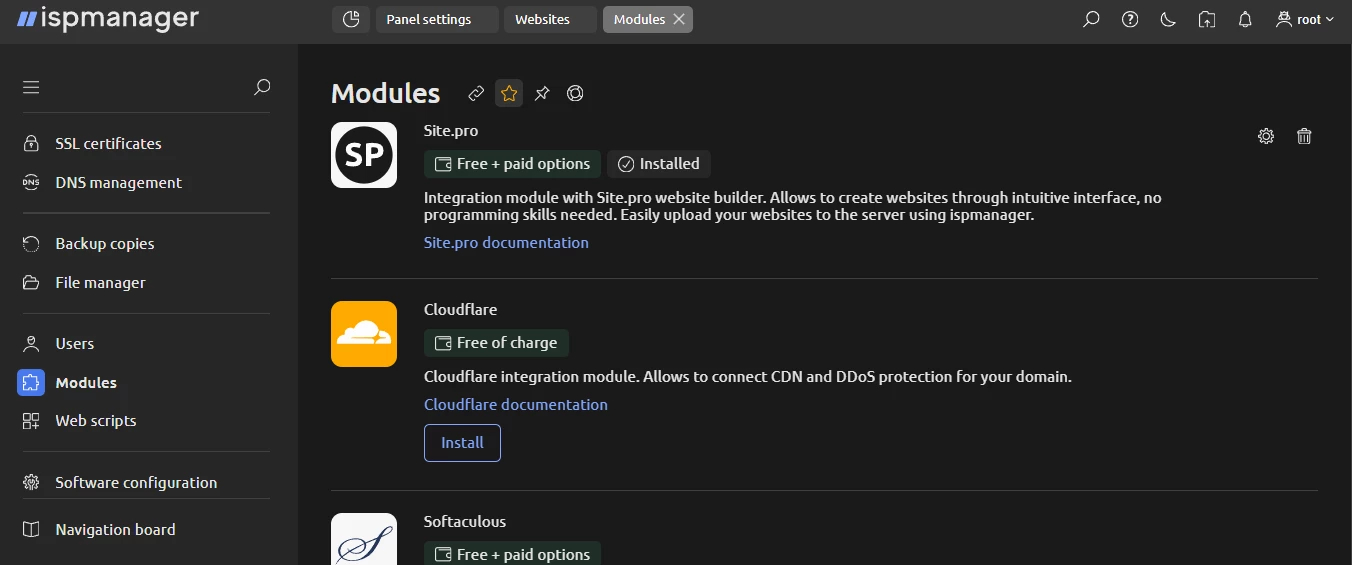
Although both panels cover many similar task categories — sites, databases, web servers, email, backups — ispmanager generally offers more depth in each area. Some examples would be ispmanager’s LiteSpeed support, built-in backup system with scheduling, and 11 configurable user limits, to name but a few.
WordPress & CMS management
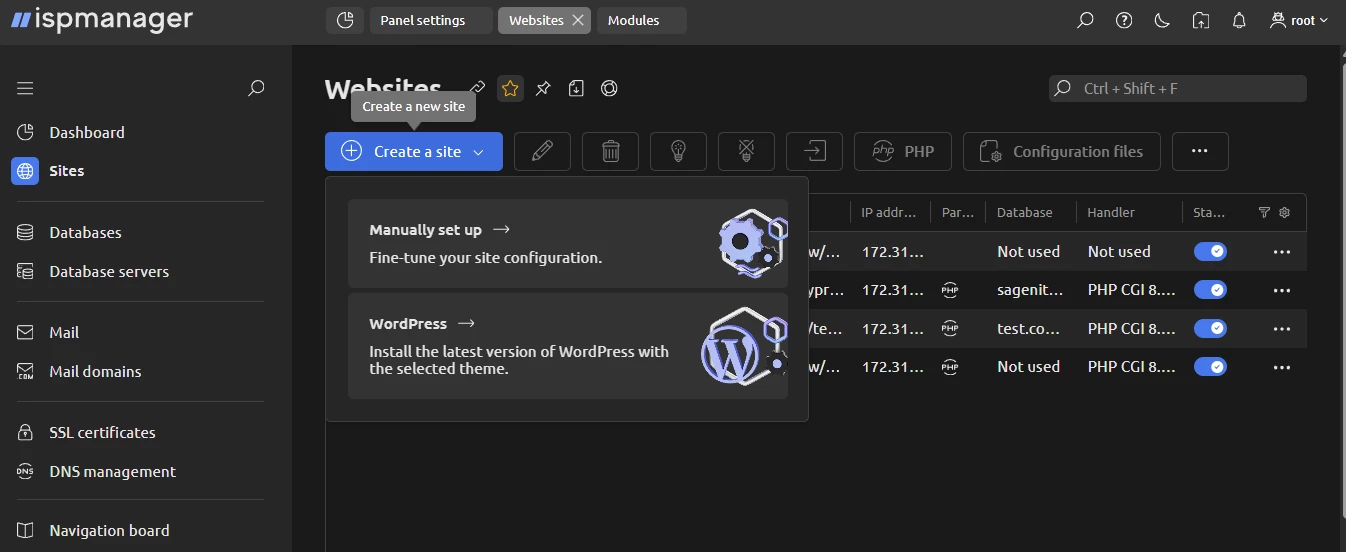
In ispmanager, when you add a new website, you are first offered two options: manual setup or a quick automated setup of a WordPress-based website.
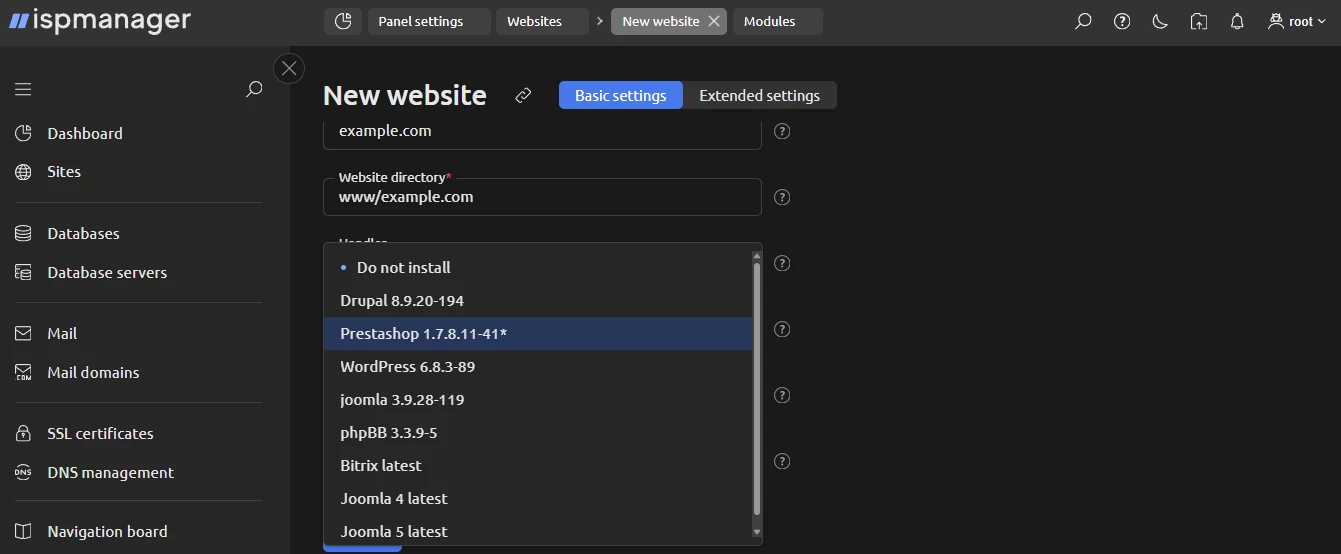
If you pick the manual setup, you will configure the basic settings. Quite importantly, right there, in the basic settings, you can choose a CMS, automatic SSL issuing, PHP mode, and version.
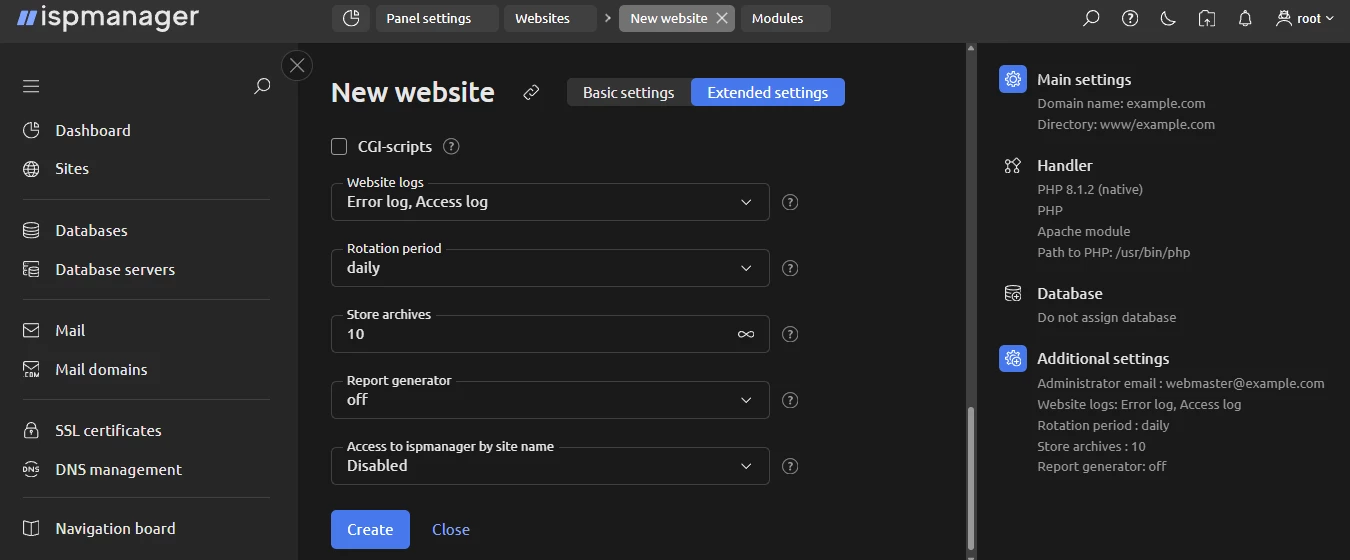
If that’s not enough, you can go to extended settings and configure autosubdomains, logs, archives, default index page, encoding, HSTS, SSI, execution of CGI scripts, and more.
And when you are done, you can work with your website in Site.pro (ispmanager installs the builder automatically).

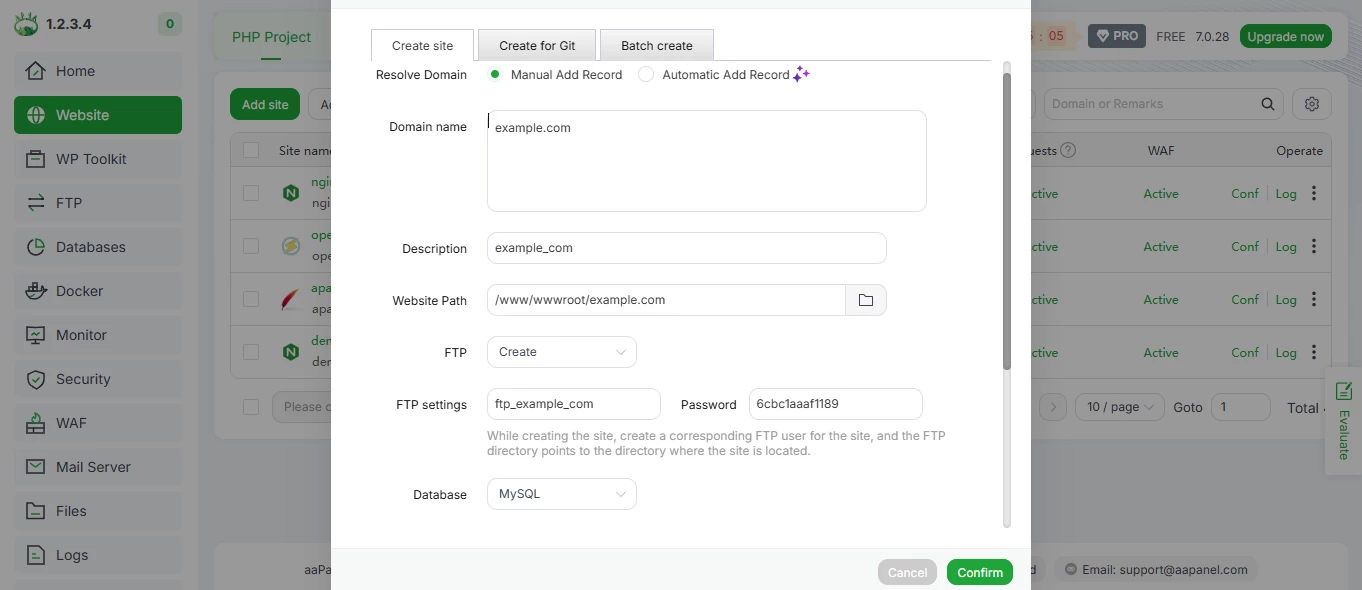
Now, here’s what the process looks like in aaPanel. When creating a website, you can specify the domain name, path, FTP, database, PHP version, and site category. There’s no choice of CMSs or a visual website builder to work with the website.
Once the website is set up, you can issue an SSL for it.
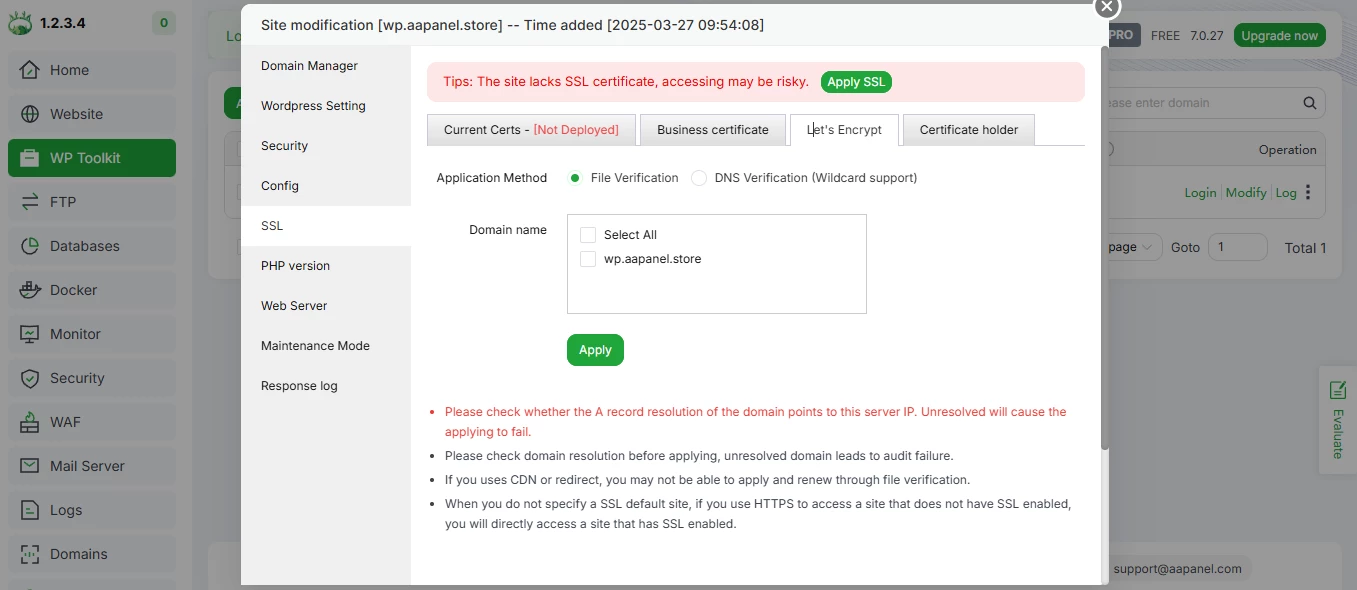
Similarly, you can create a WP-based site in the WP toolkit.
Hosting plan configuration & resource limits
ispmanager’s Host plan includes a full toolkit for building and managing hosting plans.
You can configure limits for virtually every resource that matters:
- disk space;
- traffic;
- number of domains;
- number of mailboxes;
- number of databases;
- hourly mail limits;
- CPU, memory, and process restrictions;
- plus, many other per-user technical limits.
Beyond resource caps, ispmanager also gives you fine-grained access control, including:
- task-level permissions;
- enabling or disabling shell access;
- limits on database queries;
- per-feature access rules;
- hierarchical roles: administrator, reseller, user.
This depth of control is essential for creating real hosting products, from efficient shared hosting to VPS packages.
aaPanel allows multi-user management only in the Pro version. Even there, the number of available limits is smaller than in ispmanager.
In aaPanel Pro, you can control:
- disk space;
- bandwidth usage;
- number of websites;
- databases;
- FTP accounts.
Another difference is that aaPanel does not support reseller accounts at all. The feature has been requested by its community (some users suggest implementing it as a paid add-on), but there is no indication of when (or if) this functionality might appear.
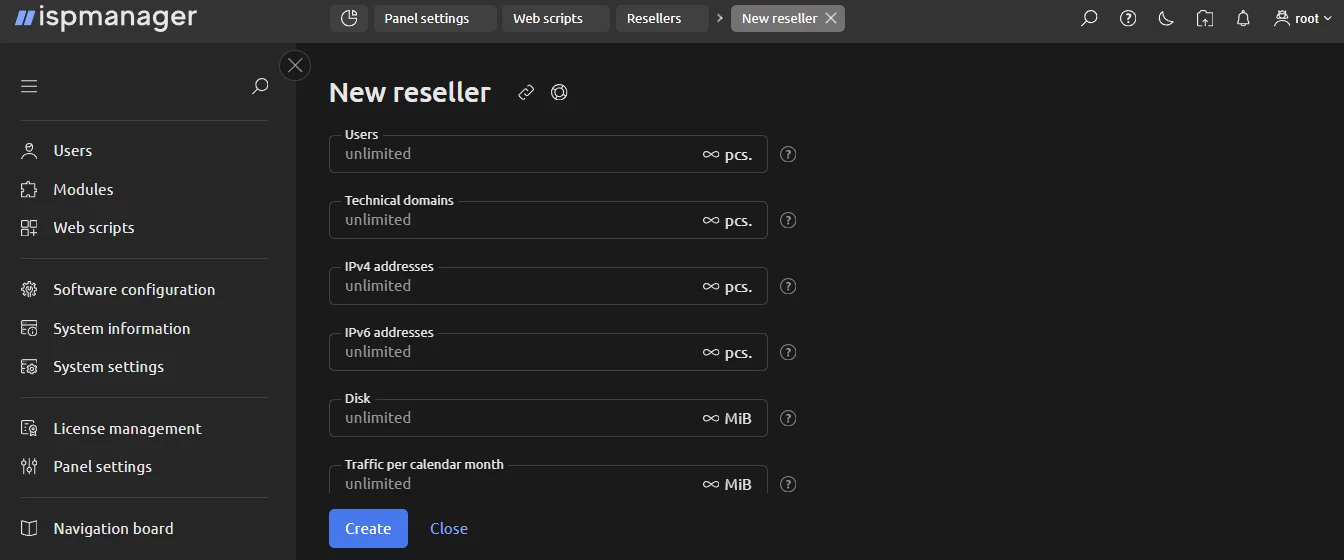
ispmanager, on the other hand, fully supports reseller structures and provides resellers with the tools needed to create, manage, and delegate hosting plans.
Check our quick guide on how to start a hosting reseller business
In short: If you plan to build actual hosting plans, sell shared hosting and VPSs/VDSs, or run a reseller-based business, ispmanager is the panel built for that. It has an advanced range of limits, roles, and access controls, which aaPanel cannot offer yet.
Documentation, ecosystem & advanced environments
aaPanel is built around a modular structure. Whether you need a DNS manager, Docker, Java manager, Python manager, FTP storage, Node version manager, or almost any other component, you install it separately from the aaPanel App Store.
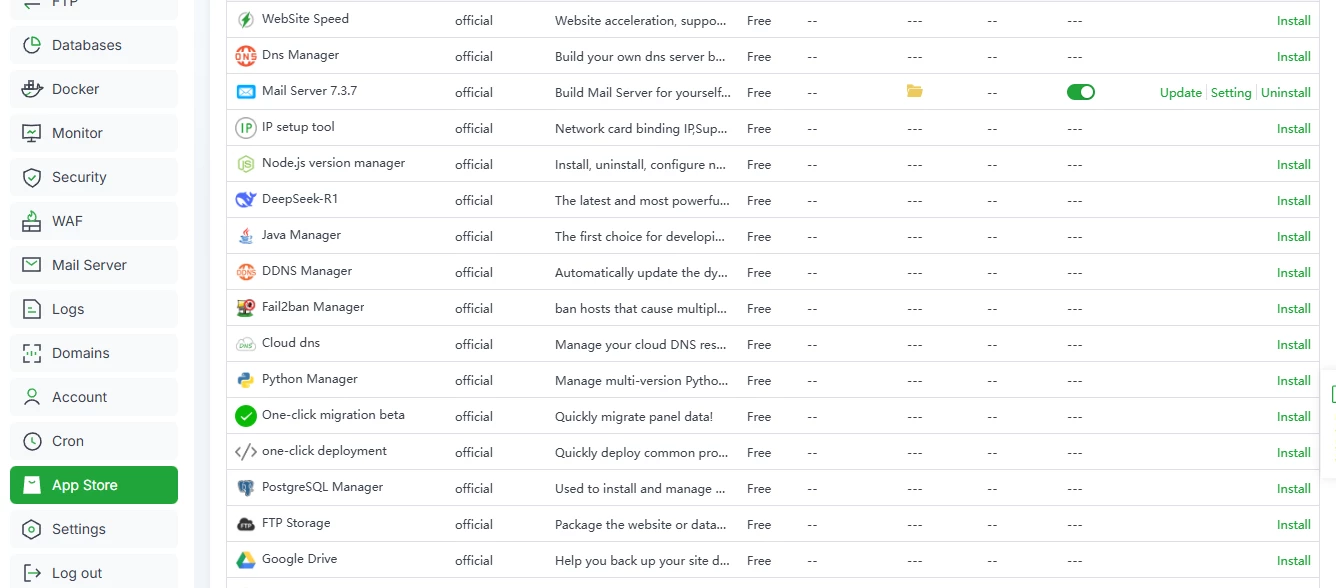
The App Store includes:
- free plugins;
- paid tools and add-ons.
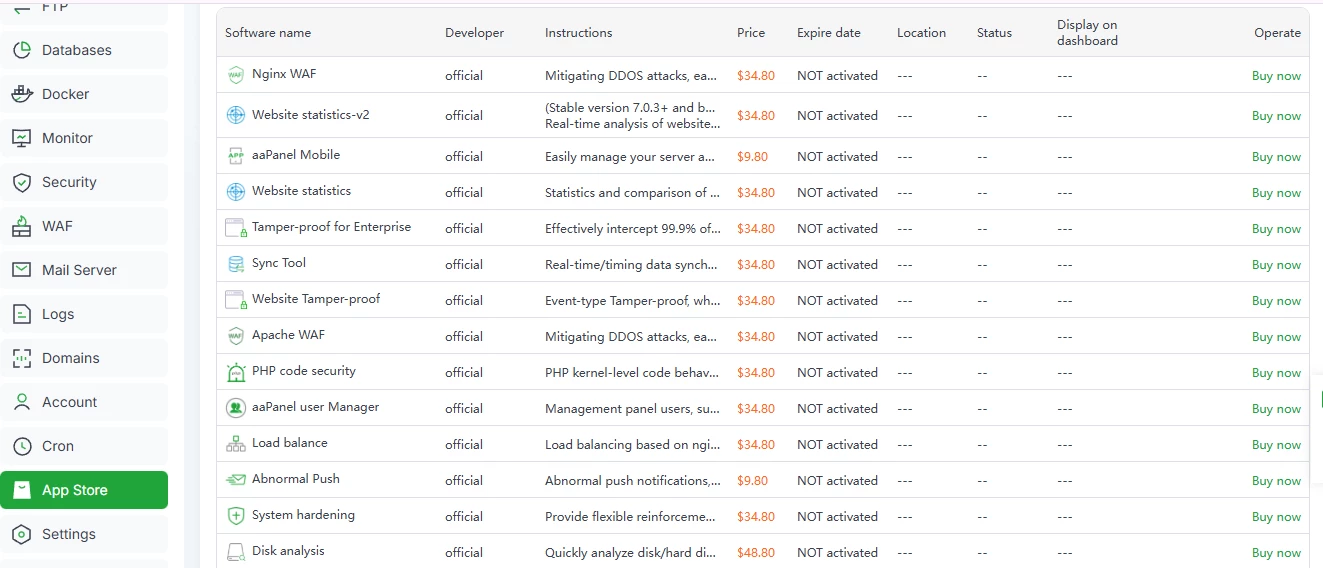
This gives developers flexibility: you install exactly what you need, no more, no less. But there are also some drawbacks. For example, aaPanel’s App Store does not provide detailed information about the plugins. Aside from a very small pop-up note, you cannot see the developer, the installation instructions, configuration recommendations, or compatibility notes. This makes the App Store less beginner-friendly and somewhat confusing.
ispmanager also supports additional tools and integrations, but the ecosystem is more structured. Popular integrations include:
- BitNinja;
- SpamExperts;
- DDoS-Guard;
- Cloudflare (free);
- ImunifyAV (free), and more.
For every module, ispmanager provides a full documentation page with:
- a module description;
- license types;
- installation requirements;
- limitations;
- setup recommendations.
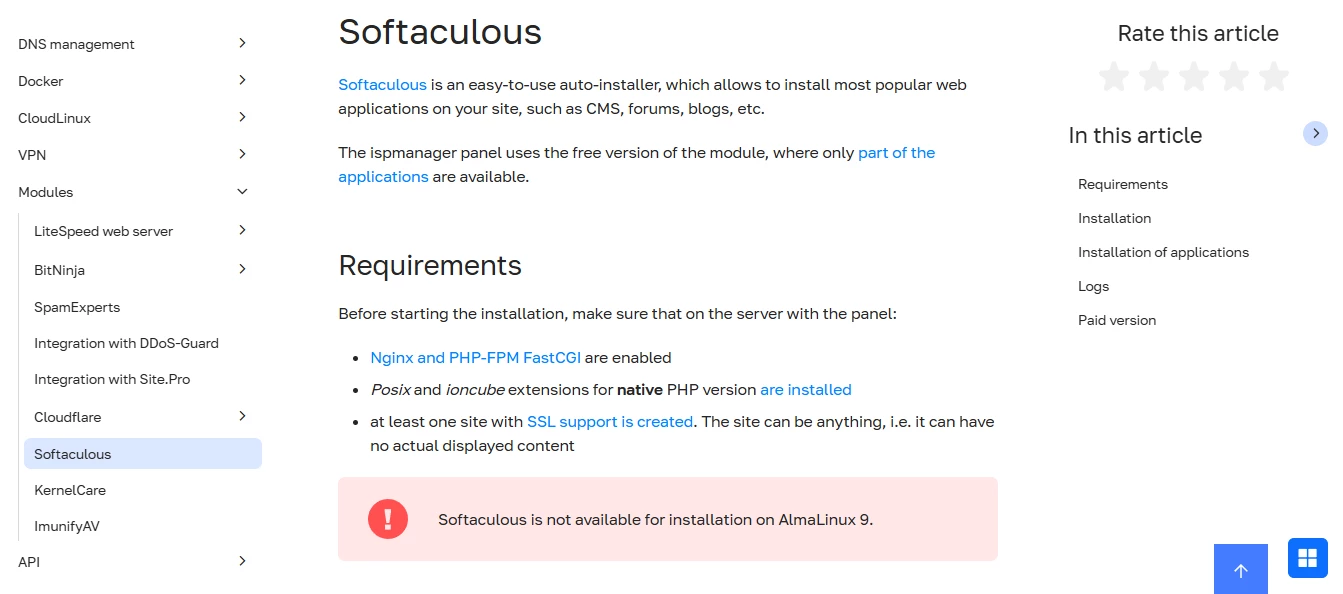
Unlike aaPanel, ispmanager works with both free and paid Softaculous and Site.pro installers. While it doesn’t match the enormous ecosystems of cPanel or Plesk, ispmanager offers more hosting-oriented integrations than aaPanel.
As to documentation and knowledge resources, aaPanel provides classic docs organized mostly in table-format instruction pages. The information is brief, direct, and minimal.
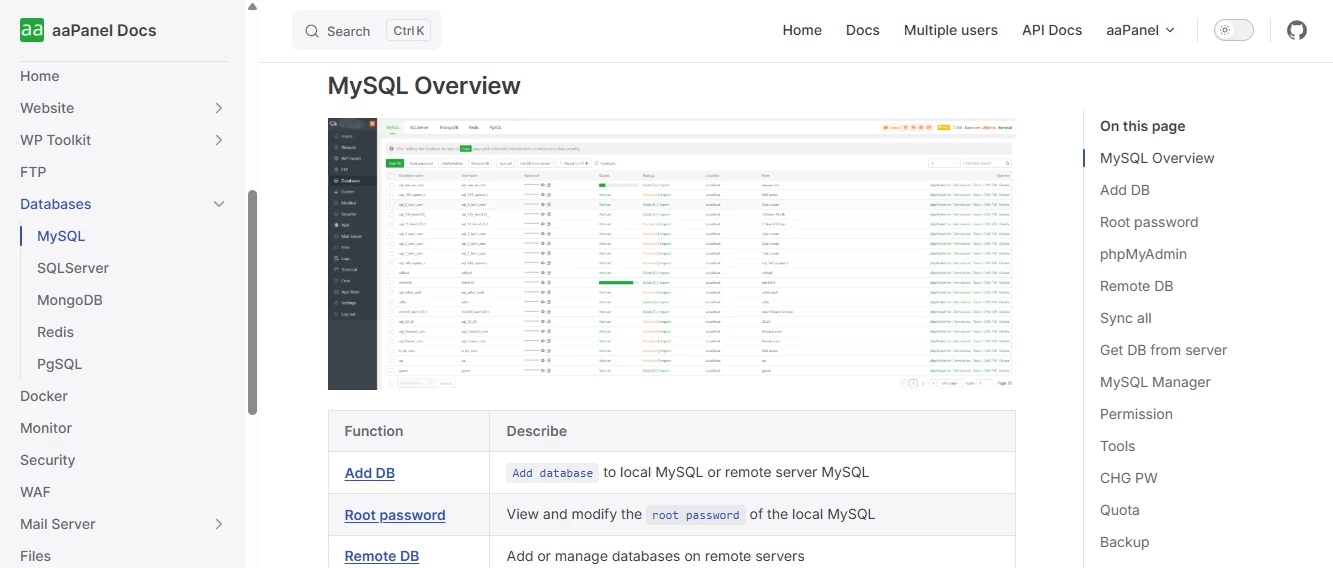
aaPanel also maintains a lively forum, where responses typically arrive within 24 hours. Discussions are neatly divided into:
- official announcements;
- documentation;
- support.

ispmanager, in turn, provides an extensive support ecosystem that includes:
- documentation;
- wiki;
- knowledge base;
- help centre.
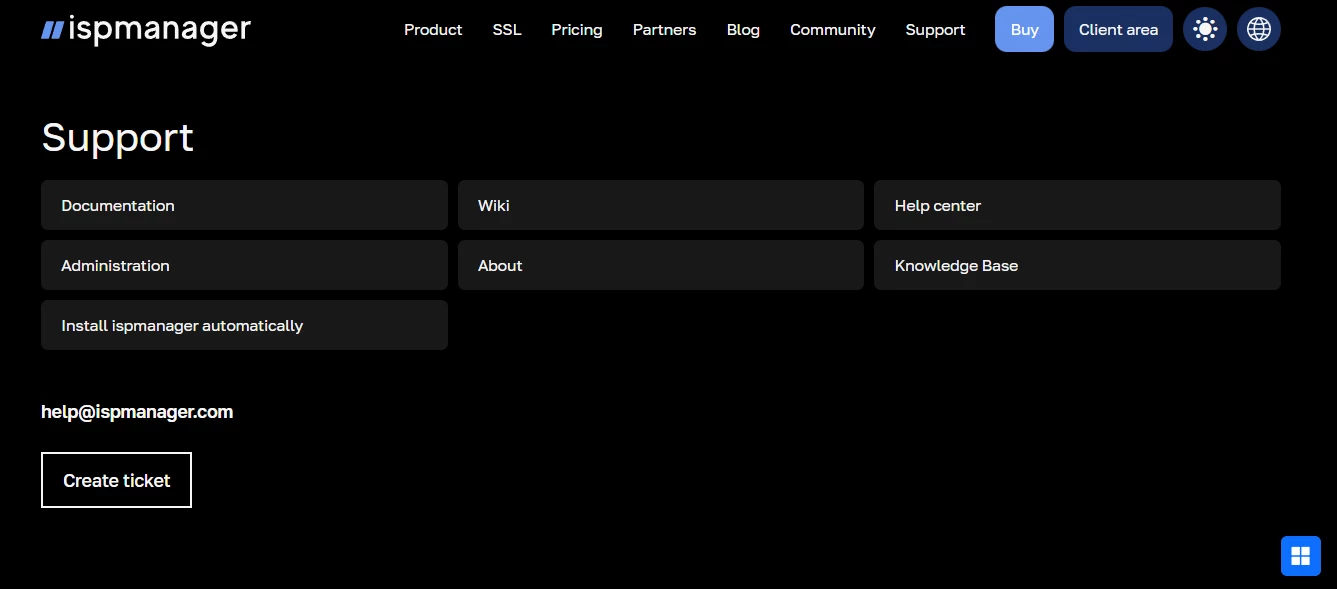
The ispmanager’s documentation style is closer to full-scale guides rather than quick snippets. Most articles include screenshots, short instructional animations, and step-by-step walkthroughs.
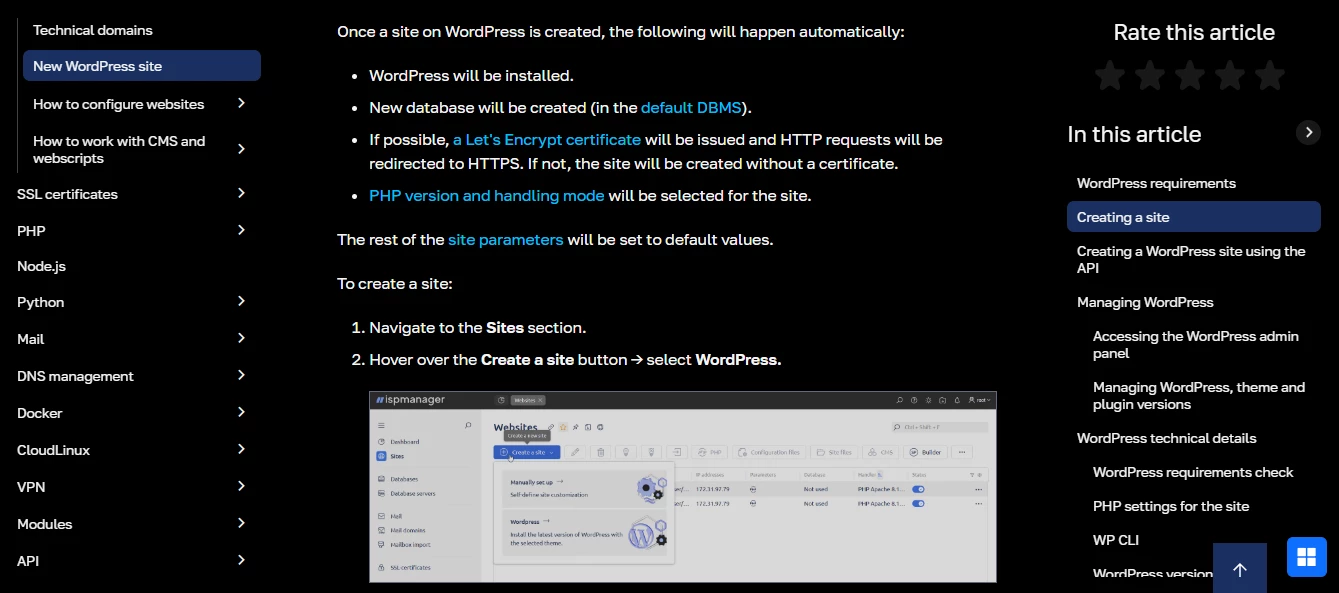
Plus, ispmanager shows a product roadmap, where you can see which improvements were added in the previous quarters and which ones are in progress now (you can vote for the improvements you want). There’s also a change log (it shows everything that’s been added or improved), a feature request board, an automatic installation request form, and a forum.
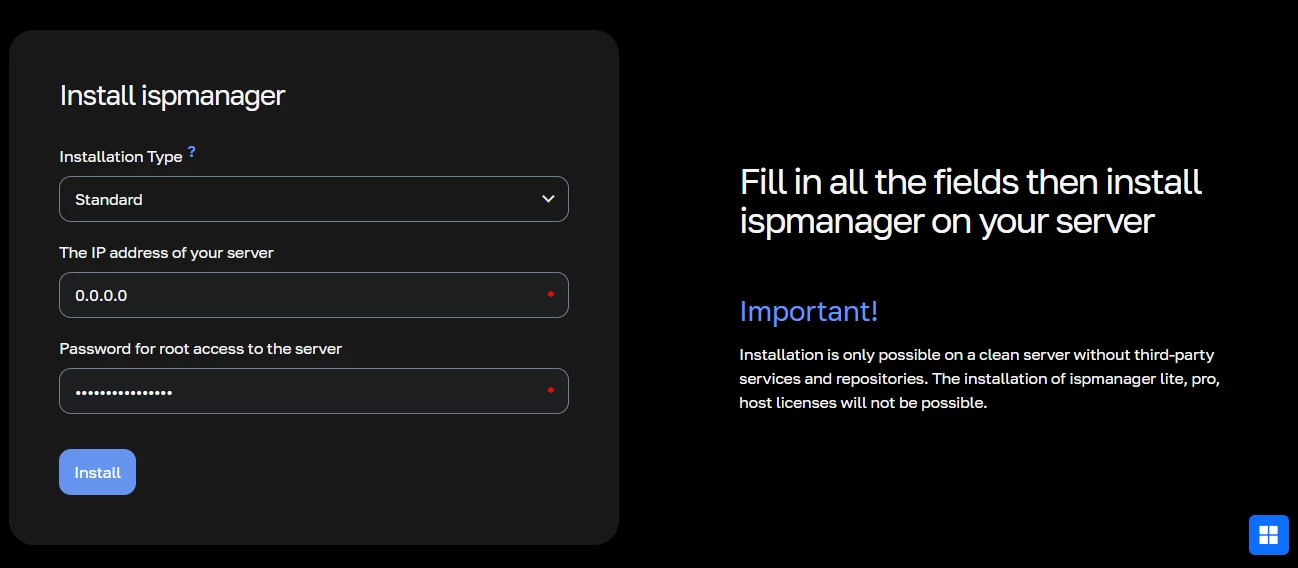
In short: If you plan to use a server control panel for business operations — running commercial hosting, onboarding non-technical website admins, reselling hosting — ispmanager offers a complete support ecosystem and hosting-grade integrations for that.
If you’re using the panel for personal hosting or development projects and already have solid technical skills, aaPanel’s documentation and modular structure may be sufficient.
Final thoughts on functionality
Overall, aaPanel’s feature set is well-suited for developers who want a free or budget-friendly, modular control panel for hosting or staging their own projects.
For complete beginners, however, aaPanel may feel overwhelming. ispmanager is more beginner-friendly thanks to its guided workflows, clear documentation, and overall structured UI. If your goal is simply to manage a website, ispmanager will let you do exactly that.
When it comes to professional hosting projects, out of ispmanager and aaPanel, only ispmanager provides the toolset required to run hosting infrastructure reliably.
aaPanel vs ispmanager for Different Use Cases
Now that we’ve examined interface, features, and overall usability, it’s time to look at how ispmanager and aaPanel perform in real-life scenarios.
ispmanager vs aaPanel for shared hosting
When you’re running shared hosting, you need a control panel that lets you manage hundreds of users reliably, enforce security, and provide clear role separation. In this area, ispmanager has the upper hand.
Here’s what ispmanager offers for shared hosting:
- fully customizable hosting plans;
- precise limits for resources and services (traffic, storage, domains, databases, etc.);
- user roles and delegated permissions for multi-level access;
- reseller capabilities for those who sell hosting under their own brand.
These are features hosting providers rely on daily, and ispmanager was designed with this workflow in mind. aaPanel, on the contrary, isn’t fully suitable for powering a shared hosting infrastructure. Even in the Pro plan:
- user creation is available, but with limited controls;
- resource limits are basic;
- there are no reseller accounts;
- there’s a ceiling on how many user accounts can exist.
So if your goal is to power shared hosting, ispmanager is the only panel in this comparison built for that type of workload.
aaPanel vs ispmanager for VPS hosting
For VPS hosting, the panel often serves as an optional add-on that can increase conversions and lifetime value. Here, both ispmanager and aaPanel can be used well.
With ispmanager, hosting companies get an entire partner stack:
- ready-to-use marketing kits;
- promo landing pages;
- technical guides for customers, and more.
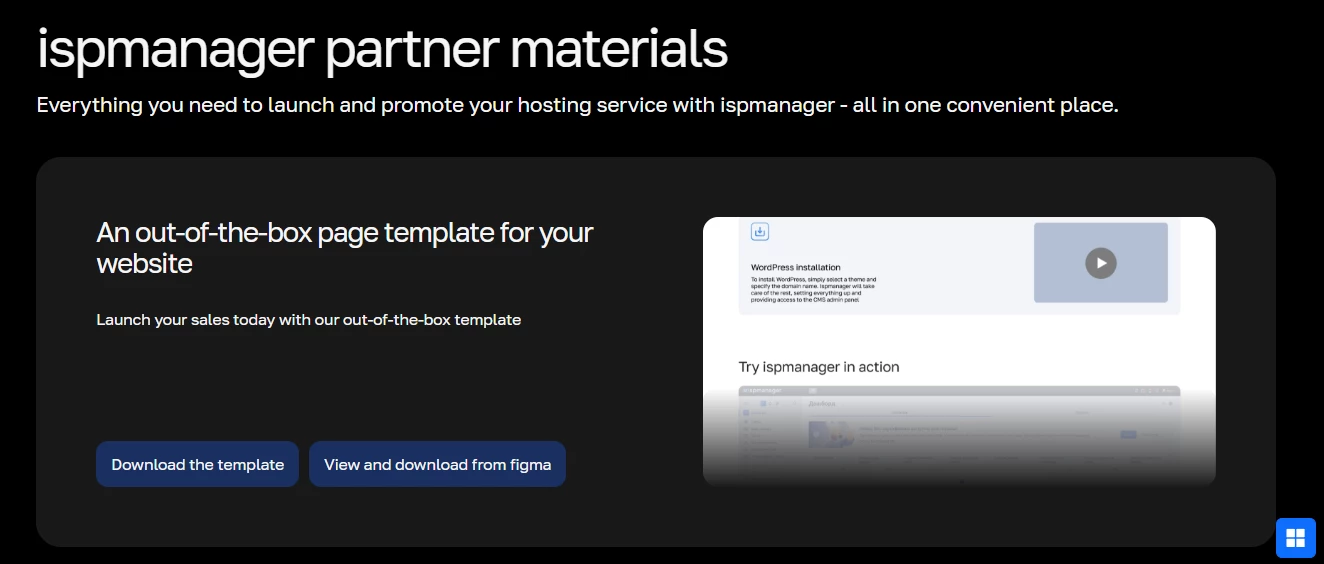
There’s a practical guide on how to make your first sales quickly with ispmanager that makes it easy to promote the panel to VPS clients. Plus, there are partner discounts up to 60%
aaPanel also offers partner discounts up to 60%, but it does not provide much marketing support for hosting providers. Your success largely depends on how well you can present and position aaPanel yourself. The advantage is that many customers may already recognize aaPanel thanks to its free tier, which sometimes simplifies upsells.
ispmanager vs aaPanel for personal/business projects
Choosing a panel for your project depends on how you plan to use it.
ispmanager is flexible enough to cover almost any scenario:
- one website or several;
- a small business site;
- agency workloads with multiple clients;
- a small-scale hosting business.
Its interface and documentation are approachable even for non-technical users.
aaPanel feels more like a developer’s toolkit. Its strengths become clear if you prefer to configure your stack manually or need a test/staging environment.
ispmanager vs aaPanel: Pricing
aaPanel offers two major licensing options: a free plan and a paid Pro plan (plus a lifelong paid license). ispmanager, in turn, has three paid license types, each designed for different workloads. While ispmanager does not have a free tier, its licenses remain in the budget segment of the market, especially compared to premium panels like cPanel or Plesk.
Explore our detailed cPanel vs ispmanager comparison
When you compare aaPanel Pro with ispmanager’s paid plans directly, their prices fall into a similar range. In fact, aaPanel Pro’s monthly price is roughly comparable to ispmanager’s most feature-rich license (Host).
The difference is in what you get for the price.
With ispmanager, the license cost includes access to a broader functional set, including support for more web servers (i.e. LiteSpeed), a built-in website builder, tools for hosting and reseller businesses, full-scale hosting plan management and granular limits, as well as integrations with different billing systems and security tools.
In short: Both ispmanager and aaPanel are affordable choices, especially compared to enterprise-level control panels. But in terms of what you get for the money, ispmanager delivers a wider toolkit and more business-ready functionality.
Final Verdict: aaPanel vs ispmanager, Which Is Better?
So where does this leave us? Both ispmanager and aaPanel are budget-friendly, lightweight hosting control panels.
ispmanager is a versatile, all-around solution. It works well for personal projects, supports website managers with minimal technical skills, and handles complex sysadmin tasks with ease. Most importantly, it’s fully suitable for professional web hosting: you can use it to run a shared hosting infrastructure, bundle it with VPS plans, and run a reseller business.
aaPanel is a feature-rich option for its price, but it has two key limitations: it’s less beginner-friendly and, at the same time, it is not designed for shared or reseller hosting. As for now, it seems to be best suited for web developers managing or staging their own projects.

While both ispmanager and aaPanel can support developers, ispmanager caters to a wider range of users, from beginners to hosting providers. Considering their comparable costs (excluding aaPanel’s limited free plan), ispmanager generally offers more value for the investment.