Continuing our comparison series, in this article, we look at ispmanager vs FASTPANEL. We’ll cover interface, usability, performance, WordPress management, hosting plans, automation, and pricing. By the end, you’ll know which one fits your goals.
Let’s see how FASTPANEL stacks up against ispmanager!

ispmanager
| 
FASTPANEL
| |
| Ease of use | ||
| Functionality | ||
| Security | ||
| Resource efficiency | ||
| Cost |
FASTPANEL vs ispmanager: Feature Overview
Supported OS
- Debian
- AlmaLinux
- Ubuntu
- Rocky Linux
- AlmaLinux
- Debian
- Ubuntu
- Rocky Linux
- CloudLinux
Minimum hardware requirements
- 1 GB RAM
- 5 GB disk
- 1 GB RAM (2 GB for AlmaLinux)
- 20 GB disk
Security features
- Fail2Ban
- Fail2Ban
- ModSecurity (WAF)
- CloudFlare
- Firewall
- KernelCare
- BitNinja
- Blackwall
- DDoS-GUARD
Antivirus
- AiBolit
- ClamAV
- ImunifyAV
Spam protection
- SpamAssassin
- DKIM
- SPF
- DMARC
- DNS Blackhole Lists
- Black and white Lists
- SpamAssassin
- Greylisting
- SpamExperts
Backups
- Full and differential backup plans available (the differential plan is in the beta phase now), with remote storage support
- Built-in backup system with scheduling and remote storage support
Web server
- Nginx
- Apache
- Nginx + Apache
- Nginx + PHP-FPM
- Apache
- OpenLiteSpeed
- LiteSpeed
Programming languages/frameworks
- PHP
- PHP (lets you set up a different PHP version for each site)
- Python
- Node.js
Email management
- Email account management
- Auto-reply
- Email filters
- Email account management
- Webmail interface
- Email forwarders
- Auto-reply
- Email filters
- Mailbox import
DBMS
- MySQL
- PostgreSQL
- MySQL
- MariaDB
- Percona
- PostgreSQL
Website Creation & CMS
- Fast site creation with WordPress
- One-click installation for popular CMSs (WordPress, Drupal, Joomla, etc.)
- Automated one-click WordPress setup
- Softaculous
Website builder
- No
- Site.pro
Automated certificate management for Let's Encrypt SSL certificates
- SSL needs to be issued after the site has been created
Max recommended accounts per panel
- Not publicly documented
- Some ispmanager setups run with over 2,000 accounts
Billing system integration
- No
- WHMCS
- Blesta
- HostBill
- BILLmanager
White label
Roles and access permissions
- Administrator
- Reseller (limited reseller functions)
- User
- Administrator
- Reseller
- User
- Granular access control (fine-tuned per user or task)
Updates
- No stable release schedule, 1-3 releases per month on average (maybe no releases in a month at all)
- A stable release once a month
Interface
- Modern, pleasant to use, could benefit from a few usability enhancements
- Simple, modern, and beginner-friendly
Language support
- 11 languages
- 15 languages
Support
- 1 support ticket a month if using a paid FASTPANEL license (extended license)
- Free 24/7 support
ispmanager: Quick Overview
ispmanager is a modern, lightweight control panel built to handle server management, website hosting, email, SSL, and more. The design is clean, performance is snappy, and security tools are solid.
Beginners and experienced admins alike will find it easy to use. Whether you run a VPS or manage shared hosting, ispmanager will act as a good assistant. Plus, technical support is included with all plans around the clock.
Pros
- Intuitive beginner-friendly interface
- Lightweight and efficient
- Strong documentation and responsive 24/7 support
- Rich features at a modest cost
Cons
- Lacks a WordPress Toolkit like cPanel or Plesk
Explore our full comparison ispmanager vs cPanel
FASTPANEL: Quick Overview

FASTPANEL often gets called “new,” but it’s been in the market for over seven years. That’s younger than cPanel’s 30-year history or ispmanager’s 20-plus years, but long enough to build a surprisingly capable product.
Most people think of FASTPANEL as a free panel, yet it also has an extended license that unlocks FASTPANEL support, white labeling, and other features. The interface is clean and beginner-friendly, but the functionality is more modest than what you get with ispmanager or DirectAdmin.
Pros
- Simple, intuitive interface
- Lightweight and fast
- Free and extended licenses (including a lifelong license)
Cons
- Feature set is limited compared to competitors
- No support in the FASTPANEL free license, limited support in the paid license
- No built-in visual site builder
ispmanager vs FASTPANEL: Interface & Usability
Interface
Both ispmanager and FASTPANEL come with a clean, modern UI. You get a built-in search bar, support for light and dark modes, and an option to follow your system theme.
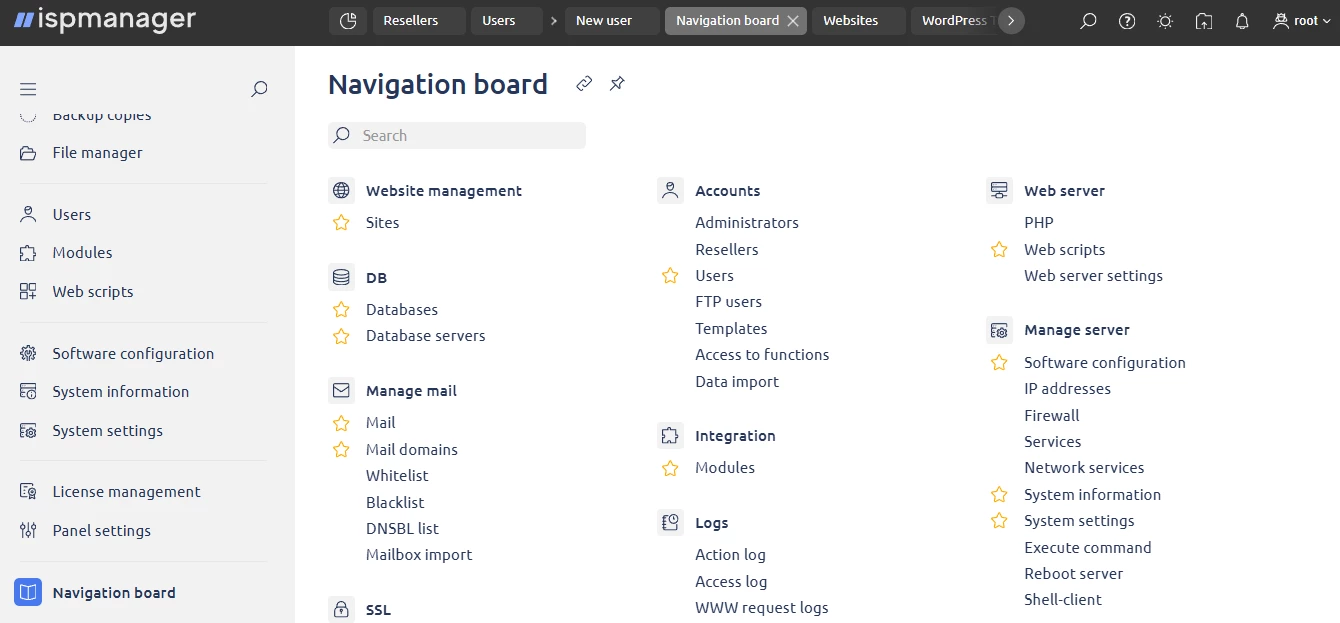
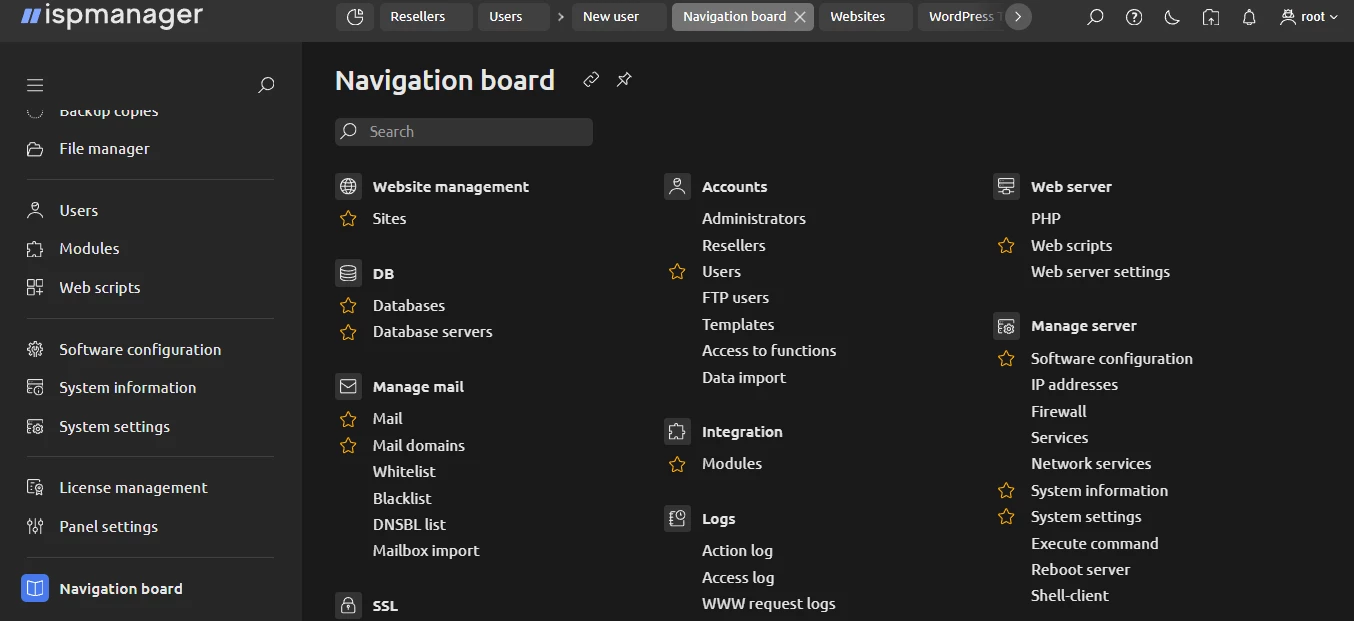
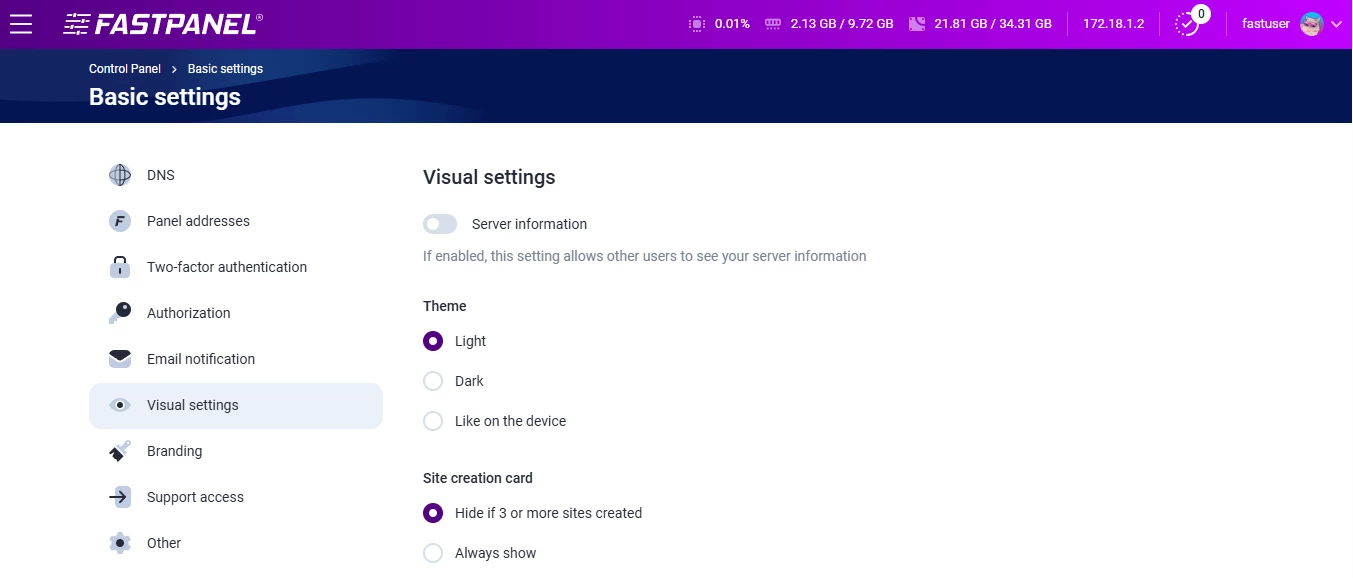
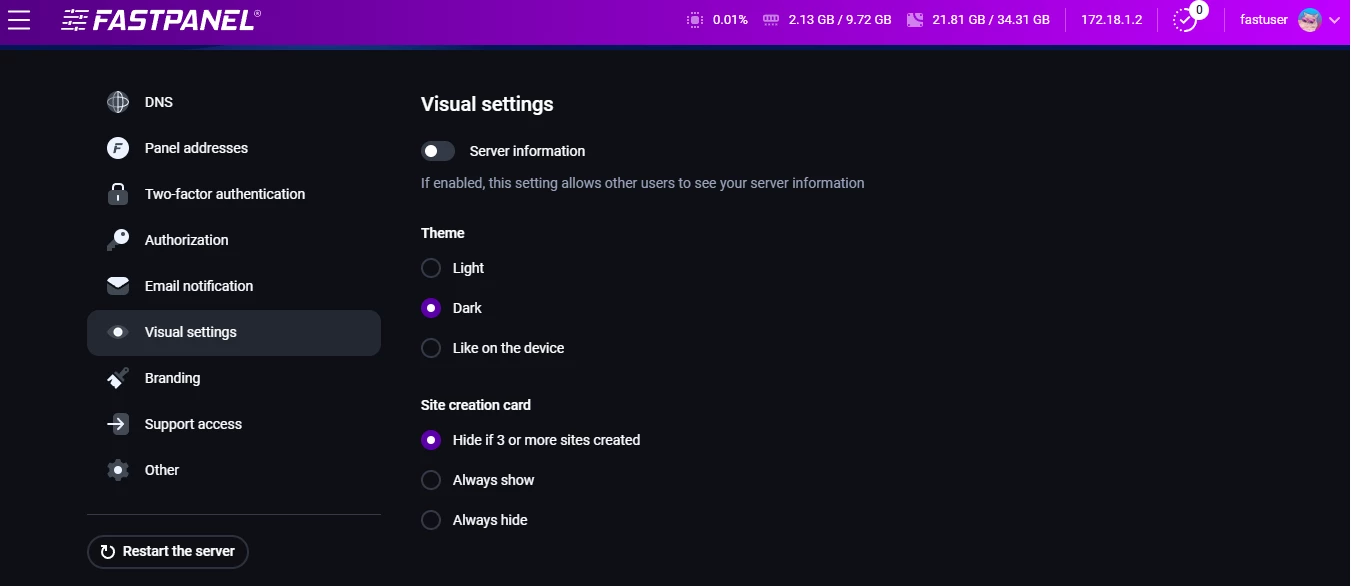
ispmanager leans toward a neutral look — blue, white, simple. FASTPANEL goes for a bold, deep-purple theme. Some users love that, while others may feel it gets in the way.
Usability
At first glance, FASTPANEL looks very beginner-friendly: big tiles, clean layout, nothing extra. But once you start working with it, you may notice a few things.
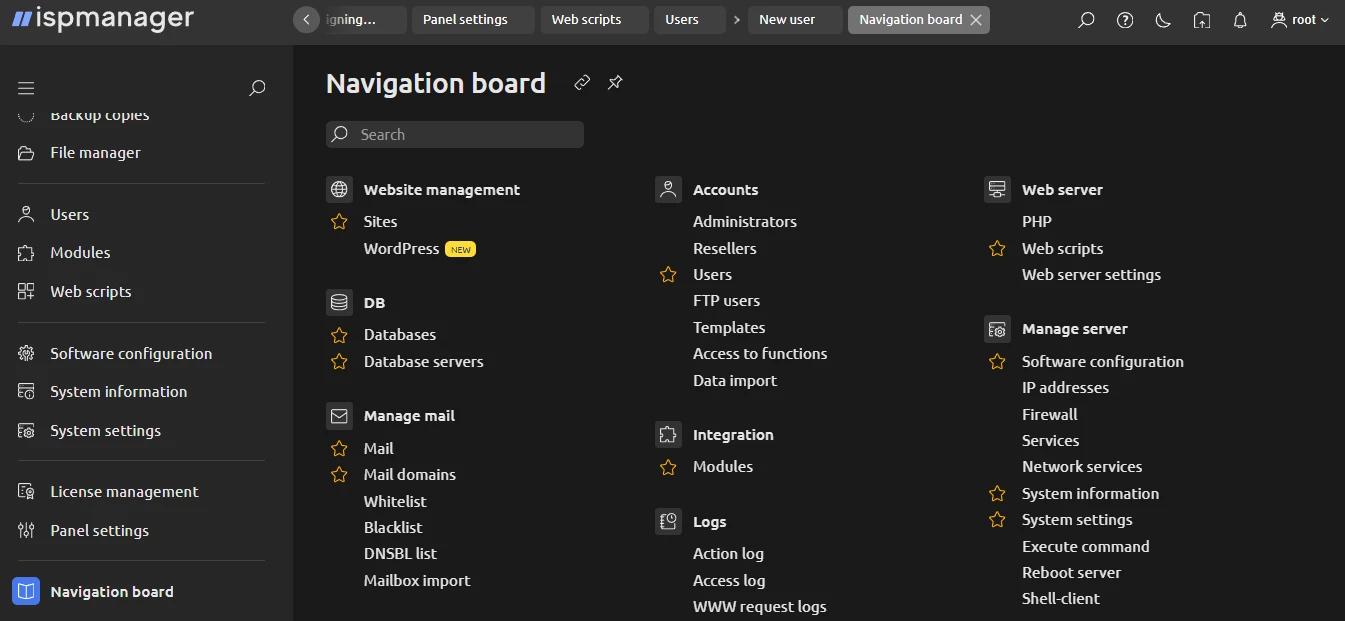
The first thing you miss is the tab system. ispmanager lets you open different tools in tabs, just like in a browser. You can even pin the tabs you use the most. This is unavailable in FASTPANEL.
The second thing missing in FASTPANEL is a single Navigation board. In ispmanager, it’s one place where you see all tools and jump right to the task you want, without guessing or hunting through menus.
ispmanager also has a real dashboard (not just a welcome screen). It shows the tasks users do the most:
- create a site,
- create a WordPress site,
- create a database,
- create a mailbox,
- create a mail domain,
- create a DNS domain,
- create a cron job,
- create a backup, and so on.
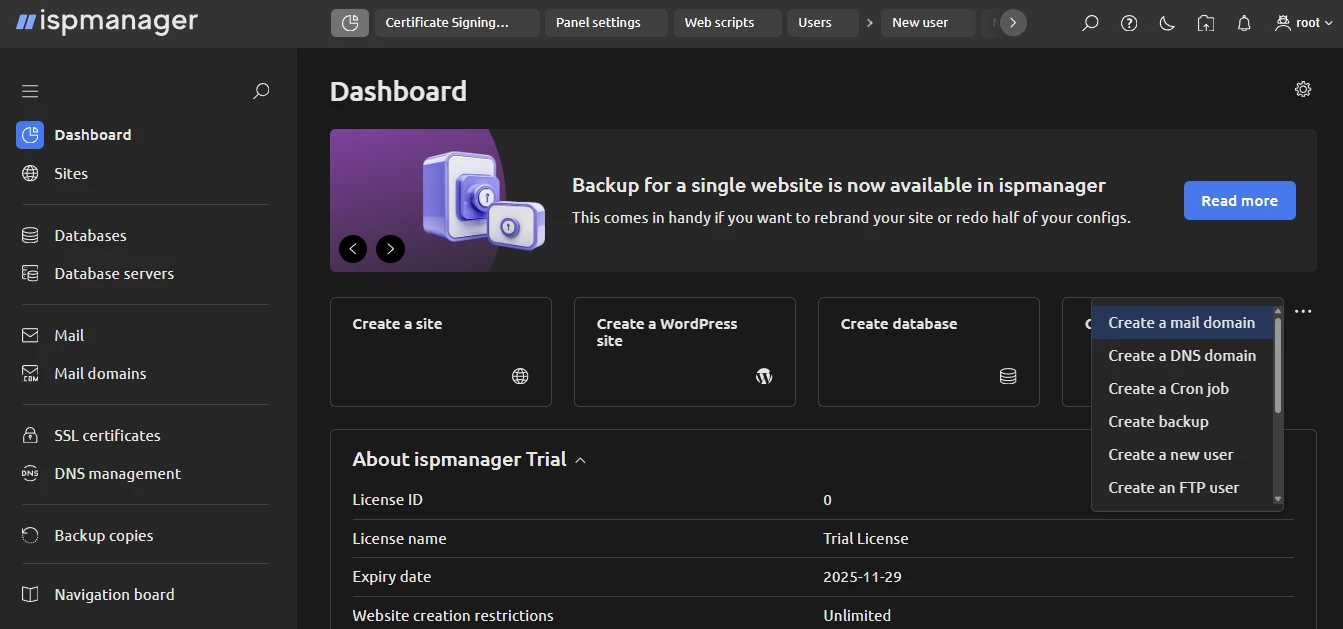
Thanks to this dashboard, new ispmanager users don’t have to explore the whole panel. The workflow is right in front of them.
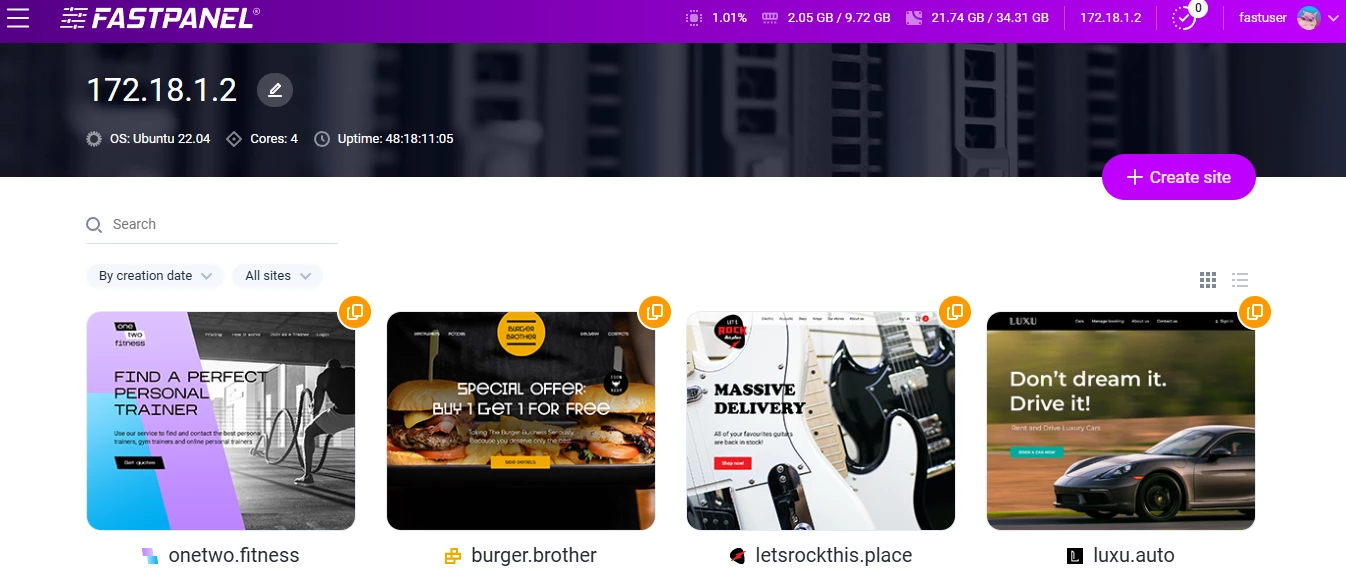
In FASTPANEL, the main space is somewhat empty until you begin doing something. It doesn’t suggest what to do next but waits for your input.
One nice touch, though: the top bar in FASTPANEL shows server CPU, RAM, and disk usage at all times, which is handy.
Final thoughts on usability and interface
Both ispmanager and FASTPANEL look good and feel modern. They’re pleasant to work with and not overloaded.
ispmanager may be a somewhat more efficient FASTPANEL alternative because FASTPANEL covers fewer scenarios, and the UI reflects that — fewer tools, fewer shortcuts, fewer guided actions. This isn’t directly about UI (rather about the functionality which we discuss below), but it does shape the overall FASTPANEL review.
ispmanager vs FASTPANEL: Performance & Functionality
ispmanager is a fast, resource-efficient control panel. It runs well even on modest VPS setups and still gives you all the tools you expect from a modern hosting panel.
As to FASTPANEL, many people pick it because of the FASTPANEL free license (which, by the way, still requires activation) and because the panel is lightweight. Both ispmanager and FASTPANEL cover the core hosting tasks, letting you manage:
- Domains and DNS,
- Email,
- Databases,
- Files,
- SSL.
But once you go deeper, you start noticing limits. You’ve probably seen threads on FASTPANEL Reddit where users ask about FASTPANEL LiteSpeed (or FASTPANEL OpenLiteSpeed) support. Today, there is no FASTPANEL LiteSpeed support, and there’s no clear answer on when there’ll be one. Besides, FASTPANEL email management gets mixed feedback (e.g., emails landing in Spam even when SPF, DKIM, and DMARC are set up correctly).
That’s only one illustration; let’s look at something else, for example, the task of creating a user. In FASTPANEL, when you create a user, you can only pick a role: user or reseller.
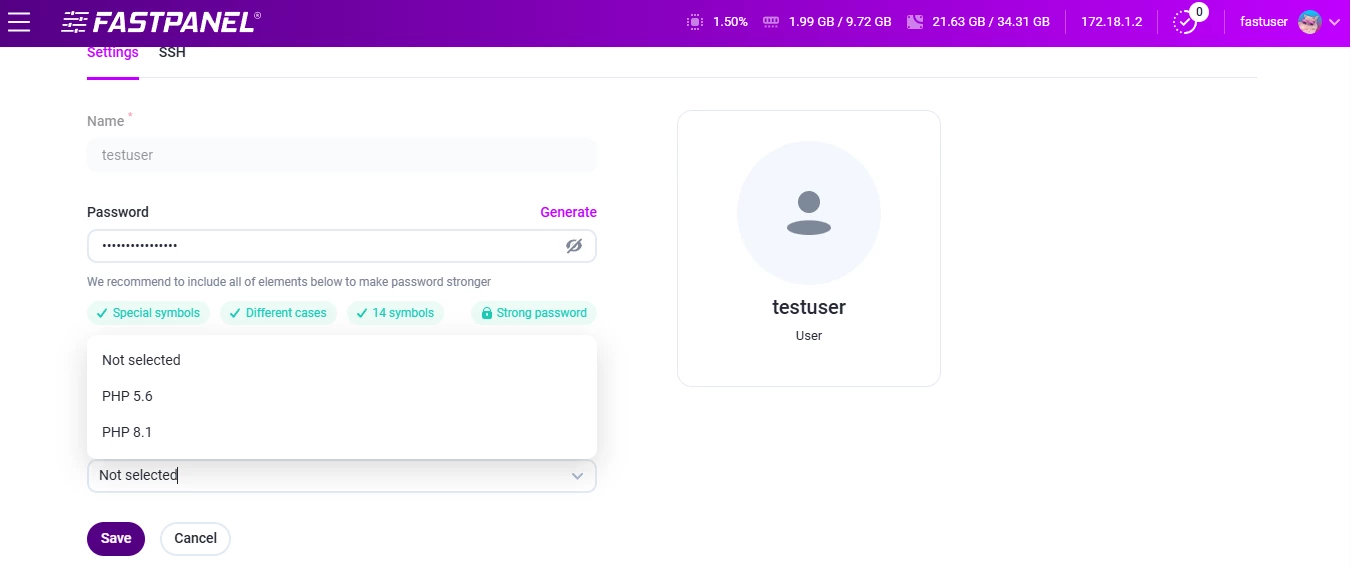
If you edit the user later, you can also choose the PHP CLI version, disk quota, and the number of websites (these are unavailable in the FASTPANEL demo, though).
In ispmanager, you can set 11 different limits — disk space, number of sites, number of databases, number of mailboxes, hourly mail limits, and others.
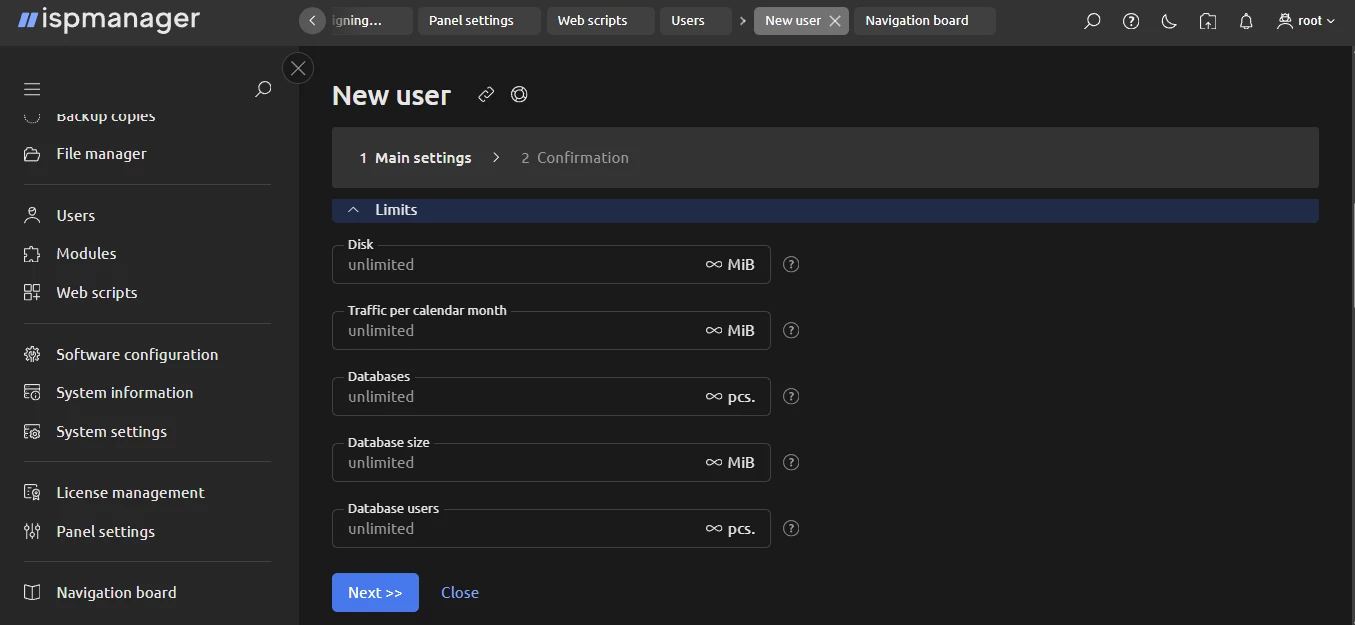
Then you set access options (SSL, CGI, PHP as Apache module, SSH shell, etc.) and define default settings.
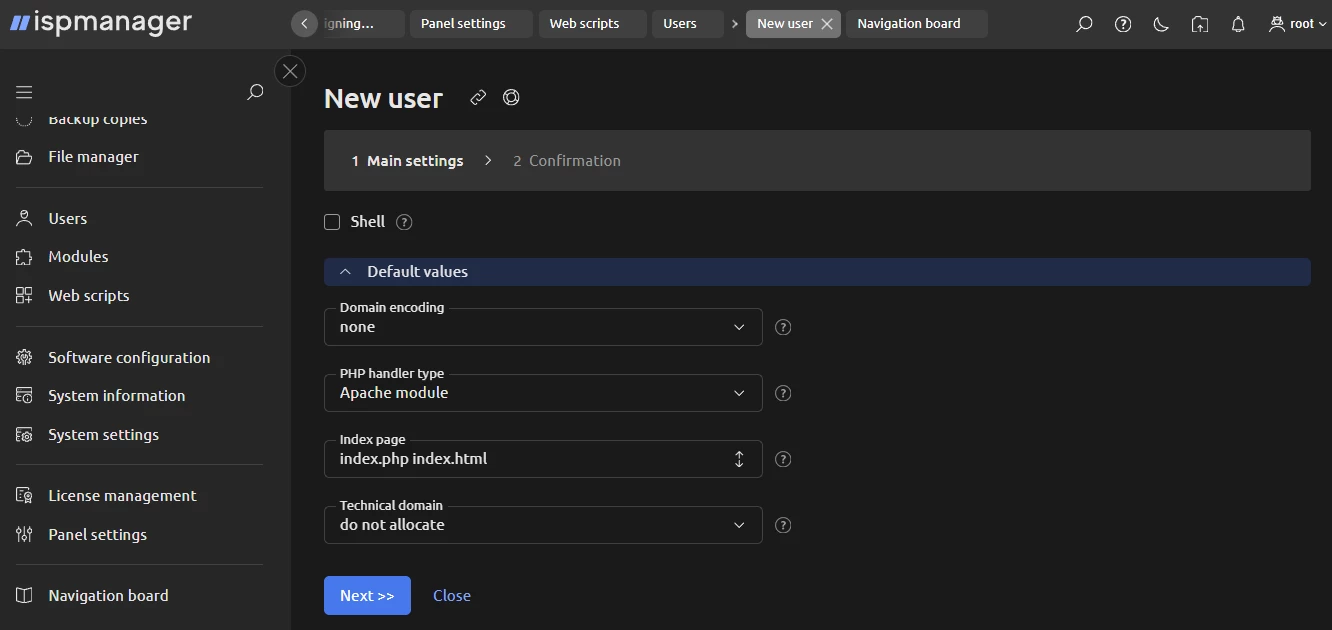
If you repeat the same setup often, you can save it as a template.
Another example is the file manager. FASTPANEL’s file manager includes the basics. You can upload, delete, move, and edit files. You also see disk usage stats.
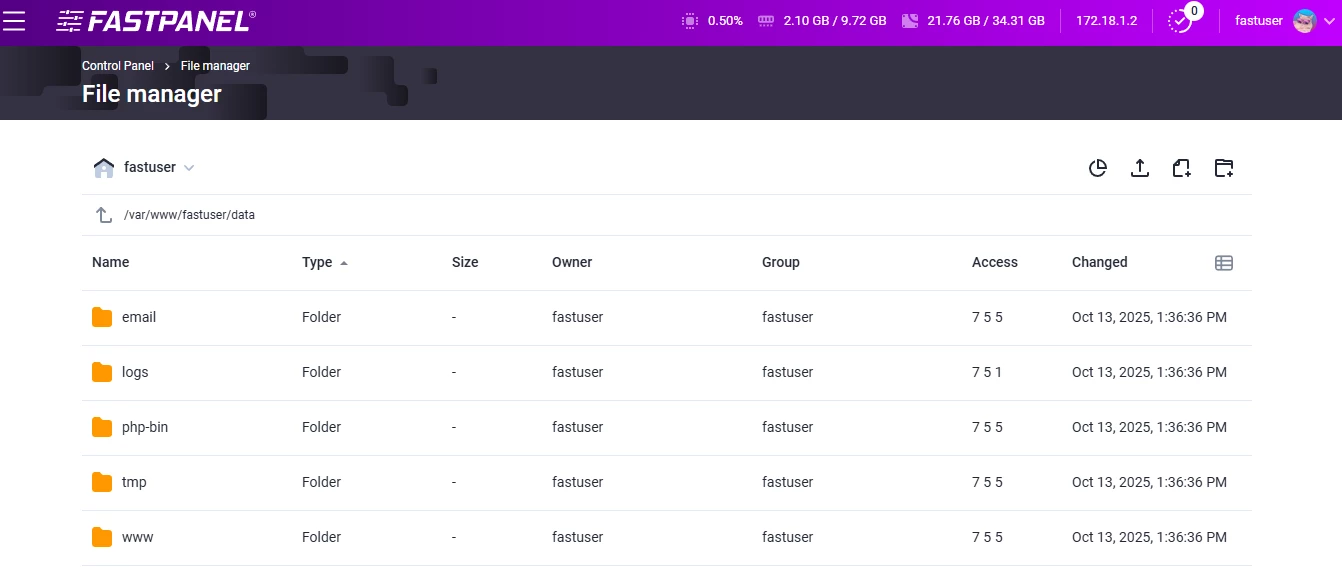
But there’s one unpleasant surprise — FASTPANEL performs critical actions (Copy, Paste, Delete) without any confirmation message. If you misclick, the file is gone, without warning.
In ispmanager, the file manager doesn’t have this issue, and it covers more functions.
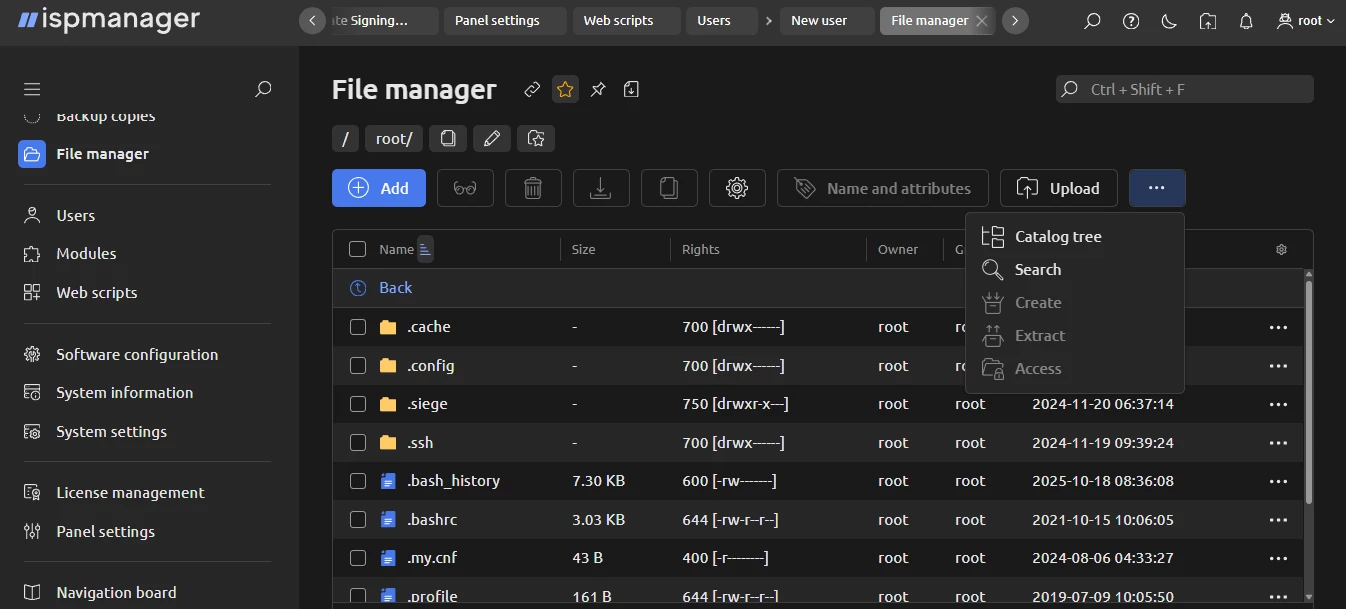
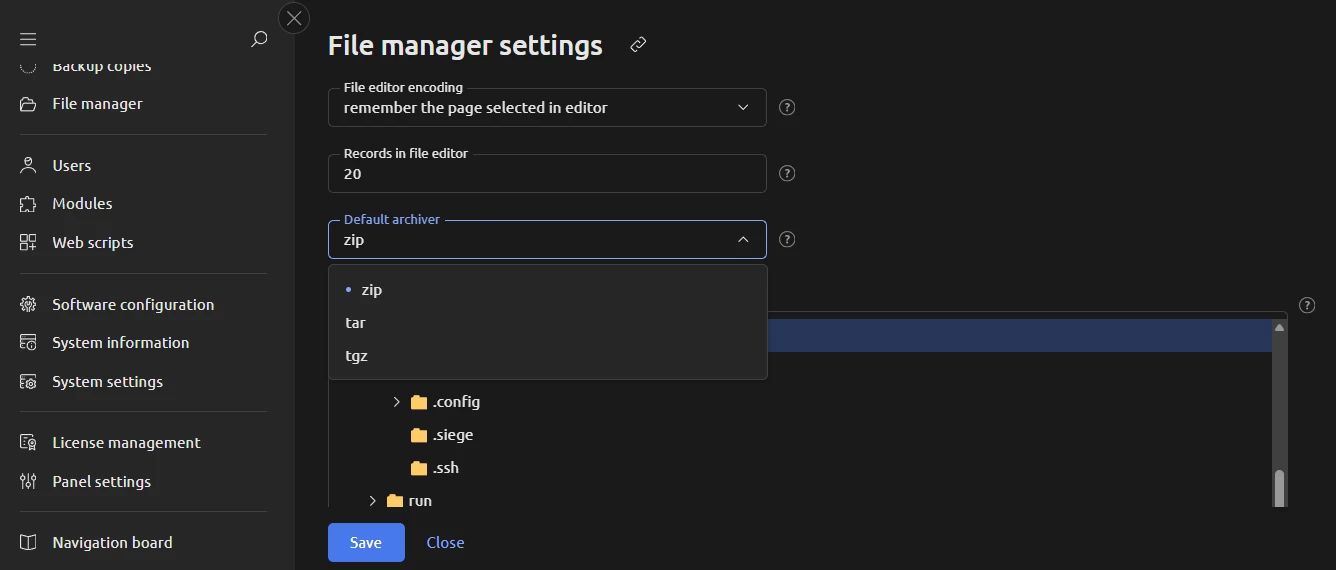
For example, you can perform a search by filename and by content, search inside subdirectories, adjust file editor encoding, set how many lines the editor shows, and choose a default archiver.
And third, when speaking about functionality, it’s worth mentioning this: people often treat FASTPANEL as an alternative to paid panels because “it’s free.” Yet, that’s only true for the basic version.
Some features require a FASTPANEL extended license:
- branding and white-labeling,
- metrics and insights into the system’s health and resource usage,
- server notifications and alerts,
- FASTPANEL support request.
So if you’re planning to run anything more serious than a test server, you’ll likely need the paid FASTPANEL license.
WordPress & CMS management
Both panels let you create a site in two ways: manually or as a WordPress-based site. Let’s walk through the manual path first.
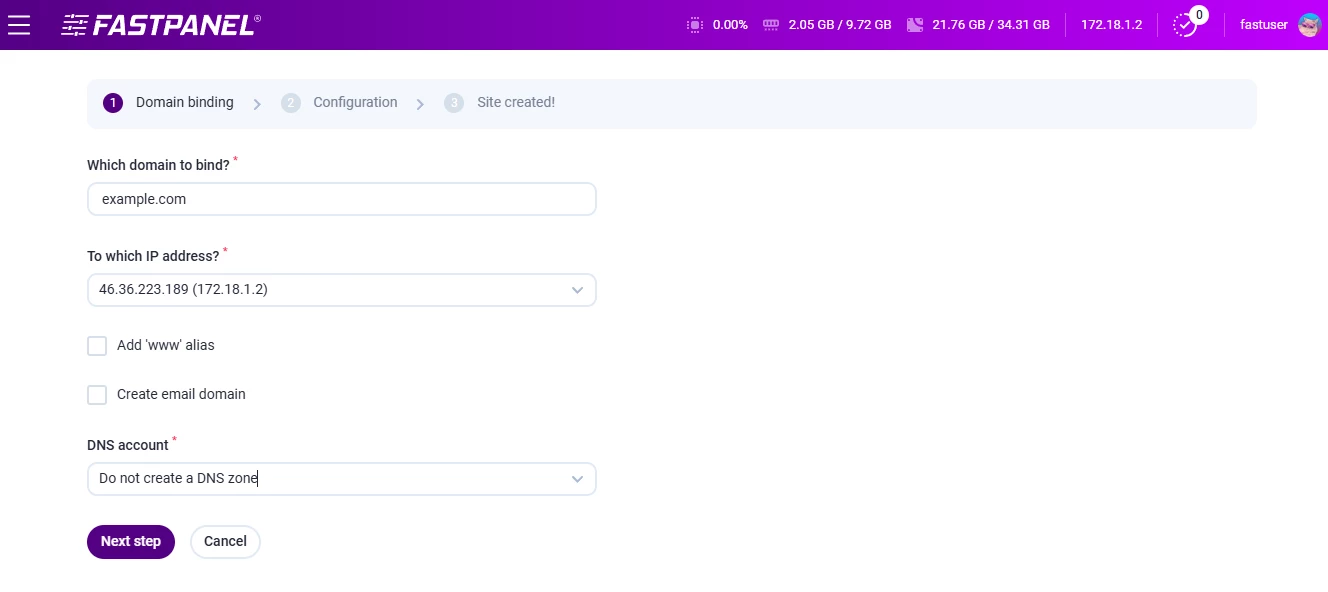
In FASTPANEL, you start with domain binding.
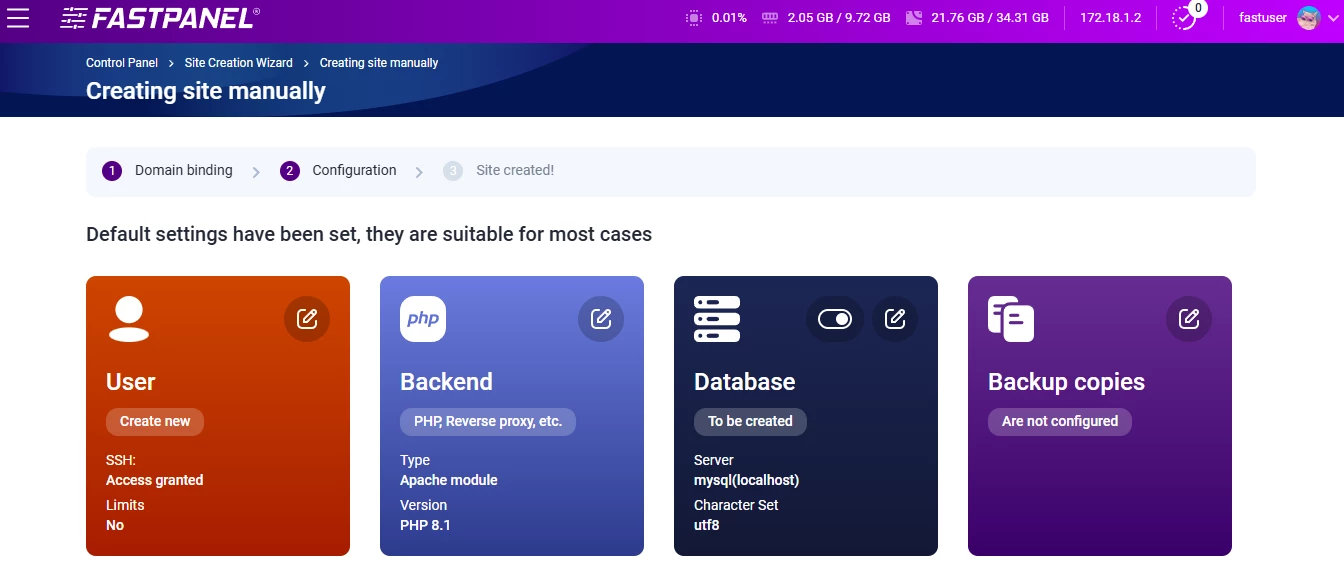
After that, you move into the configuration screen where you:
- choose the user,
- pick the backend type (Apache module, PHP-FPM, FastCGI, CGI, reverse proxy, or static content),
- set up the database (name, charset, server, user),
- enable FASTPANEL backup copies if you need them.
Once the site is created, you get a “site card” and a dashboard where you access files, databases, logs, aliases, and subdomains.
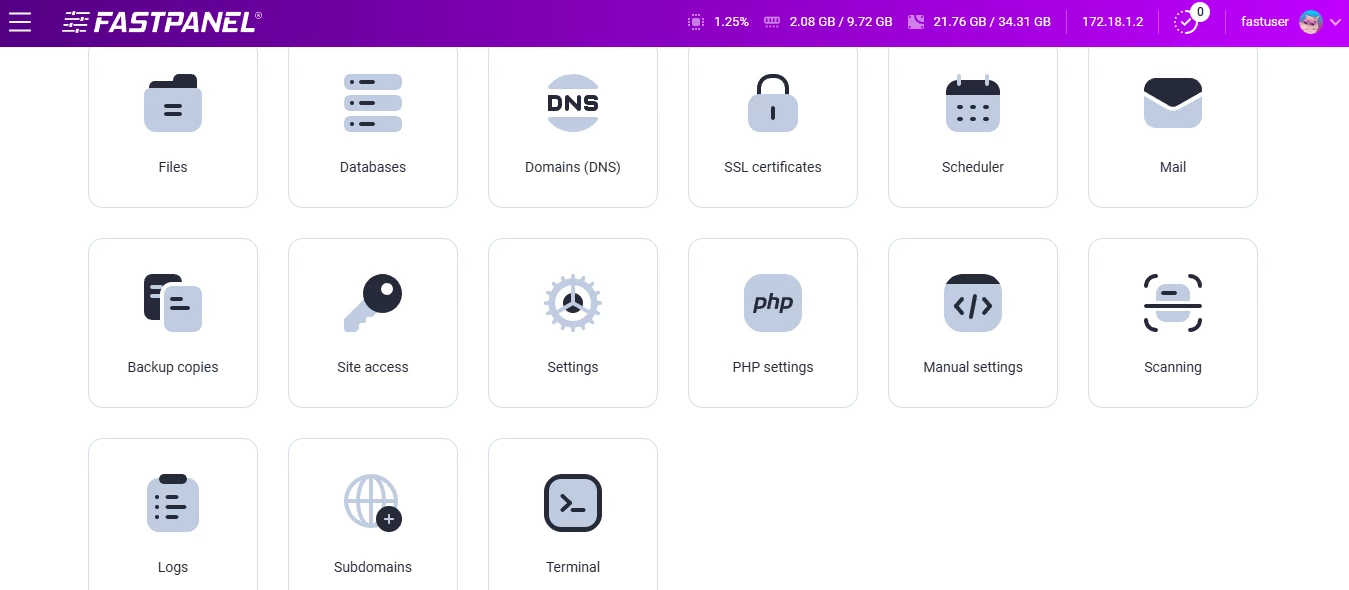
To add content, you must upload your site, deploy WordPress, or pull files via Git.
In ispmanager, website setup is divided into basic and extended settings.
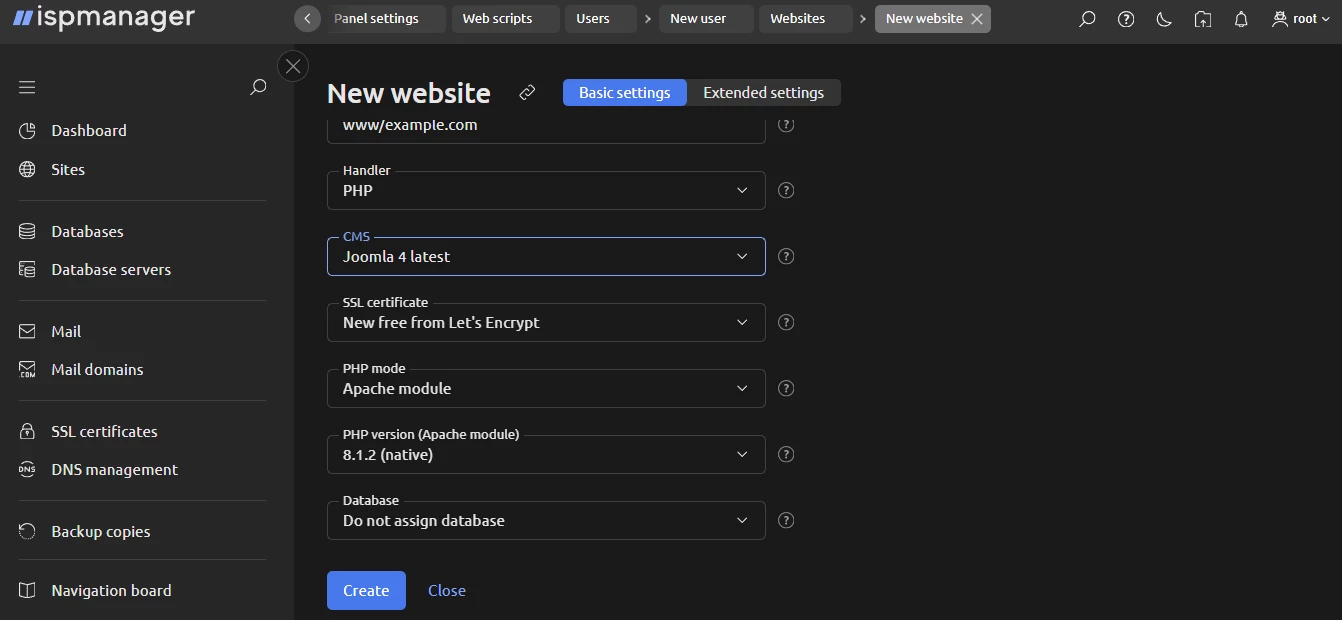
In basic settings, you pick:
- the handler,
- the CMS (WordPress, Drupal, Joomla, Bitrix),
- the SSL certificate (self-signed or Let’s Encrypt),
- the PHP mode and version,
- and the database.
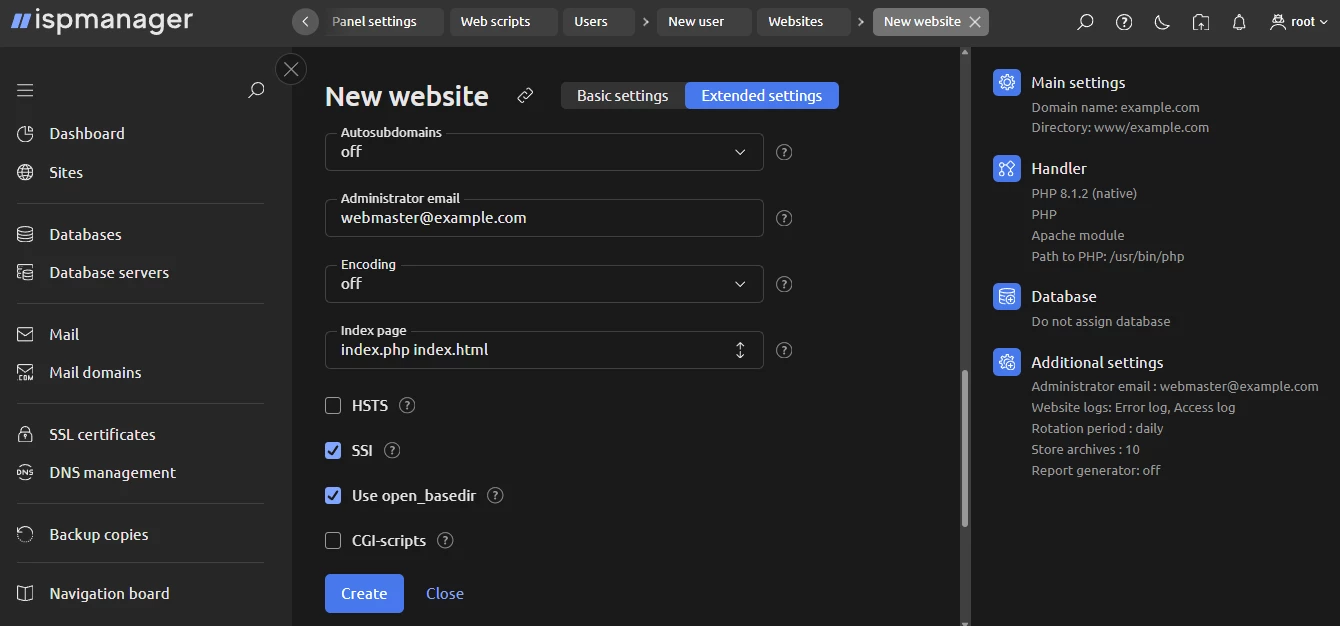
If you need more control, extended settings let you configure autosubdomains, logs, archives, default index page, encoding, HSTS, SSI, open_basedir, and more.
And once the site is created, you can open it in Site.pro — ispmanager installs the builder automatically if it’s not there yet.
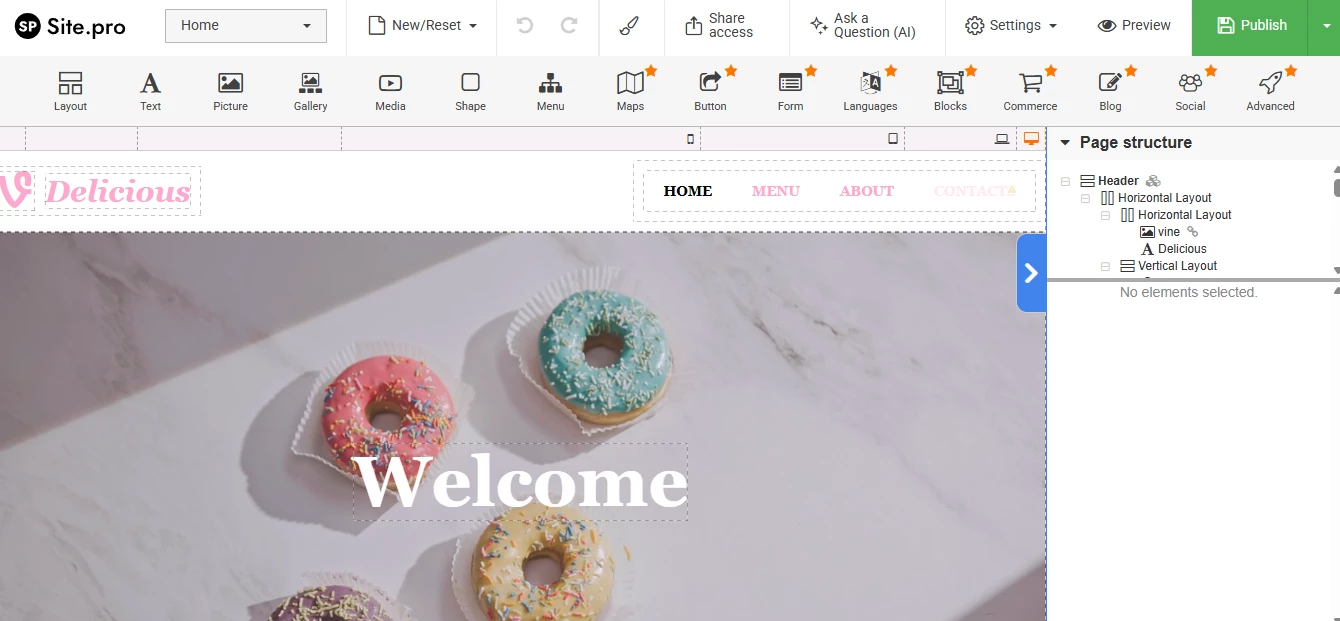
As an alternative to manual website creation, both ispmanager and FASTPANEL support one-click WordPress deployment. ispmanager lets you open the freshly installed site in a visual builder directly from the dashboard.
FASTPANEL installs WordPress, but there’s no visual FASTPANEL WordPress integration. You have to open WP-admin manually every time.
All in all, neither ispmanager nor FASTPANEL has WordPress Toolkits. The key difference between FASTPANEL and ispmanager is that the former has no built-in site builder, either. ispmanager, in turn, gives you various CMS choices upfront and a smooth visual editing workflow right after installation.
Billing & automation
ispmanager supports HostBill, Blesta, and BILLmanager out of the box. FASTPANEL doesn’t provide any billing integrations at all, so if you want to automate hosting sales, provisioning, or client management, you’ll need to build something yourself.
Automation is another area where FASTPANEL hasn’t moved very far yet. A simple example is issuing an SSL certificate.
In ispmanager, you can enable automatic SSL right when you create a site. Check the box — done. In FASTPANEL, you have to create the site first and then go into the site management area to issue the certificate. It’s not hard, but it’s an extra step.
Besides, FASTPANEL docs include a separate troubleshooting page devoted to SSL issues. Add to that the complaints on forums, and you get the impression that SSL setup isn’t always smooth there.
As to building your own tools, FASTPANEL lets you create API tokens through your account settings and use them to interact with its billing API. The process is simple: log in, open API Tokens, generate a new token, and use it to authenticate your requests. It’s a helpful feature, but the FASTPANEL API coverage itself is still limited. In ispmanager, by contrast, every function available in the panel is also available via API.
Hosting plan configuration & resource limits
ispmanager (the host plan in particular) gives you a full toolkit for building hosting plans. You can set limits on storage, traffic, domains, mailboxes, databases, and every parameter that matters when you run shared hosting.
You also get fine-grained access controls and technical limits, such as:
- limits on database queries,
- shell access settings,
- task-level permissions.
In FASTPANEL, when you create a user, you can only set:
- user or reseller role,
- max number of sites,
- disk quota.
As to the reseller role, it is not a standard reseller account. In FASTPANEL, a reseller can:
- change a user’s password,
- log in as that user,
- block/unblock users,
- edit user settings,
- delete users.
But they can’t create real hosting plans, set resource limits, or manage client quotas.
ispmanager, on the other hand, gives resellers (and hosting providers) full control over plans and accounts. Below is a quick overview of the limits you can manage.
Account limits in ispmanager | Account resources in ispmanager |
|
|
In short: If you’re planning to build actual hosting plans or run reseller services, ispmanager is built for that, while FASTPANEL isn’t yet.
Documentation, ecosystem & advanced environments
FASTPANEL supports only a handful of external apps. Security integrations are minimal, and there are no billing integrations.
ispmanager, in turn, supports several security and infrastructure tools, including:
- BitNinja,
- SpamExperts,
- DDoS-Guard,
- Cloudflare (free),
- ImunifyAV (free).
It also works with both free and paid Softaculous and Site.pro installers. Of course, this isn’t as vast as the ecosystems of cPanel or Plesk, but compared to FASTPANEL hosting integrations, ispmanager’s ecosystem is much richer.
As to documentation, FASTPANEL docs live in its wiki. It isn’t large, but it covers the available features and includes some troubleshooting guides and checklists.
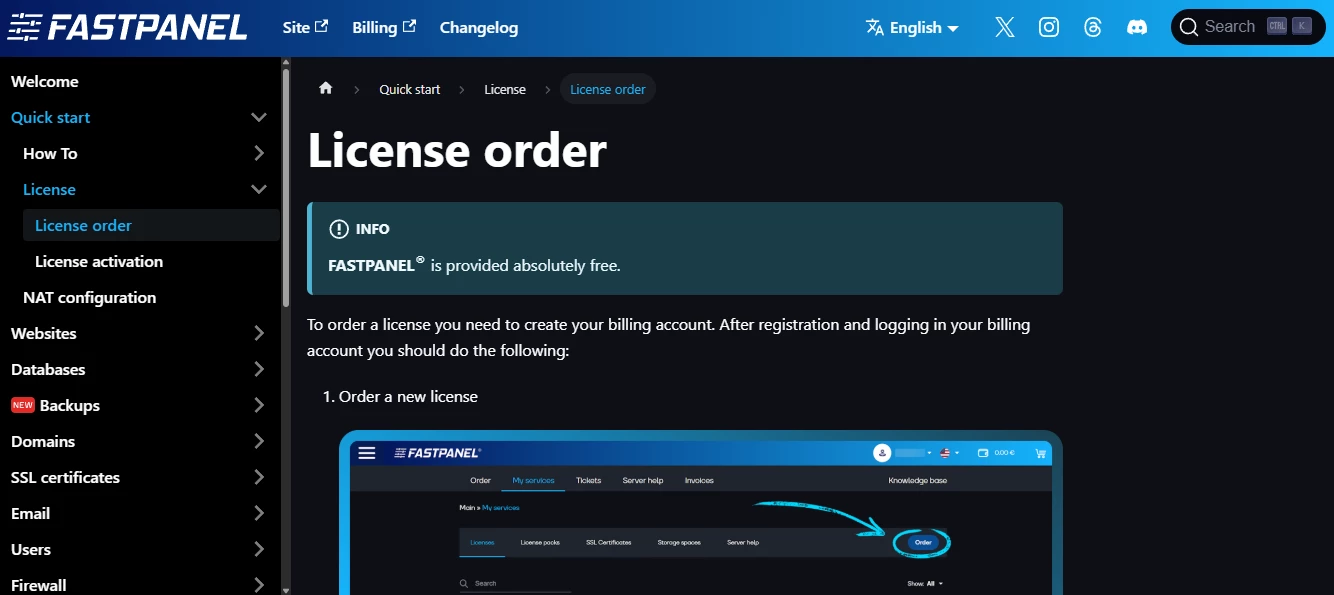
FASTPANEL also publishes a changelog where you can see what was added or fixed. But there is no public roadmap. You can’t see what’s coming next or what they’re working on right now.
ispmanager, in turn, gives you documentation, a wiki, a knowledge base, and a help center. The support ecosystem simply feels more “complete.”
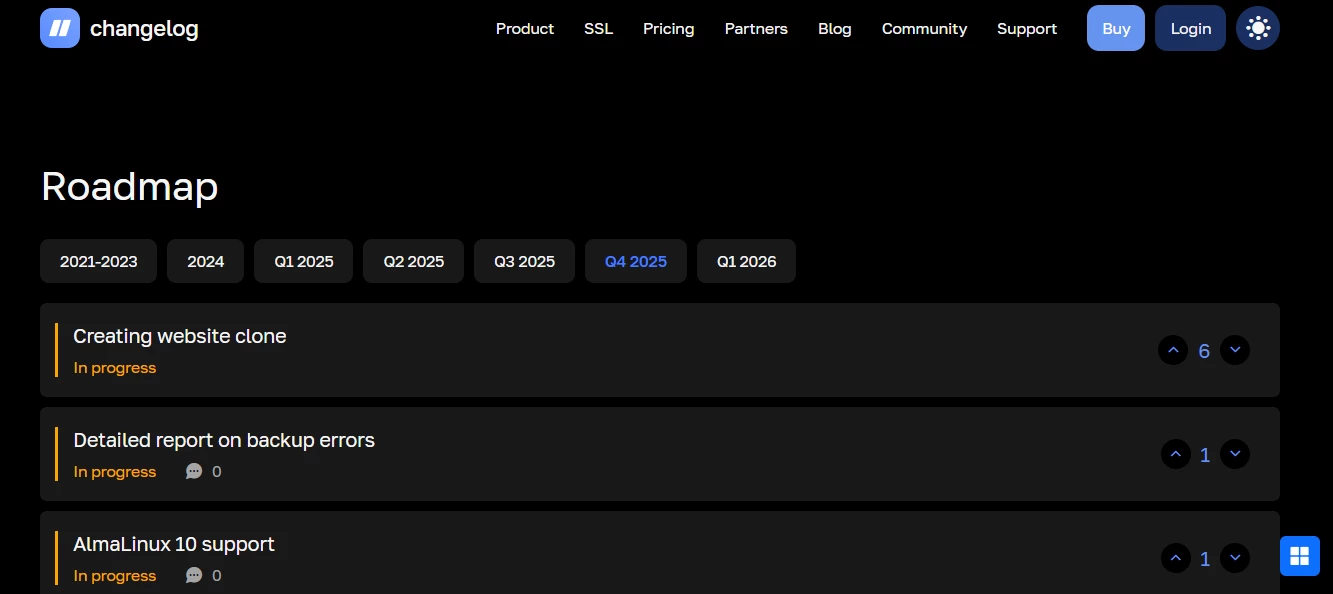
Plus, ispmanager shows a clear product roadmap for the upcoming quarter. You can see which improvements are in progress and vote for the ones you want.
Final thoughts on functionality
Both panels cover the basics you need to run websites, manage domains, handle email, and work with databases. But once you go beyond these basics, there’s a certain gap between FASTPANEL vs ispmanager.
FASTPANEL works well as a lightweight, simple, and partly free solution. But it has fewer tools, fewer integrations, and almost no automation. Some vital things that hosting providers and users rely on — limits, billing, reseller tools, website builder — are missing.
ispmanager, in contrast, offers deep functionality. It’s a more robust FASTPANEL alternative, where you have full control over users, resources, and hosting plans. You get more integrations, as well as stronger automation and security.
FASTPANEL vs ispmanager for Different Use Cases
Now that we’ve looked at interface, performance, and functionality, let’s see how ispmanager vs FASTPANEL plays out in real-world scenarios.
ispmanager vs FASTPANEL for shared hosting
For shared hosting, the control panel is the backbone of your business. It must be reliable, safe, and ideally, cost-effective.
From this perspective, the FASTPANEL vs ispmanager comparison is straightforward.
ispmanager provides everything you need for shared hosting:
- custom hosting plan creation,
- resource allocation and quotas,
- role-based access management.
FASTPANEL, in contrast, doesn’t yet support these features fully. Reseller and user limits are minimal, there’s no advanced resource management, and automation is very limited. On top of that, hosting providers often want unlimited 24/7 tech support, which ispmanager offers, but FASTPANEL does not.
FASTPANEL vs ispmanager for VPS hosting
VPS hosting is a different story. The more options you offer for bundling a panel with a VPS plan, the better your upsell potential.
With ispmanager, hosting providers get strong go-to-market support:
- ready-made marketing materials,
- landing pages and promotional assets,
- blog articles, sales guides, and step-by-step tutorials.
There’s even a practical guide on how to make first sales quickly with ispmanager that makes it easy to promote the panel to VPS clients.
With FASTPANEL, some clients will choose it simply because it’s free. For small projects or experiments, that can be enough.
ispmanager vs FASTPANEL for personal/business projects
Choosing a control panel for your own project depends on what you want to do.
Ask yourself first: Do you need a visual site editor? FASTPANEL doesn’t have one. ispmanager does. Next, look at integrations. FASTPANEL has no billing tools and only a few security options. ispmanager supports both free and paid security apps, plus billing integrations. And yes, keep in mind, you want to be able to set up a traditional reseller account in FASTPANEL.
Overall, both are easy to use, even if you’re a beginner. ispmanager works for almost any project: single website, reseller hosting, whatever it is. FASTPANEL seems to be a better fit for small projects or experiments.
ispmanager vs FASTPANEL: Pricing
Comparing pricing between a mostly free panel and a commercial one is tricky. If we want a fair look, it makes sense to compare FASTPANEL’s extended license with ispmanager. That gives at least a somewhat comparable set of features.
In short: Both panels are budget-friendly. They cost far less than premium options like cPanel or Plesk.
FASTPANEL also has a rare feature: a lifelong license. This sounds great, but the downside is that the paid license (whether lifelong or not) only gives you one support ticket per month. If you need more, you have to buy ticket packages (3, 5, or 10 tickets per month).
So, from the standpoint of cost-effectiveness, ispmanager gives a solid balance. You pay for a license, and you get reliable 24/7 support, full features, and tools that scale with your project.
Final Verdict: FASTPANEL vs ispmanager, Which Is Better?
In the end, we have two budget-friendly (and beginner-friendly) hosting control panels.
FASTPANEL has a clean, attractive interface, a lifelong license, and a free license, which makes it a good pick for very small projects or experiments. But it still misses some key features: there’s no FASTPANEL LiteSpeed support, no built-in website builder, and the file manager could use some enhancement. Most notably, there’s no full-scale reseller account management.
If you don’t need any of these, FASTPANEL can be a suitable solution that’s simple and lightweight. But if you need at least one of these functions, ispmanager has them all (and more). Its functionality is advanced, with new features being added quickly. ispmanager isn’t free, but the cost is still several times lower than premium panels like cPanel or Plesk.

FASTPANEL and ispmanager are both budget-friendly and beginner-friendly panels. FASTPANEL is sleek and lightweight, making it perfect for small projects or experiments. But its functionality isn’t very rich yet. ispmanager, on the other hand, packs advanced functionality, strong security, and full control over users, resources, and hosting plans at a cost far lower than premium panels.