In this article, we continue our hosting control panel comparison series. This time, we put ispmanager vs CloudPanel head-to-head. CloudPanel is fully free, while ispmanager is a commercial multitool. From managing servers and websites to email management and hosting plan setup, we’ll see where each panel shines and where it falls short.

ispmanager
| 
CloudPanel
| |
| Ease of use | ||
| Functionality | ||
| Security | ||
| Resource efficiency | ||
| Cost |
CloudPanel vs ispmanager: Feature Overview
Supported OS
- Debian
- Ubuntu
- AlmaLinux
- Debian
- Ubuntu
- Rocky Linux
- CloudLinux
Minimum hardware requirements
- 2 GB RAM
- 10 GB disk
- 1 GB RAM (2 GB for AlmaLinux)
- 20 GB disk
Security features
- Cloudflare
- Fail2Ban
- ModSecurity (WAF)
- Cloudflare
- Firewall
- KernelCare
- BitNinja
- Blackwall
- DDoS-GUARD
Antivirus
- No
- ClamAV
- ImunifyAV
Spam protection
- No integrated solutions
- DKIM
- SPF
- DMARC
- DNS Blackhole Lists
- Black and white Lists
- SpamAssassin
- Greylisting
- SpamExperts
Backups
- Automated backups with scheduling and remote storage
- Built-in backup system with scheduling and remote storage support
Web server
- Nginx
- Nginx + Apache
- Nginx + PHP-FPM
- Apache
- OpenLiteSpeed
- LiteSpeed
Programming languages/frameworks
- PHP
- Python
- Node.js
- PHP (lets you set up a different PHP version for each site)
- Python
- Node.js
Email management
- No
- Email account management
- Webmail interface
- Email forwarders
- Auto-reply
- Email filters
- Mailbox import
DBMS
- MySQL
- MariaDB
- MySQL
- MariaDB
- Percona
- PostgreSQL
Website Creation & CMS
- Fast site creation with WordPress
- Drupal, Joomla, Strapi, Typo3 listed among the supported applications
- One-click installation for popular CMSs (WordPress, Drupal, Joomla, etc.)
- Automated one-click WordPress setup
- Softaculous
Website builder
- No
- Site.pro
Automated certificate management for Let's Encrypt SSL certificates
Max recommended accounts per panel
- Not publicly documented
- Some ispmanager setups run with over 2,000 accounts
Billing system integration
- No
- WHMCS
- Blesta
- HostBill
- BILLmanager
White label
- No
Roles and access permissions
- Administrator
- Site manager
- User
- Administrator
- Reseller
- User
- Granular access control (fine-tuned per user or task)
Updates
- New version release approximately once every 4 months
- A stable release once a month
Interface
- Minimal, with a light mode that can be a bit hard to read.
- Simple, modern, and beginner-friendly
Language support
- 30 languages
- 15 languages
Support
- Discord
- Free 24/7 support
ispmanager: Quick Overview

ispmanager is a lightweight and fast multifunctional hosting control panel. It is full-featured and works for all kinds of users: website owners, web agencies, web developers, sysadmins, and web hosting providers.
You can do pretty much everything from one place: set up domains and DNS, configure a mail server, schedule backups, and add security like antivirus or DDoS protection.
As to the website setup, you can spin up a WordPress site in a few clicks or go manual if you want full control. ispmanager lets you pick any popular CMS, issue an SSL while creating the site, and even edit the site right inside the panel with the visual website builder.
The interface is clean and intuitive. Tasks are easy to find, and you don’t waste time hunting for what you need.
Pros
- Clean, friendly UI with many useful functions (e.g., tabs like in a browser)
- Lightweight and stable (works well even on small VPSs)
- Wide functionality, fit for different tasks from site management to email management
- Granular user limits and resource limits, good for web hosting
Cons
- Offers fewer third-party integrations than cPanel or Plesk
CloudPanel: Quick Overview

CloudPanel is a free control panel for managing websites and servers, including cloud servers. It started as an internal tool for the team (similar to ispmanager’s origin).
CloudPanel is simple and fast, but some things are missing. There’s no email management, limited security integrations, and no reseller accounts. Its roadmap is shorter, so don’t expect it to have every feature.
The panel is particularly fit for personal projects or small business sites. The interface is friendly, and it supports a lot of applications, especially CMSs and e-commerce platforms. It works nicely with clouds like AWS, Hetzner, and others.
Pros
- Free to use
- Low resource consumption, optimized for speed
- Large ecosystem of supported apps
- Supports 30 languages
Cons
- No email management
- Doesn’t support Apache or LiteSpeed
- Supports fewer OSs
ispmanager vs CloudPanel: Interface & Usability
Interface
Both ispmanager and CloudPanel offer light and dark themes. ispmanager also lets you follow your system settings.
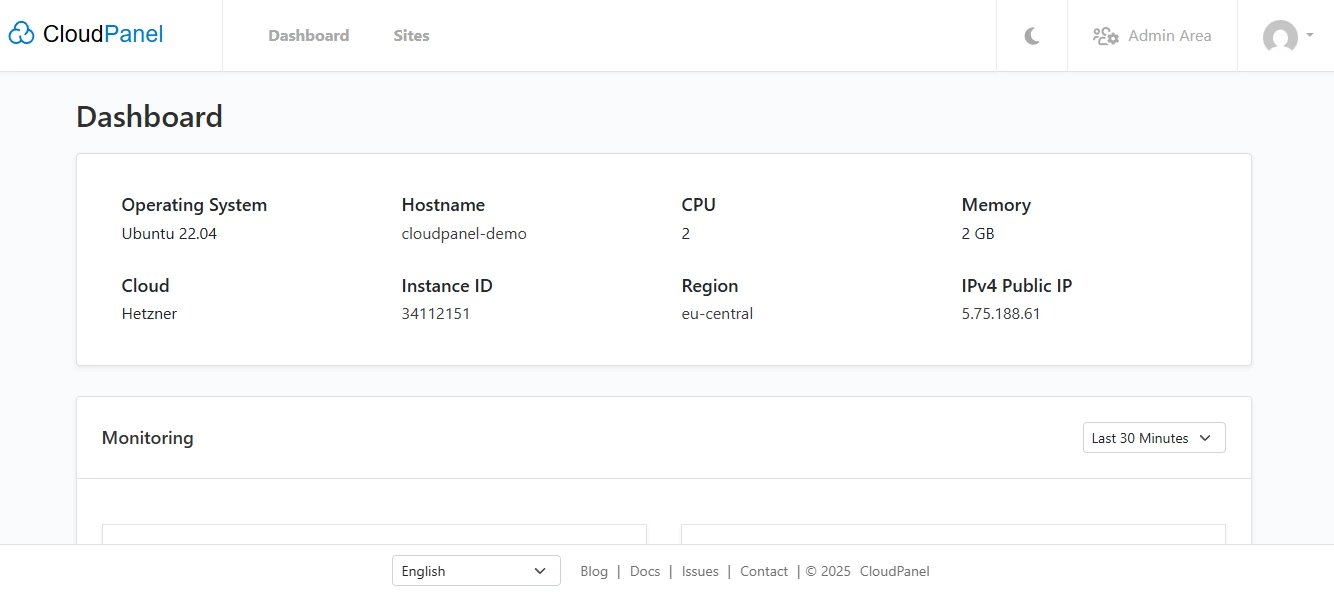
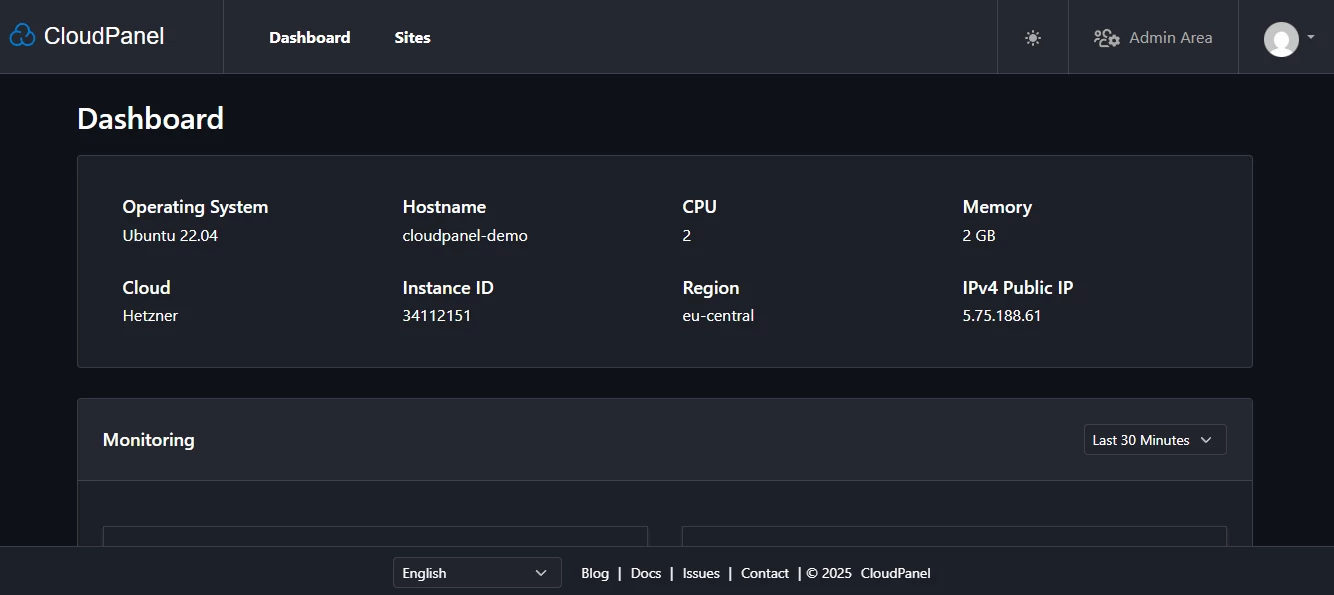
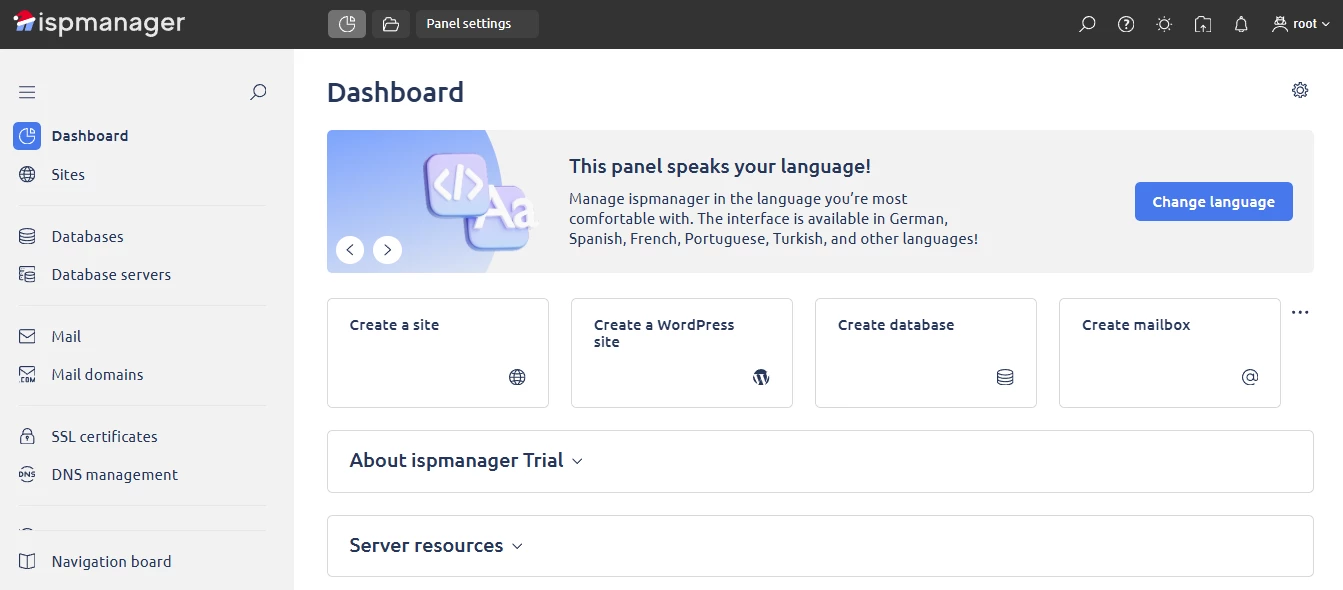
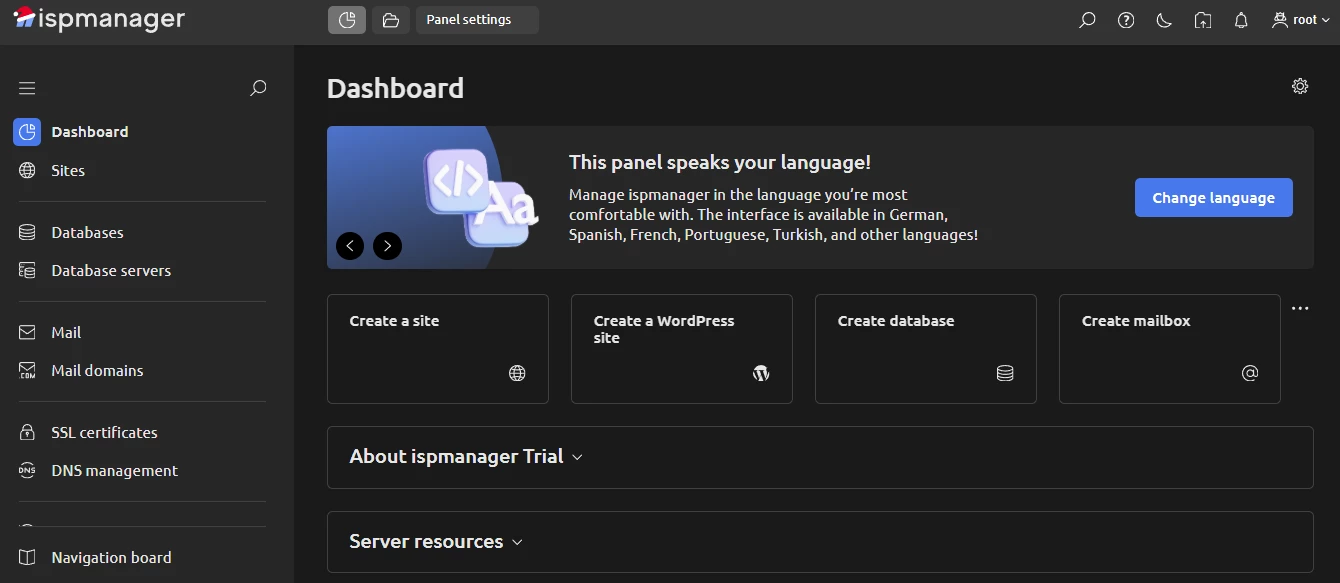
Visually, CloudPanel has one key issue. Its light theme has low contrast, which can strain the eyes when reading.
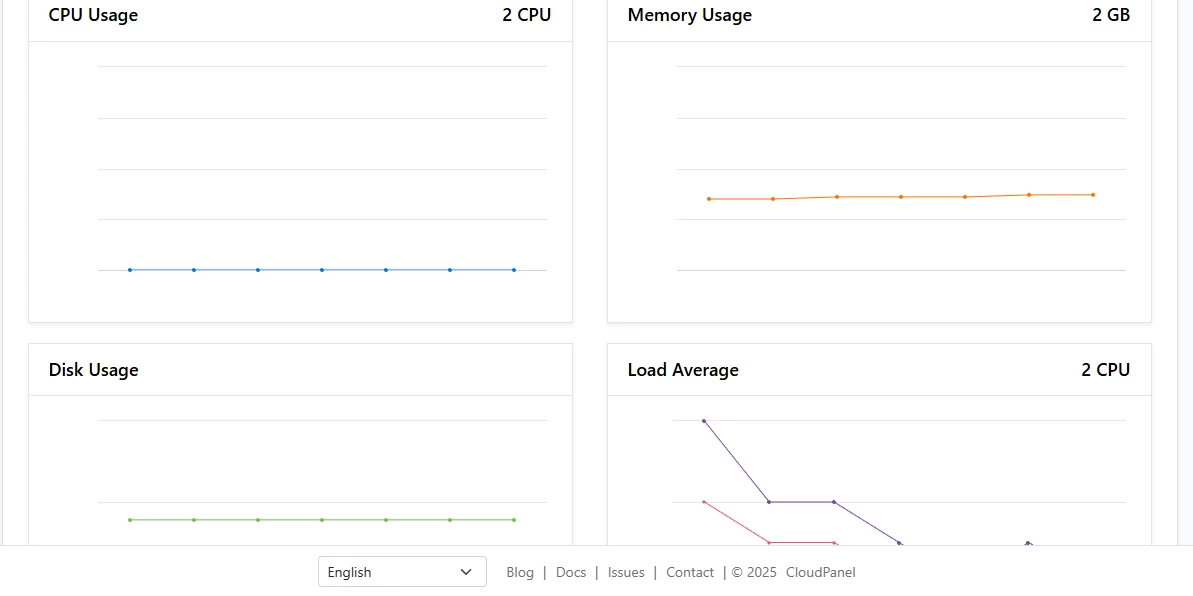
For example, here's the main dashboard with stats. The percentages and the words in the bottom bar are small and grey, making them hard to read. Dark mode fixes this, though.
Another point is that the CloudPanel dashboard shows only basic stats and some system info like operating system, host name, and region. There’s nothing else.
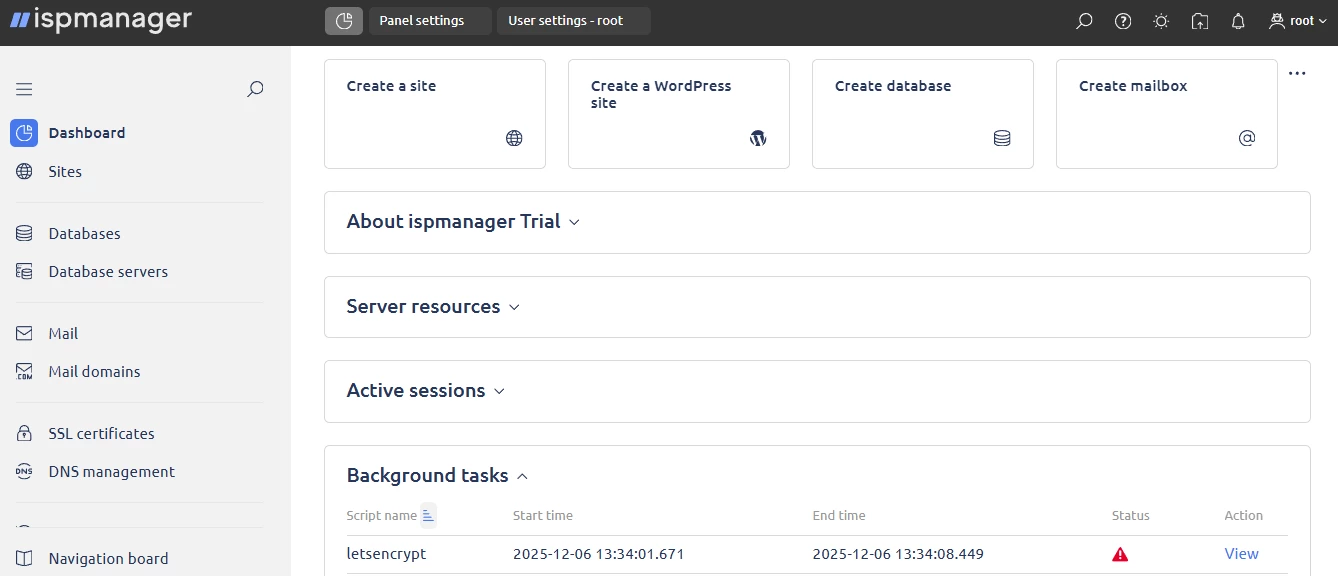
ispmanager’s dashboard is more practical. It gives access to different blocks, from active sessions to background tasks, and it’s not overloaded because you can hide or expand blocks as needed.
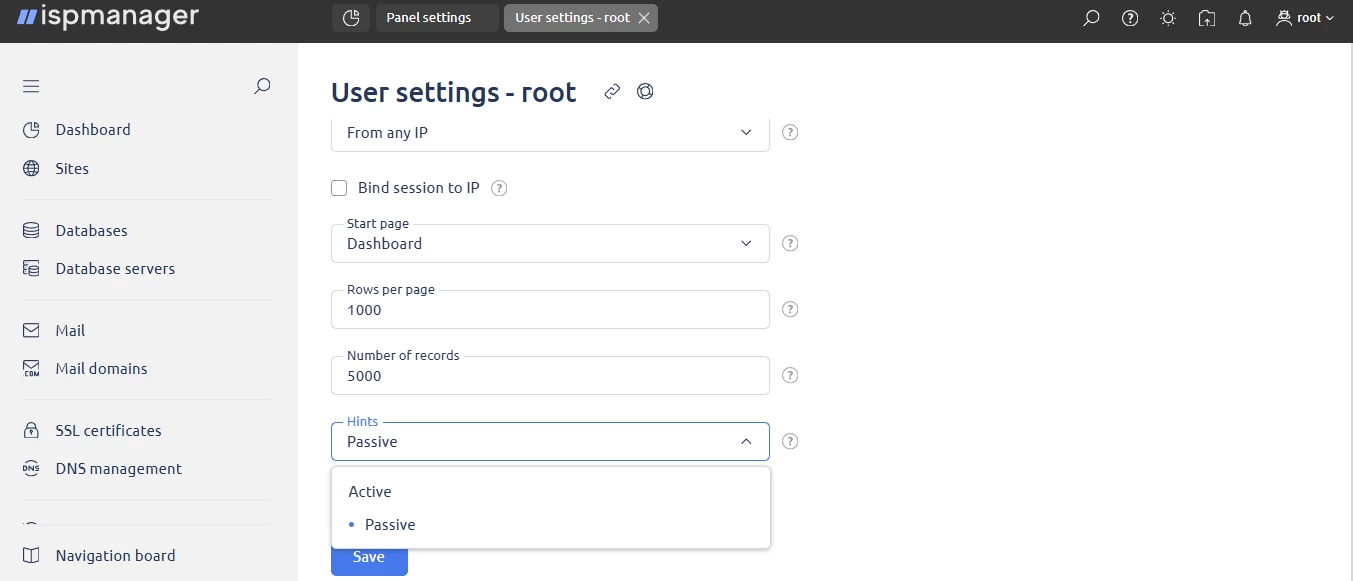
You can customize the dashboard view in ispmanager, but that’s not all. You can choose your start page, the number of rows and records per page, and whether hints are active or passive.
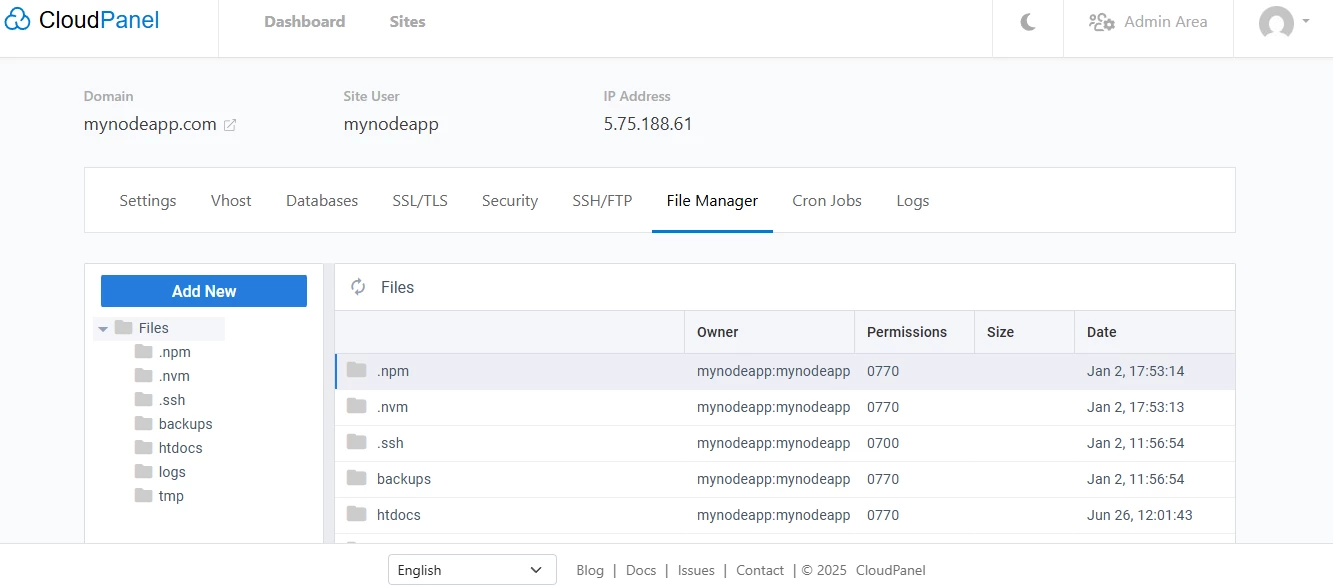
Overall, compared to other popular hosting panels (ispmanager included), CloudPanel’s interface feels a bit unfinished, like a draft still in progress.
Usability
From a usability standpoint, CloudPanel is intuitive, and even first-time users can find what they need. That said, like many free panels, it lacks a search bar. There’s no global search and none inside the blocks, such as Databases or File Manager. That can be inconvenient.
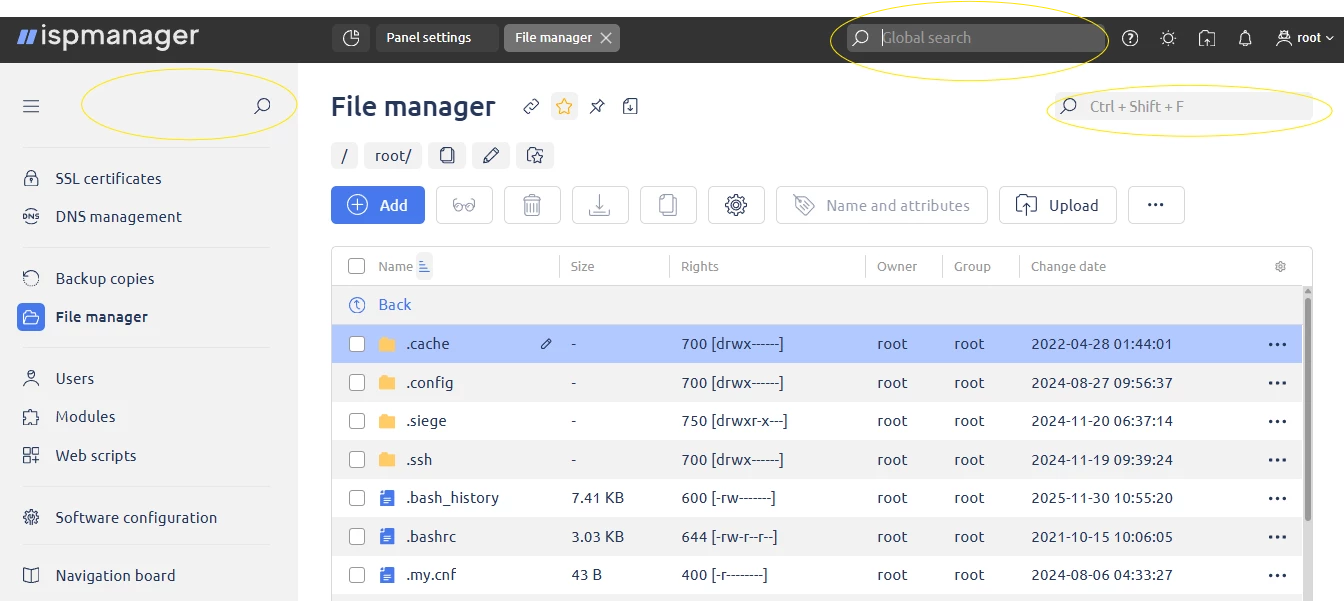
ispmanager, in contrast, has three search bars on most pages: a global one, one for the main tabs, and one for the specific page you’re on.
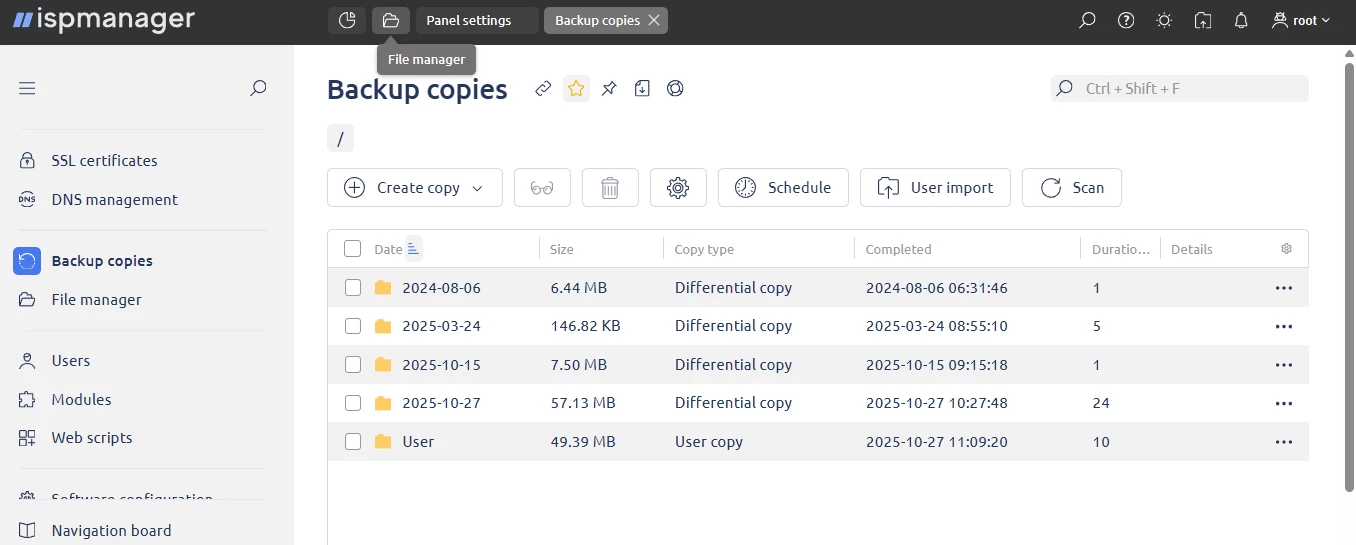
On top of that, users can pin sections and switch among several open tabs, similar to a web browser. Multitasking is easier thanks to it.
Final thoughts on usability and interface
CloudPanel works well for individual use. Its light theme is a bit hard to read, but the interface is generally well organized. Still, it doesn’t feel ready for team use or complex workflows. There’s no multitabbing, no way to pin frequently used sections, and no search for files or databases.
In CloudPanel vs ispmanager, ispmanager’s interface and usability give more flexibility, customization, and support for multi-tasking users or teams.
ispmanager vs CloudPanel: Performance & Functionality
When we look at ispmanager vs CloudPanel in terms of performance, it’s important to remember one thing: we’re comparing a commercial product with a free one.
We’ve already looked at ispmanager against other free panels like FASTPANEL or aaPanel. Those panels offer both free and paid licenses. With the paid version, you can get extra features and professional support.
CloudPanel is different. It feels more like a side project. The team built it for themselves, uses it for managed hosting, and is happy for others to use it for free.
On the plus side, CloudPanel handles websites and servers well. It supports PHP, Node.js, Python applications, and reverse proxies. Deployment is quick. You can launch it on AWS, DigitalOcean, Hetzner Cloud, Google Compute Engine, Microsoft Azure, Vultr, or on dedicated servers. The downside is the OS choice. You can only pick Debian or Ubuntu. There’s no CloudPanel AlmaLinux or Rocky Linux support.
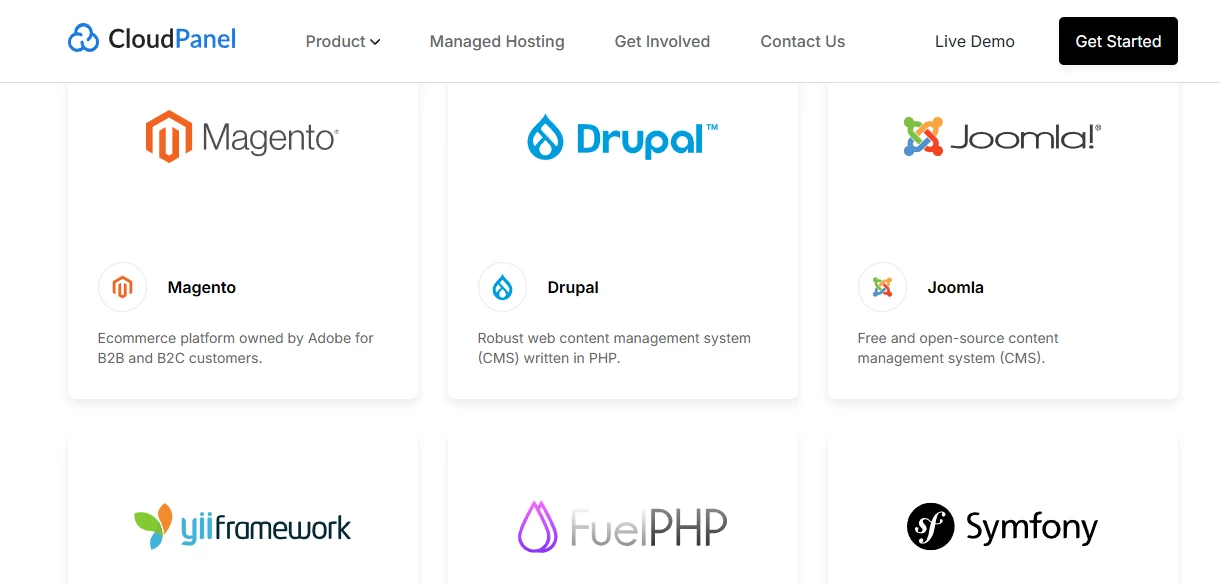
CloudPanel comes with 11 pre-configured components, from MySQL and Node to PHP and Let’s Encrypt. It has a nice selection of supported applications.
There are three areas where CloudPanel falls short, though.
First: email management. There’s none. The team recommends using third-party services, and it doesn’t seem they plan to add it.
Second: reseller accounts and user limits. You can create users, but there aren’t many resource or limit controls available. That’s fine for personal projects or small teamwork, but it’s limiting if you’re managing hosting for multiple clients.
Third: security. CloudPanel has CloudFlare integration, a UFW firewall interface, and features like site isolation, IP restrictions, IP blocker, two-factor authentication, and automated backups. That’s useful, but it’s limited.
ispmanager, by comparison, comes with integrated antiviruses (ClamAV and ImunifyAV) and security modules like:
- Fail2Ban
- ModSecurity (WAF)
- CloudFlare
- KernelCare
- BitNinja
- Blackwall
- DDoS-GUARD
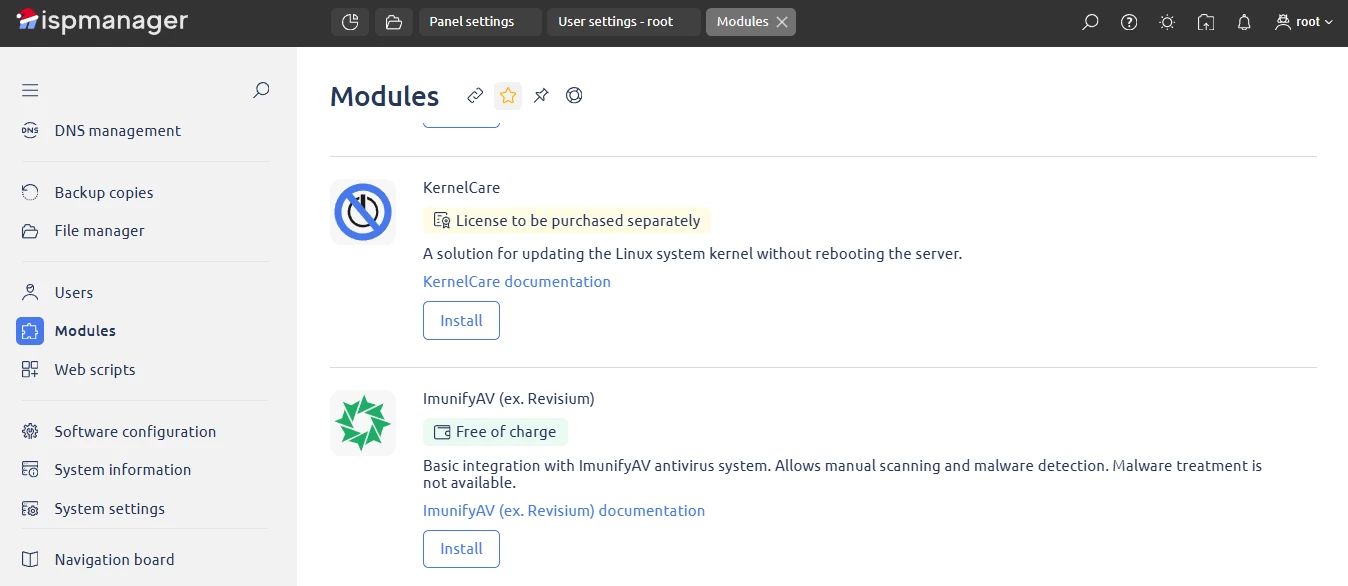
In addition to handling email, ispmanager provides spam protection via various tools, including SpamAssassin and SpamExperts.
In CloudPanel vs ispmanager, the key difference is this: ispmanager is an all-in-one hosting control panel that covers:
- website management
- server management
- mail management
- hosting plan configuration
We gave a detailed table with more information about the tasks it covers in each of these domains in this article. CloudPanel, in turn, mainly focuses on the first two tasks.
Plus, ispmanager is actively developed. Updates and features are guided by user feedback. Users vote on what they want most, and the team works to implement it. CloudPanel’s team isn’t selling the panel, so they decide on the product development independently. A good example: users have asked for Apache or LiteSpeed support, but CloudPanel only supports Nginx, and it seems that won’t change soon.
WordPress & CMS management
When it comes to adding a new site, ispmanager lets you either choose a manual setup or a quick automated setup of a WordPress-based website (WP is immediately installed and configured).
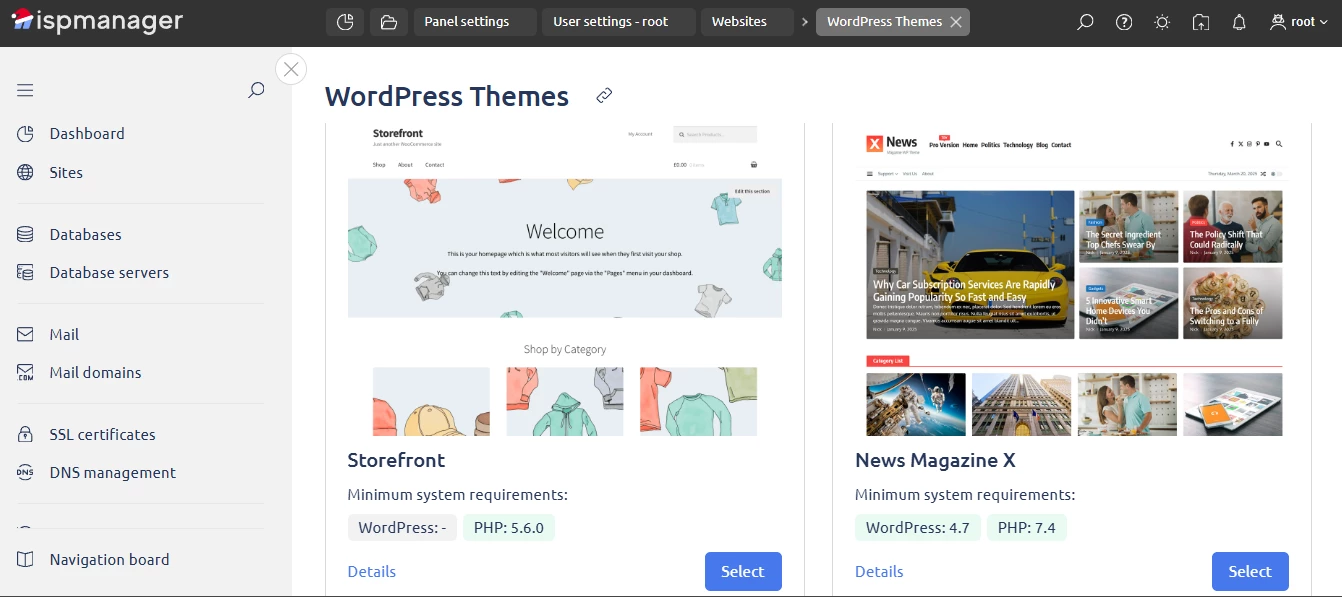
But let’s say you pick the manual setup. You start with the basic settings. Here, you can pick any popular CMS (not just WordPress, but also Drupal, Joomla, or others). You can issue an SSL certificate automatically, set the PHP mode and version, and create a new database for the site.
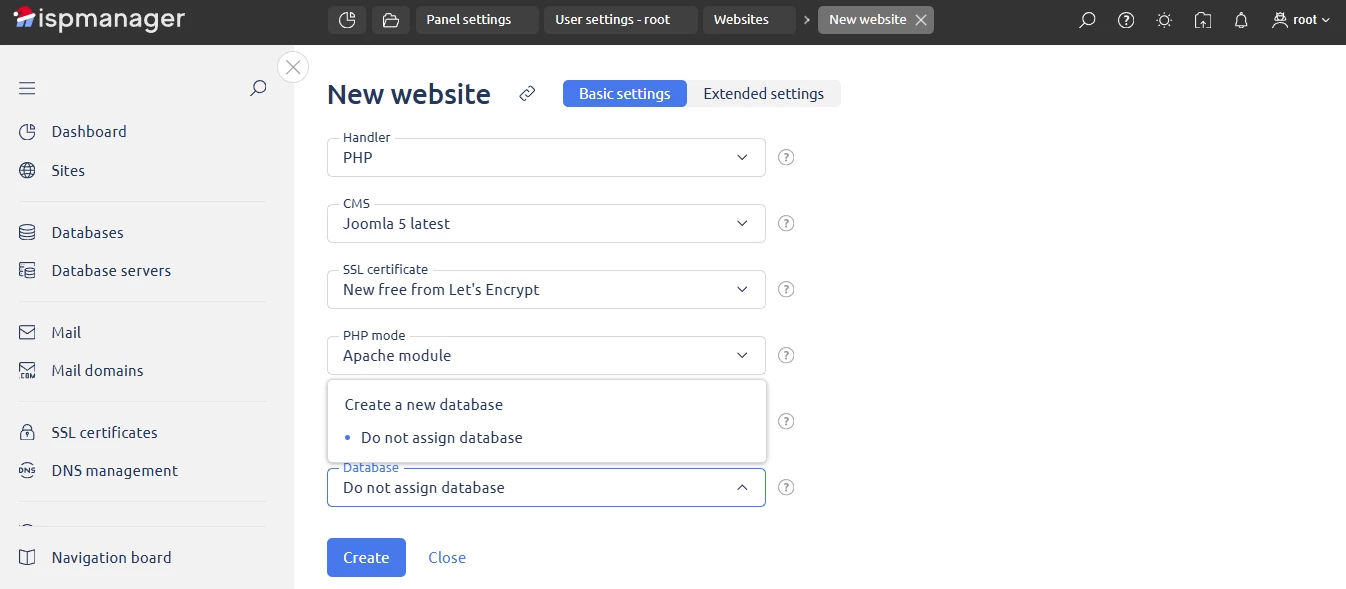
There are also extended settings. You can configure autosubdomains, logs, archives, default index page, encoding, HSTS, SSI, CGI script execution, and more.
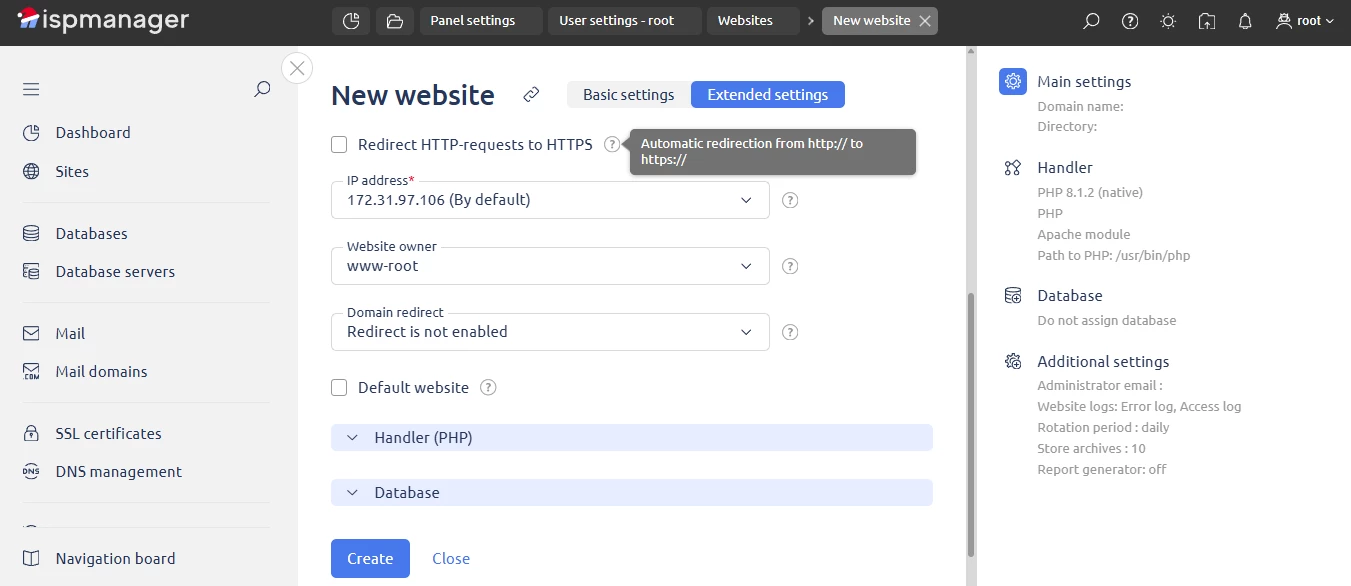
Once the site is set up, you start working on it directly in Site.pro. ispmanager installs the builder automatically.

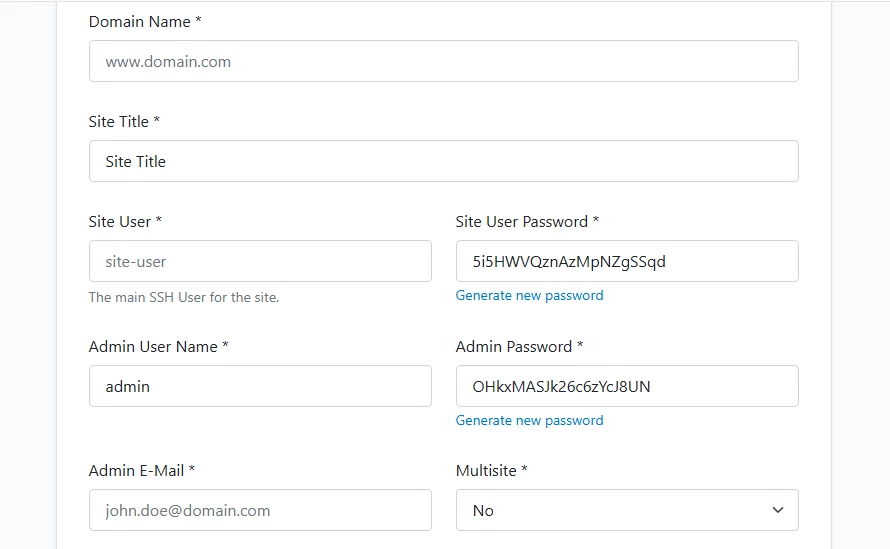
CloudPanel works a bit differently. When you click “add a site,” you first choose the type of site you want to set up.
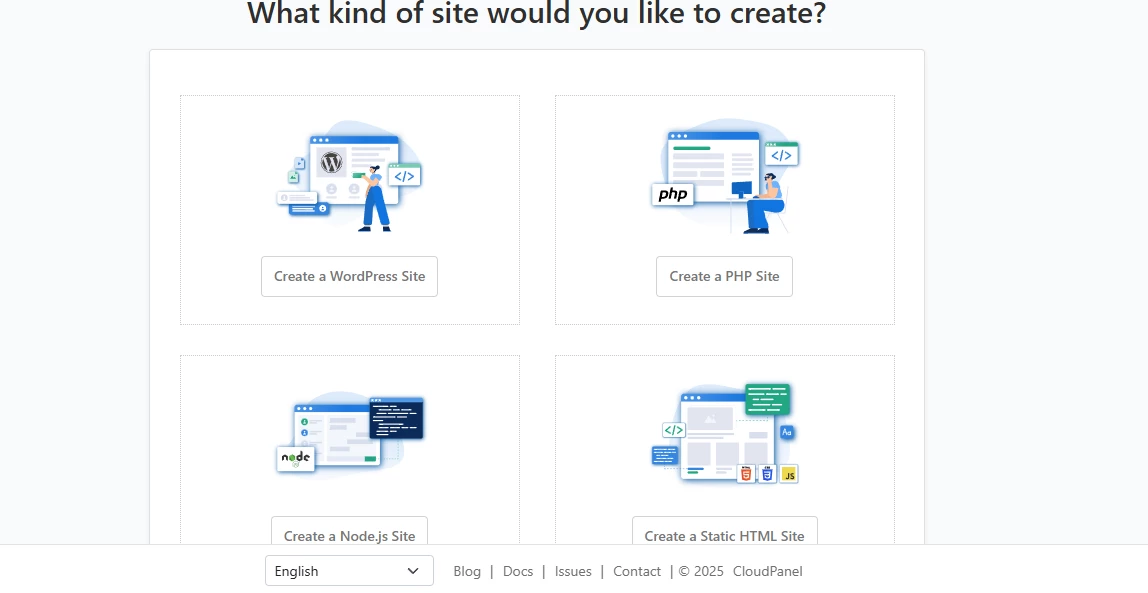
For a WordPress site, only fill in some essential info and get it running.
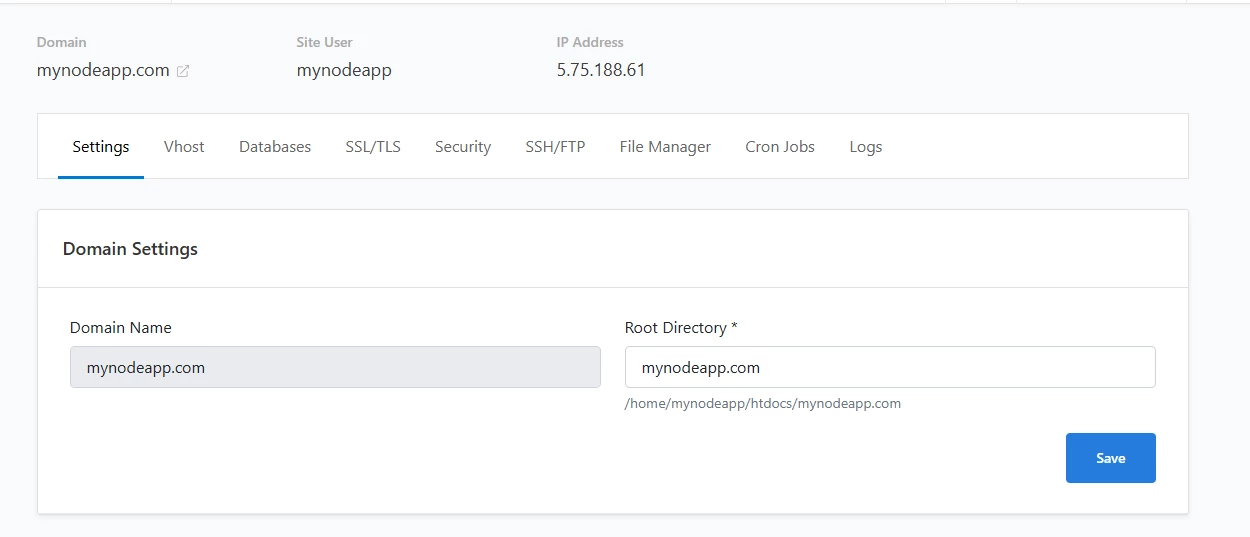
Site management is done through a special dashboard. From there, you can access key functions like databases, SSL certificates, file manager, and logs.
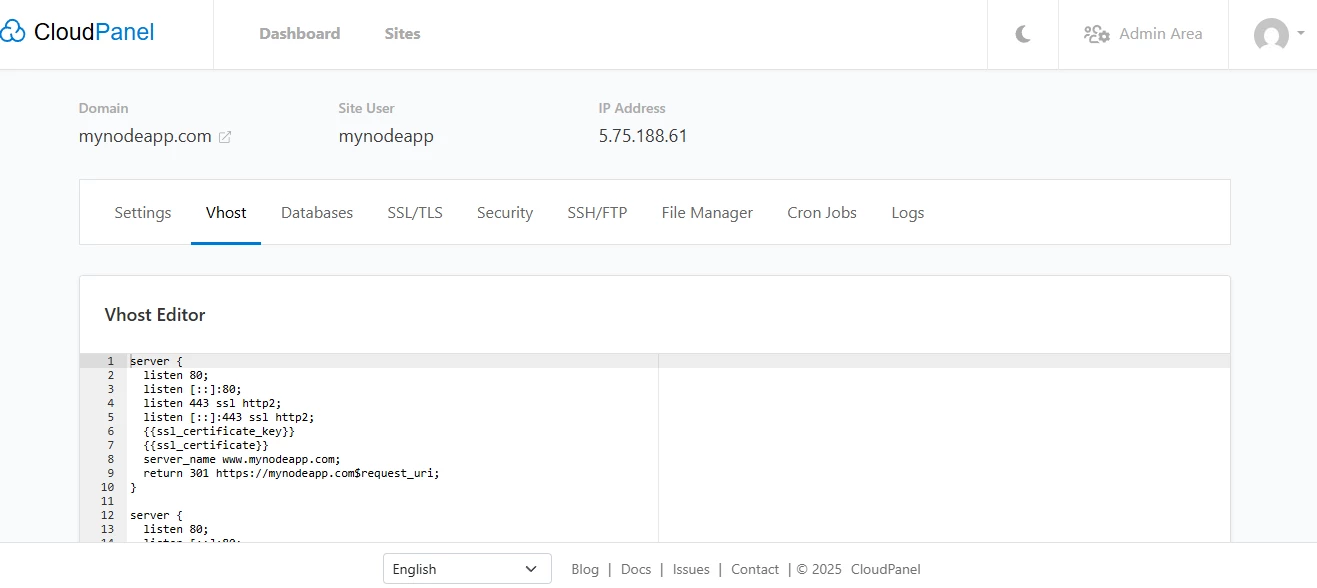
CloudPanel also includes an integrated Vhost editor in the site manager, which helps with Nginx configuration and redirects.
Hosting plan configuration & resource limits
When it comes to hosting plans, ispmanager is built for this, while CloudPanel isn’t (at least, not yet).
In ispmanager, you can set a variety of limits for each new user:
- disk space
- traffic per calendar month
- databases (including database size and database users)
- FTP users
- websites
- mail (including the number of mails sent per hour), and more
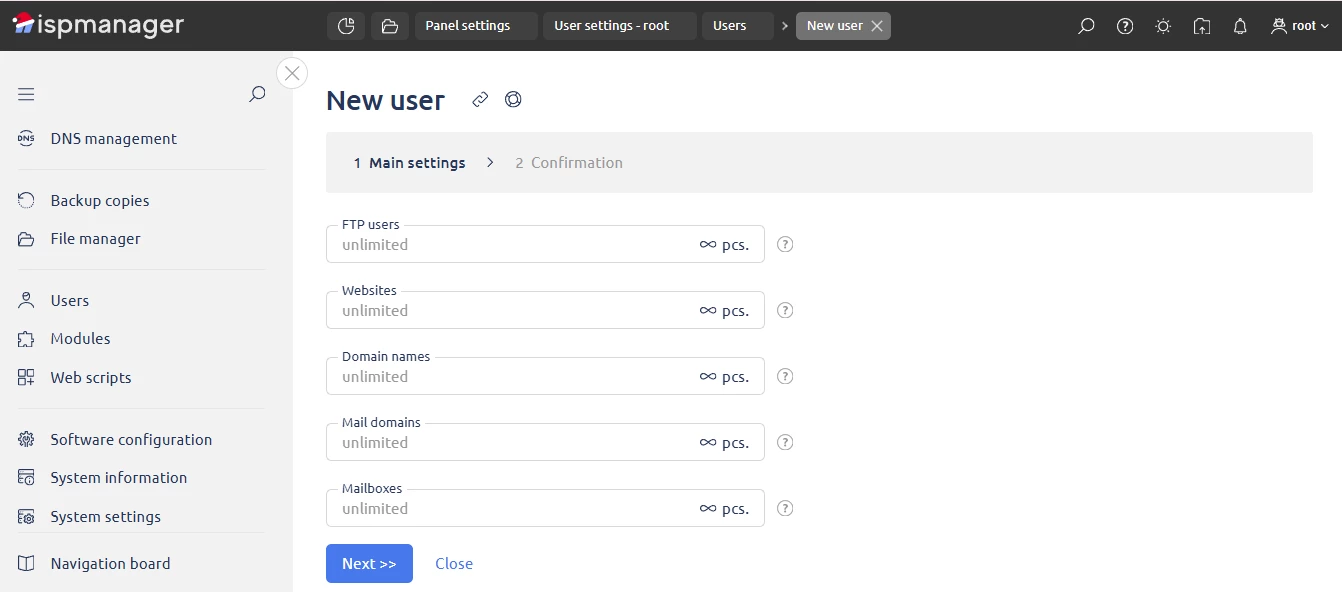
There are also resource caps: CPU time, RAM, user processes, mailbox size, cron jobs, and many more. And you can configure a new user’s access to:
- SSL
- CGI
- PHP as Apache mode
- PHP as CGI
- PHP as FastCGI (Apache)
- Shell
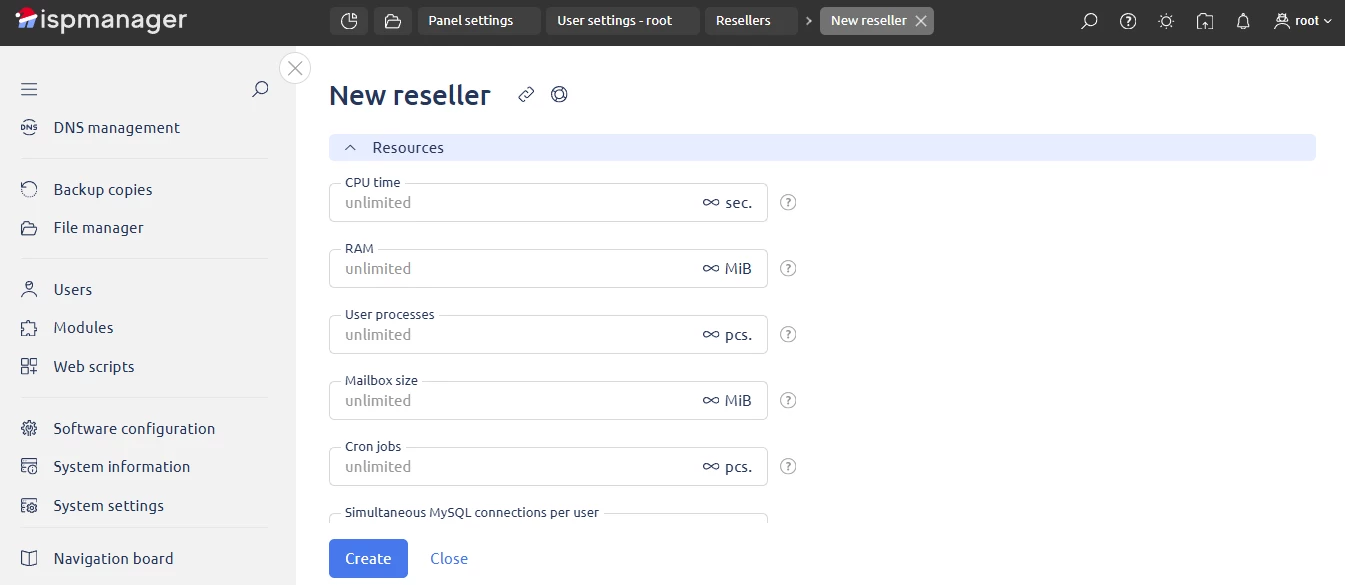
Reseller accounts are supported, too. You can set granular limits and resource controls. This gives a deep level of control, enough to create full hosting products.
Find out all about how reseller hosting works
Now, let’s see the user creation process in CloudPanel. When creating a user, you just set the role, assign sites, and fill in some basic info like name and email. That’s it.
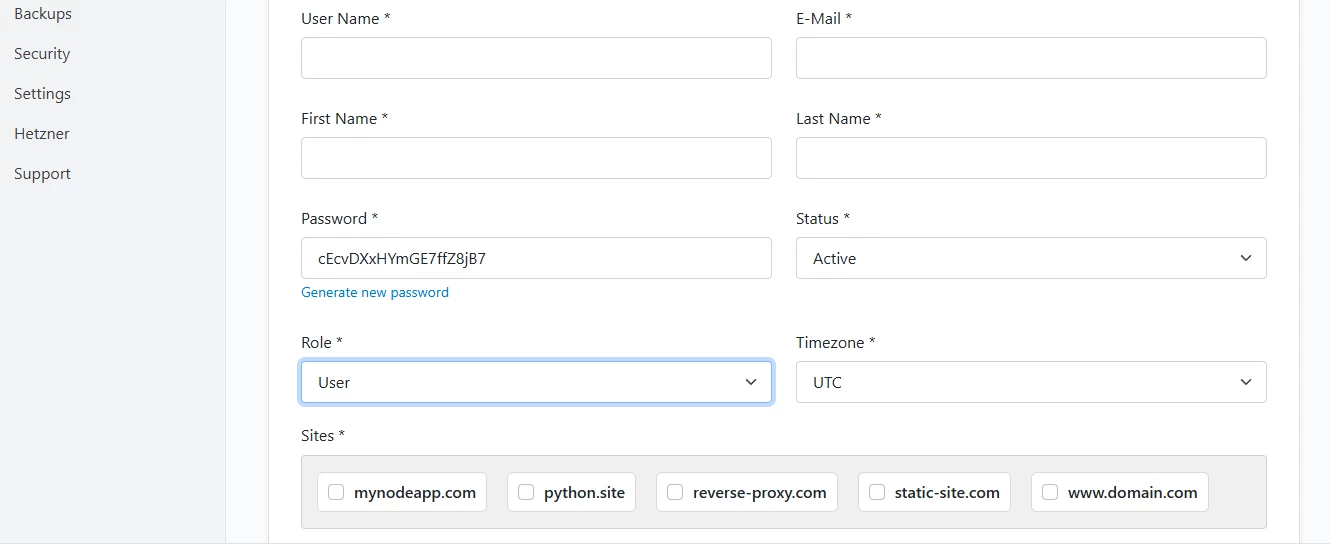
There are no detailed limits, and no way to set up reseller accounts (CloudPanel is similar to aaPanel in this aspect).
In short: CloudPanel works well for managing websites and servers (though there are CloudPanel Reddit threads pointing out security issues). What it doesn’t do is email management or full web hosting.
ispmanager, in contrast, is versatile. You can manage sites, servers, and email. You can also use it for web hosting, whether as a reseller, a shared hosting provider, or bundling it with VPSs.
Documentation, ecosystem & advanced environments
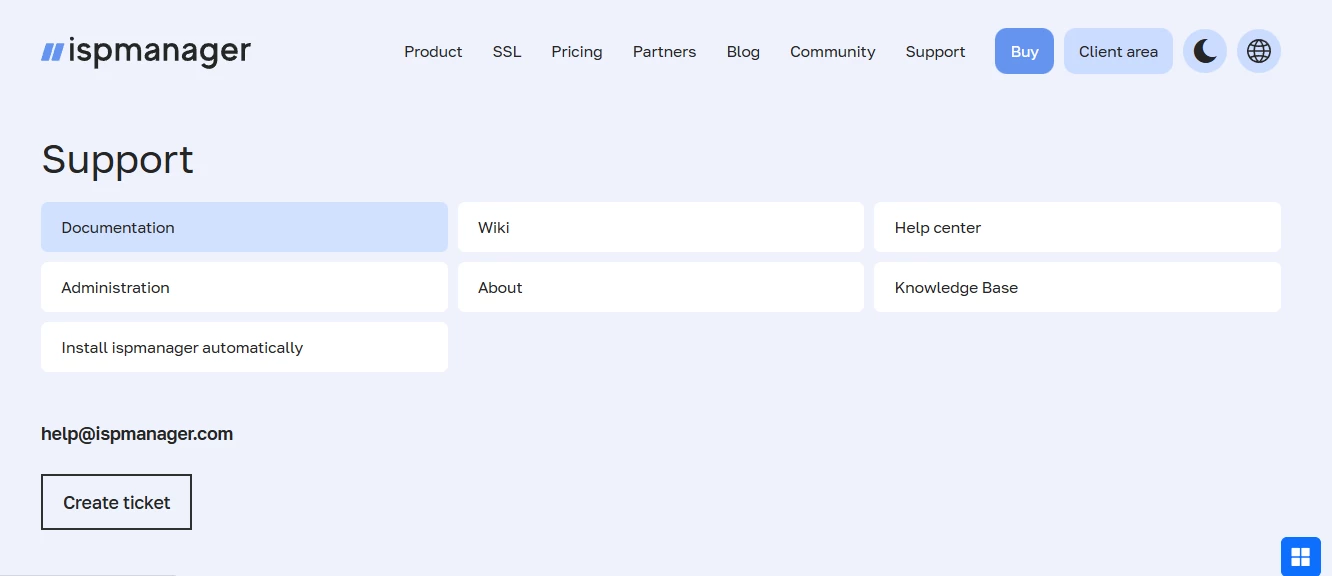
CloudPanel’s documentation and support are largely community-driven. A lot happens on Discord, where you can ask for help, features, test new versions, and follow the panel’s roadmap.
The documentation itself is solid, covering most topics in detail and linking to useful guides.
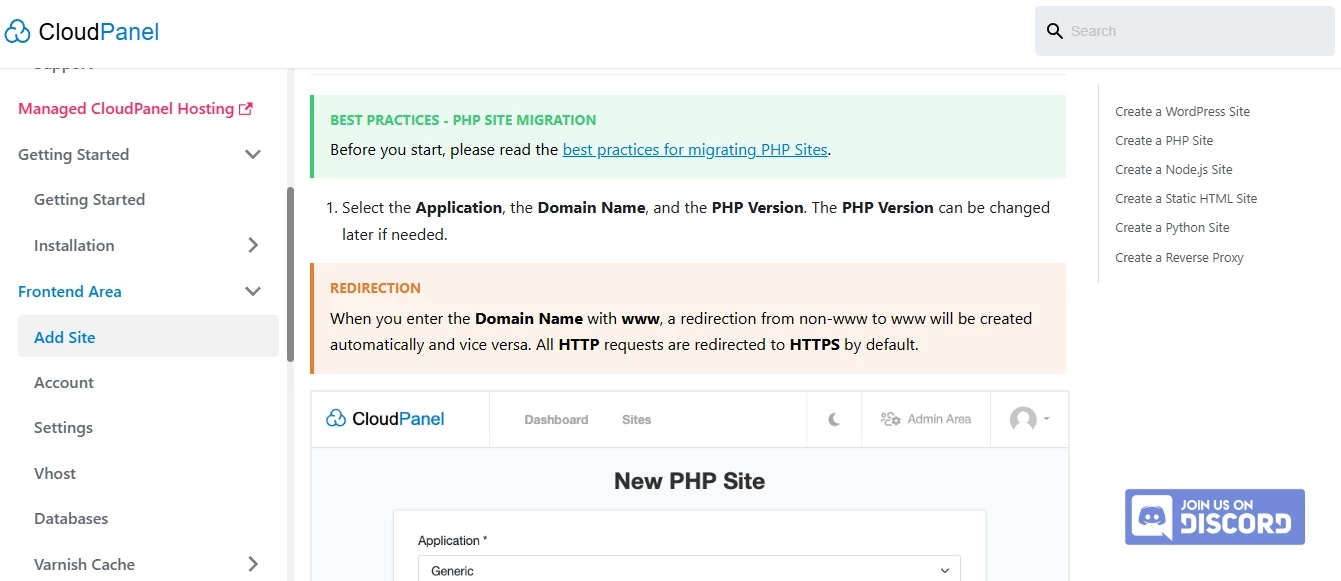
ispmanager’s support ecosystem is more extensive. It includes documentation, a wiki, a knowledge base, and a help center. Most importantly, it has 24/7 live support. If you plan to use it for web hosting, that reliability makes a difference compared to Discord-based help.
ispmanager also shows a product roadmap. You can see what improvements were added in previous quarters, what’s in progress now, and what’s planned for the next quarter. Users can vote on the features they want most.
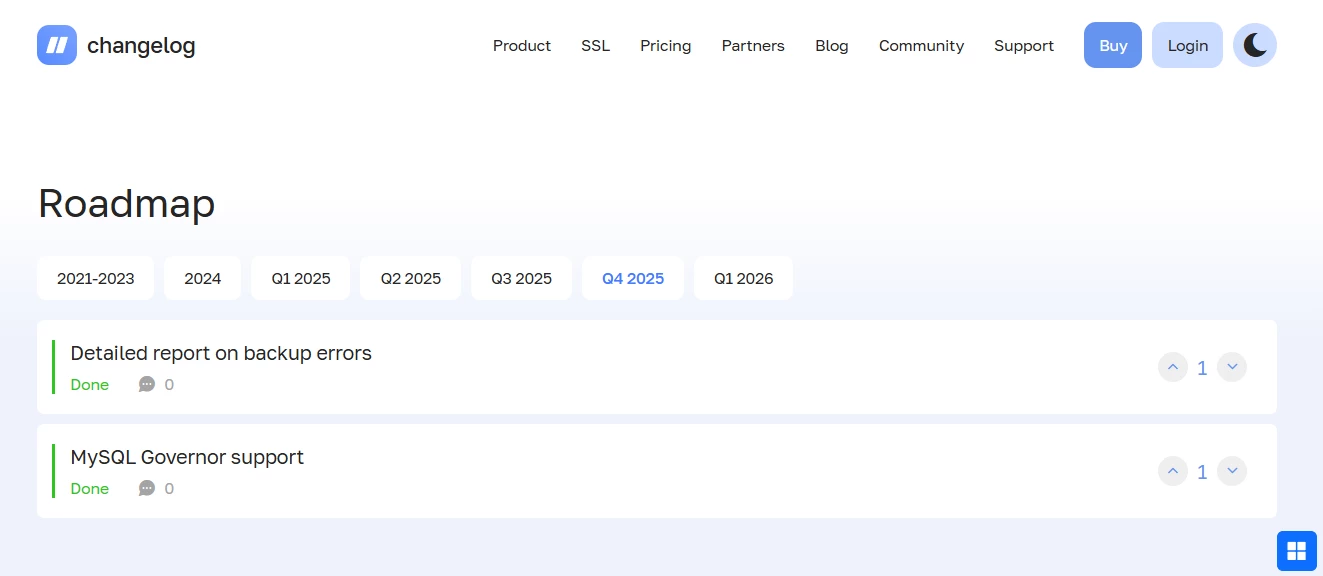
For hosting providers, ispmanager offers a clear guide for making the first sales after bundling ispmanager with VPSs. There’s also a partner support ecosystem with free landing pages and various promotional tools.

In short: Both ispmanager and CloudPanel have decent documentation. But looking at the overall support ecosystem, ispmanager wins in that it offers live 24/7 support and abundant marketing resources.
Final thoughts on functionality
The main difference in the ispmanager vs CloudPanel comparison comes down to scope. ispmanager simply does more. It supports more OSs, has more security integrations, manages email, lets you set user limits, create hosting plans, and so on.
CloudPanel, in turn, does what it does well. Setting up a website, managing a site, managing a server — it handles that smoothly. So the verdict really depends on the use case:
- Personal projects: Both ispmanager and CloudPanel will do (just keep in mind the CloudPanel Reddit discussions about security concerns).
- Shared hosting: ispmanager is fully ready for that. CloudPanel isn’t.
- Bundling with VPSs: If you want to offer a control panel as an add-on, it may make sense to add both. But if you are choosing just one, ispmanager seems to be a safer option. It has 24/7 support, plenty of security features, and a bunch of marketing materials to help boost sales.
ispmanager vs CloudPanel: Pricing
The pricing comparison is simple. CloudPanel is free. That has obvious pros and cons. There’s no cost, but you also don’t get a say in product development and no access to live support.
ispmanager, on the other hand, has several paid tiers, including options designed for hosting providers. Even so, all ispmanager licenses stay in the budget segment, especially compared to premium panels like cPanel or Plesk.
In other words, with CloudPanel, you save money upfront, but ispmanager gives more control, features, and support for a small cost.
Final Verdict: CloudPanel vs ispmanager, which is better?
So what’s the key takeaway from the CloudPanel vs ispmanager comparison?
Put simply, ispmanager is a multitool with professional support and ongoing development. It covers a wide range of needs, from server and website management to email management and full web hosting. Its development is guided by users, so new features are built based on what people actually ask for.
CloudPanel is a decent free tool for server and website management. It supports many apps and clouds. The CloudPanel install process is simple, and overall, it’s fast and user-friendly. But its functionality is limited compared to commercial solutions, and as a user, you don’t have a say in the product roadmap. A good example: it only supports Nginx, even though users in CloudPanel Reddit discussions have asked for Apache or LiteSpeed.

Both panels are beginner-friendly, light, and easy to start with. The difference is in scope. ispmanager is built for more tasks, including reseller hosting and email management, and simply offers more robust functionality than CloudPanel.