When it comes to free hosting control panels, ISPConfig rarely tops the lists. Yet, it is a surprisingly capable tool, packed with features for server, website, and email management. In this article, we provide an ISPConfig vs ispmanager comparison to show where the free panel can handle the job and where it might make sense to choose a commercial alternative like ispmanager.

ispmanager
| 
ISPConfig
| |
| Ease of use | ||
| Functionality | ||
| Security | ||
| Resource efficiency | ||
| Cost |
ISPConfig vs ispmanager: Feature Overview
Supported OS
- Debian
- Ubuntu
- AlmaLinux
- Debian
- Ubuntu
- Rocky Linux
- CloudLinux
Minimum hardware requirements
- 2 GB RAM
- 20 GB disk
- 1 GB RAM (2 GB for AlmaLinux)
- 20 GB disk
Security features
- Fail2Ban
- Fail2Ban
- ModSecurity (WAF)
- Cloudflare
- Firewall
- KernelCare
- BitNinja
- Blackwall
- DDoS-GUARD
Antivirus
- ISPProtect (malware and antivirus scanner)
- ClamAV
- ImunifyAV
Spam protection
- DKIM
- Black and white lists
- Postgrey greylisting
- Spamfilter
- Header and body checks
- DKIM
- SPF
- DMARC
- DNS Blackhole Lists
- Black and white Lists
- SpamAssassin
- Greylisting
- SpamExperts
Backups
- Automatic nightly backup
- Built-in backup system with scheduling and remote storage support
Web server
- Apache
- Nginx
- Nginx + Apache
- Nginx + PHP-FPM
- Apache
- OpenLiteSpeed
- LiteSpeed
Programming languages/frameworks
- PHP
- Python
- PHP (lets you set up a different PHP version for each site)
- Python
- Node.js
Email management
- Email account management
- Webmail
- Email forwarders
- Email aliases
- Auto-reply
- Email filters
- Fetching emails from remote servers with getmail
- Email account management
- Webmail interface
- Email forwarders
- Auto-reply
- Email filters
- Mailbox import
DBMS
- MySQL
- MariaDB
- PostgreSQL
- MySQL
- MariaDB
- Percona
- PostgreSQL
Website Creation & CMS
- No
- One-click installation for popular CMSs (WordPress, Drupal, Joomla, etc.)
- Automated one-click WordPress setup
- Softaculous
Website builder
- No
- Site.pro
Automated certificate management for Let's Encrypt SSL certificates
Max recommended accounts per panel
- Not publicly documented
- Some ispmanager setups run with over 2,000 accounts
Billing system integration
- ISPConfig 3 Billing Module
- WHMCS
- Blesta
- HostBill
- BILLmanager
White label
Roles and access permissions
- Administrator
- Reseller
- Client
- Administrator
- Reseller
- User
- Granular access control (fine-tuned per user or task)
Updates
- A major version released twice a year
- A stable release once a month
Interface
- Simple older visual style
- Simple, modern, and beginner-friendly
Language support
- 22 languages
- 15 languages
Support
- Email support
- Free 24/7 support
ispmanager: Quick Overview
ispmanager is a lightweight and fast hosting control panel built for completing tasks with fewer steps. You log in, and everything is already there: domains, DNS, mail, backups, security, or everything you need. You can access anything from the Navigation board without hunting through menus.
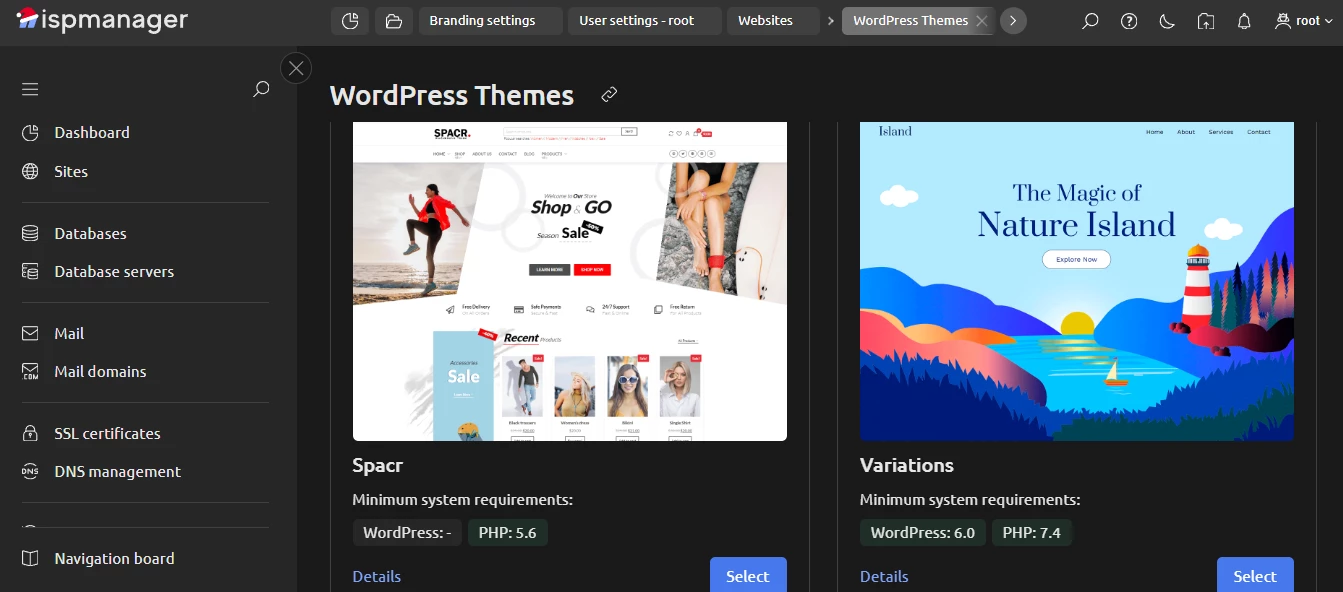
With ispmanager, you can choose a quick automated setup of a WordPress-based site or, if you want more control, you can configure things manually. There’s a WordPress manager for managing themes, updates, and plugins. And there’s also a free visual website builder, Site.pro.
ispmanager is pretty friendly to different roles. A solo developer can run a VPS with it. A web agency can use ispmanager to manage dozens of client sites. A hosting provider can set limits, users, and plans inside the panel. The same interface is fit for all of these use cases.
Pros
- Clean and friendly UI, with tabs that work like a browser
- Lightweight and stable, runs well even on small VPSs
- WordPress manager and a quick automated setup of a WP-based site
- Robust security with BitNinja, SpamExperts, ClamAV, WAF, and more.
Cons
- Not as many add-ons as in cPanel or Plesk
ISPConfig: Quick Overview
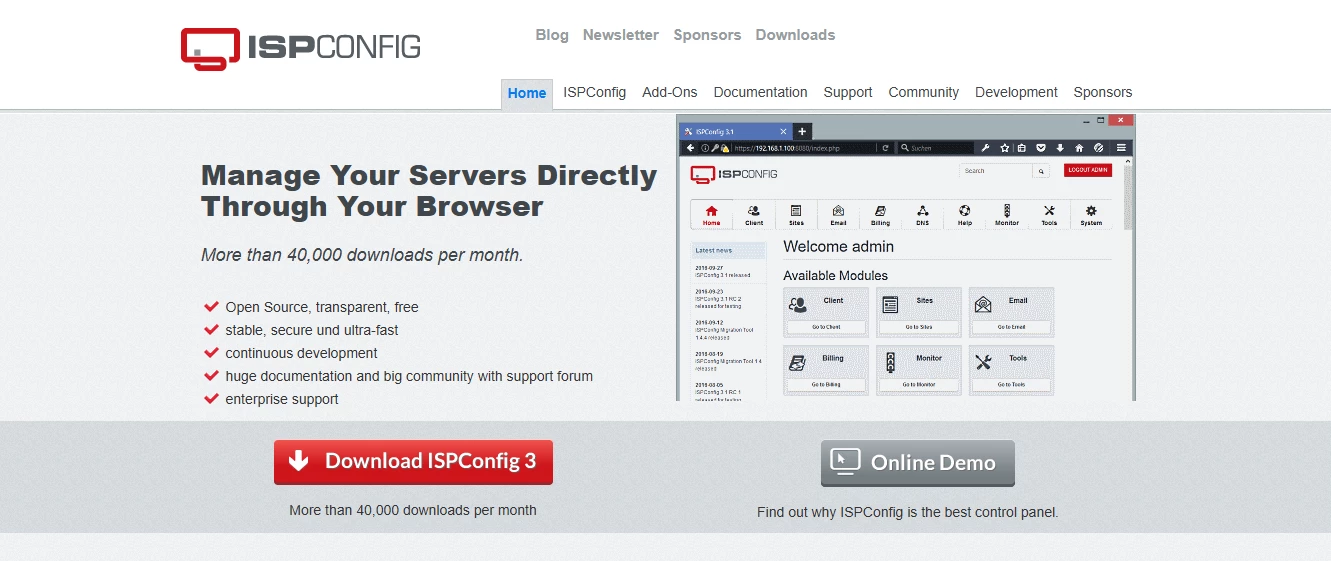
ISPConfig is a free, open-source hosting control panel. It is often chosen by users who want full control and are ready to spend time on setup. You can use it for one server or several.
From a feature point of view, ISPConfig does a lot for a free product. You can run Apache or Nginx, manage websites, configure mail, and set limits for users and clients. This is why many ISPConfig review posts describe it as powerful for a free tool.
The ISPConfig install process is not entirely straightforward. It usually involves command-line work, and missing one step means troubleshooting instead of hosting websites. The panel's development is community-driven, which brings flexibility, but also uneven pacing. Some features move fast, others stay unchanged for years.
Pros
- Supports single-server and multi-server setups
- Configurable traffic and resource limits
- Full email management included
- Large community with multiple forums
Cons
- The ISPConfig install process is tricky
- No built-in file manager
- No LiteSpeed support
ispmanager vs ISPConfig: Interface & Usability
Interface
Visually, the difference between the two panels is noticeable right away.
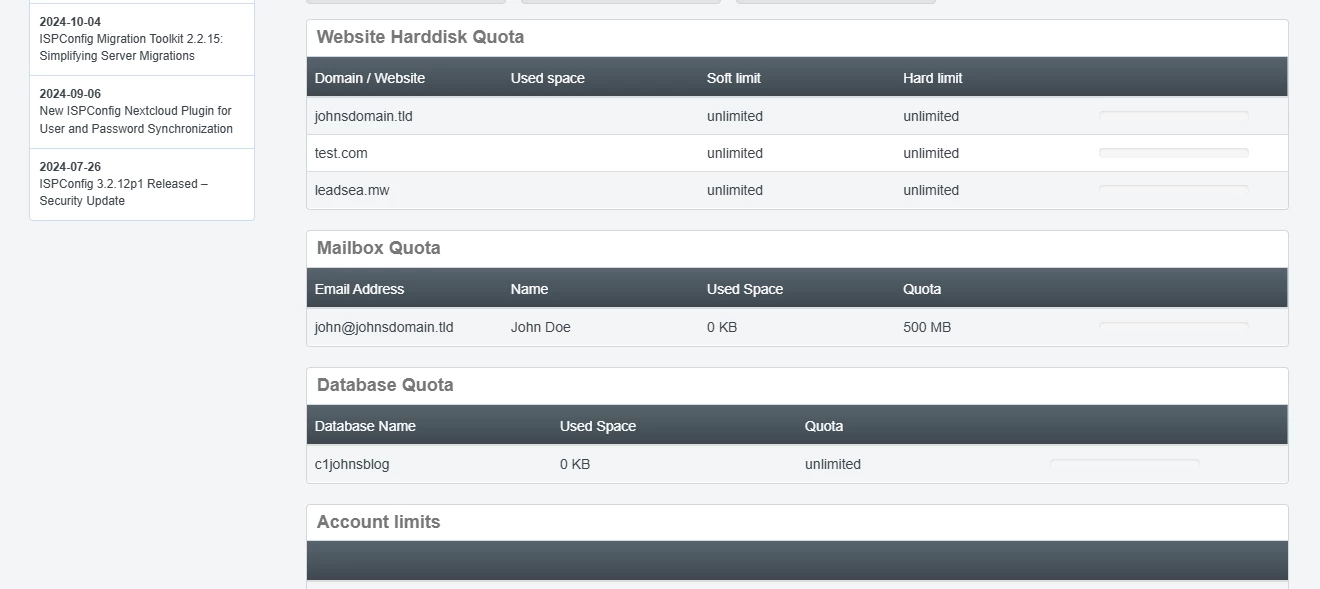
ISPConfig looks more dated. The default interface uses strict square shapes and a grey-and-white color palette. In the settings, you can choose your start module — for example, Mail, Sites, or Dashboard — but customization mostly stops there.
ispmanager’s interface looks more modern and polished. You can switch between light and dark themes and adjust how the panel behaves.
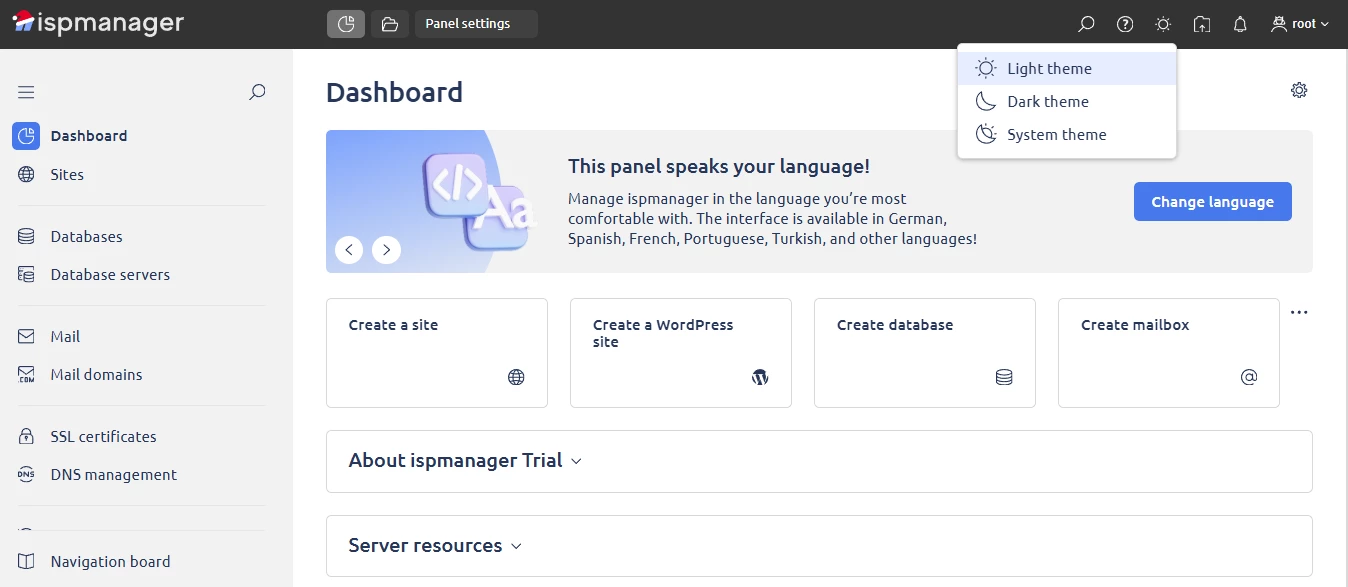
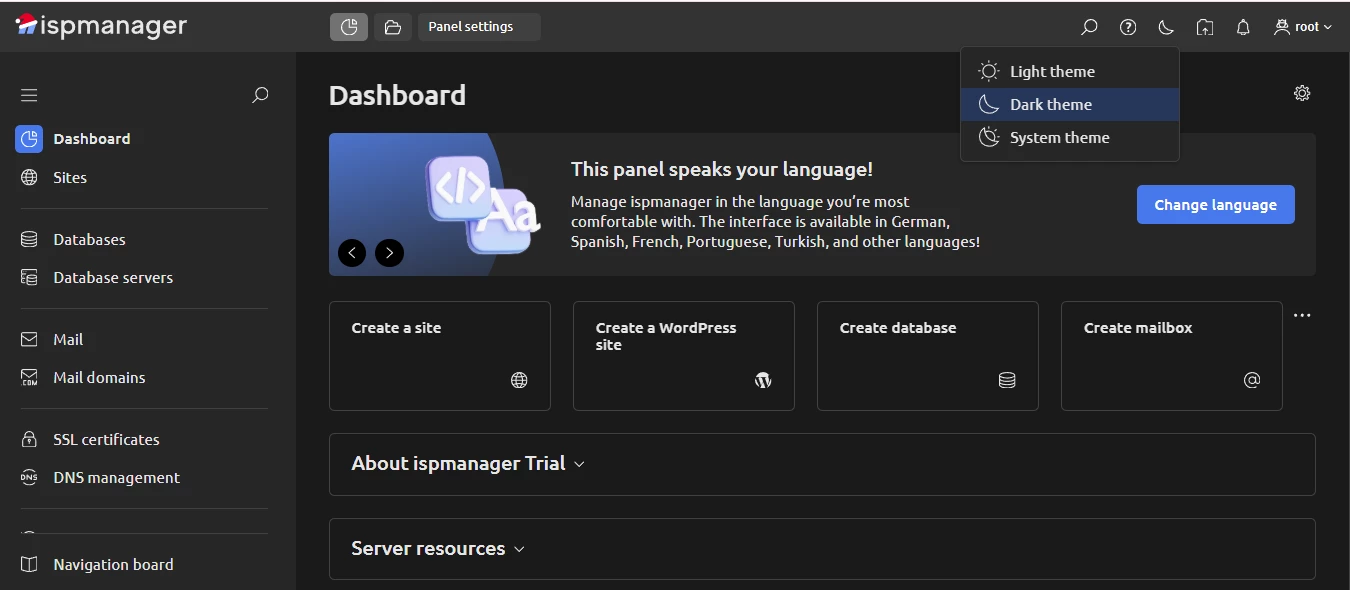
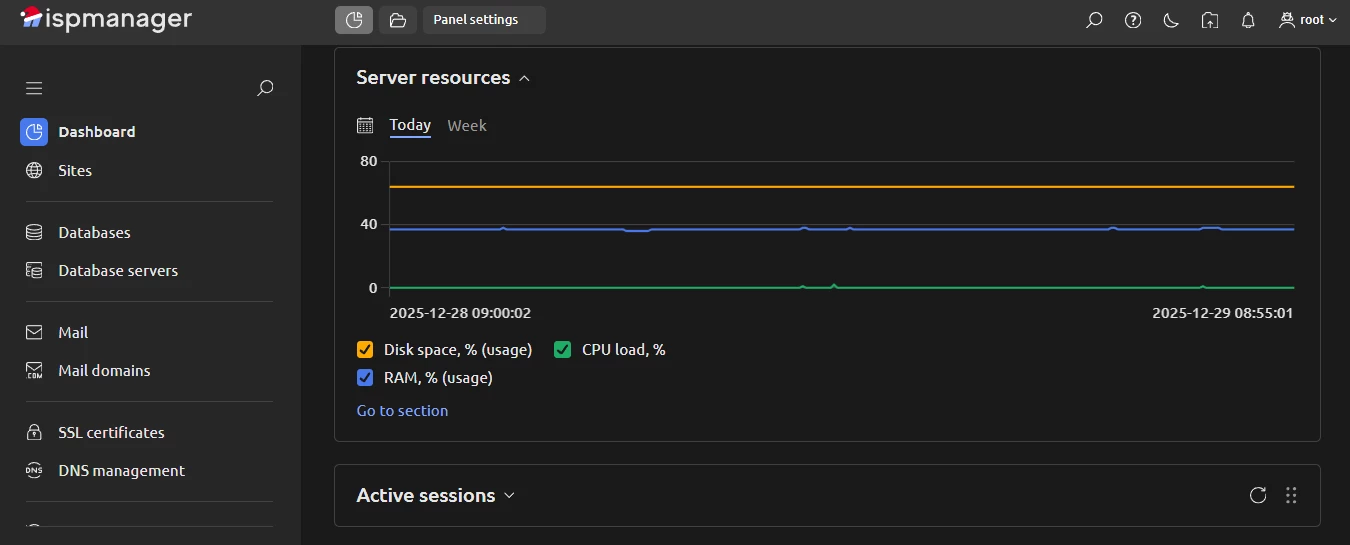
For example, on the dashboard, you can hide or expand blocks depending on what you actually use.
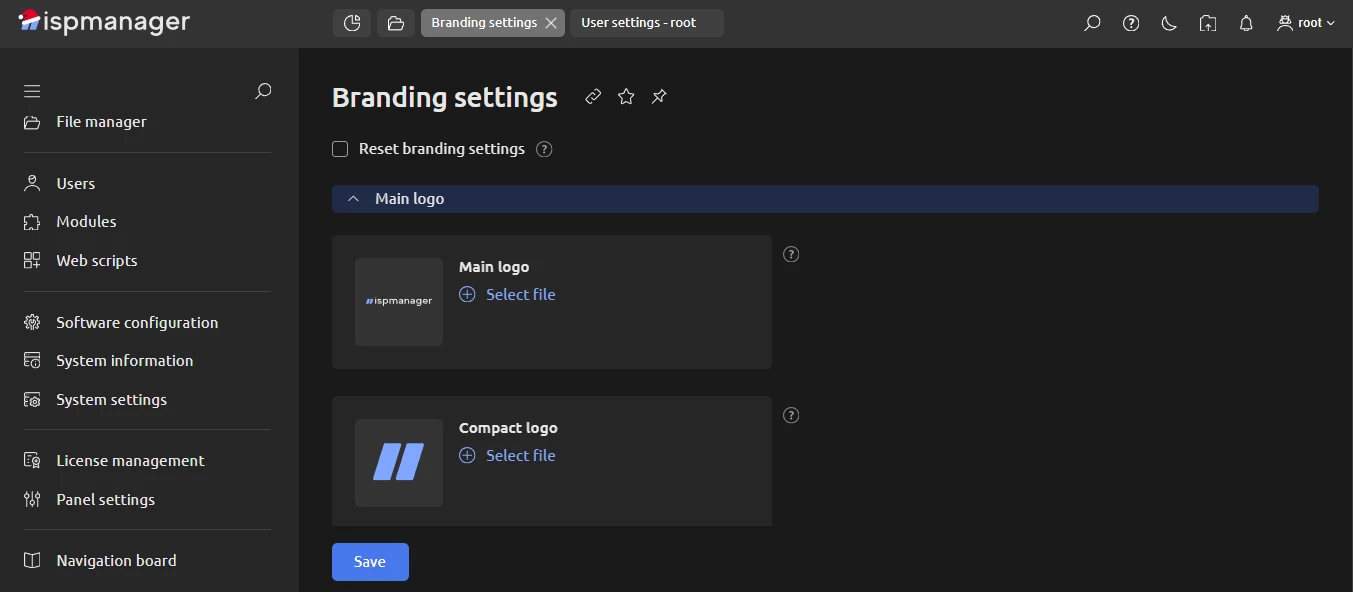
You can also control small but important things: your start page, how many records you see in tables, whether hints are shown, and so on. In the Branding section, you can customize the logo, login page, browser title, and other visual elements.
Overall, compared to ispmanager, ISPConfig has a simpler visual interface (which is normal for a free product).
Usability
From a usability point of view, the panels are closer than they may seem at first glance. For instance, both ISPConfig and ispmanager offer dashboards that give quick access to common tasks like site or email management.
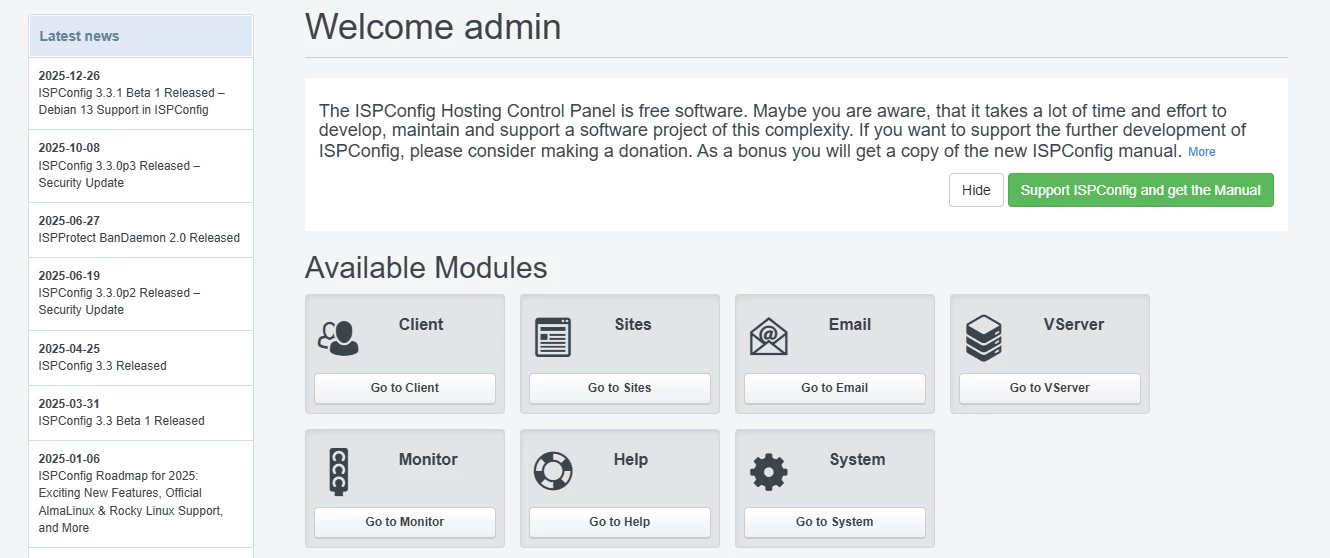
The difference is in how those dashboards guide you. In ISPConfig, the dashboard mostly points you to large sections: Client, Sites, Server, Help. You click through modules first, then perform actions inside them.
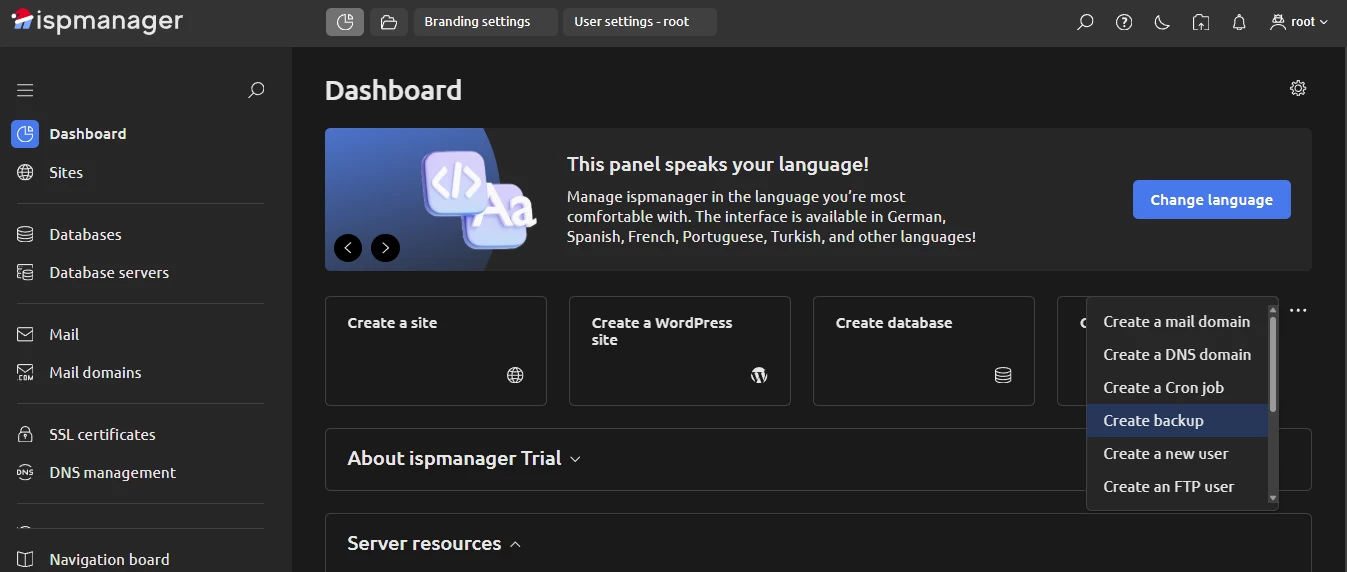
In ispmanager, the dashboard lets you act right away. You can create a backup, add a user, or set up FTP directly from there.
Search is another good example. ISPConfig has a global search bar (this already puts it ahead of some free panels). You use it for everything, including searching inside sections like websites or email. In ispmanager, in addition to the global search bar, there’s a search bar inside every section. When you’re working with websites, you search websites. When you’re managing users, you search users. It saves time, especially when the project grows.
There are also small usability touches that add up in the ISPConfig vs ispmanager comparison.
ispmanager lets you:
- Work with multiple open tabs, like in a browser
- Pin favorite sections for quick access
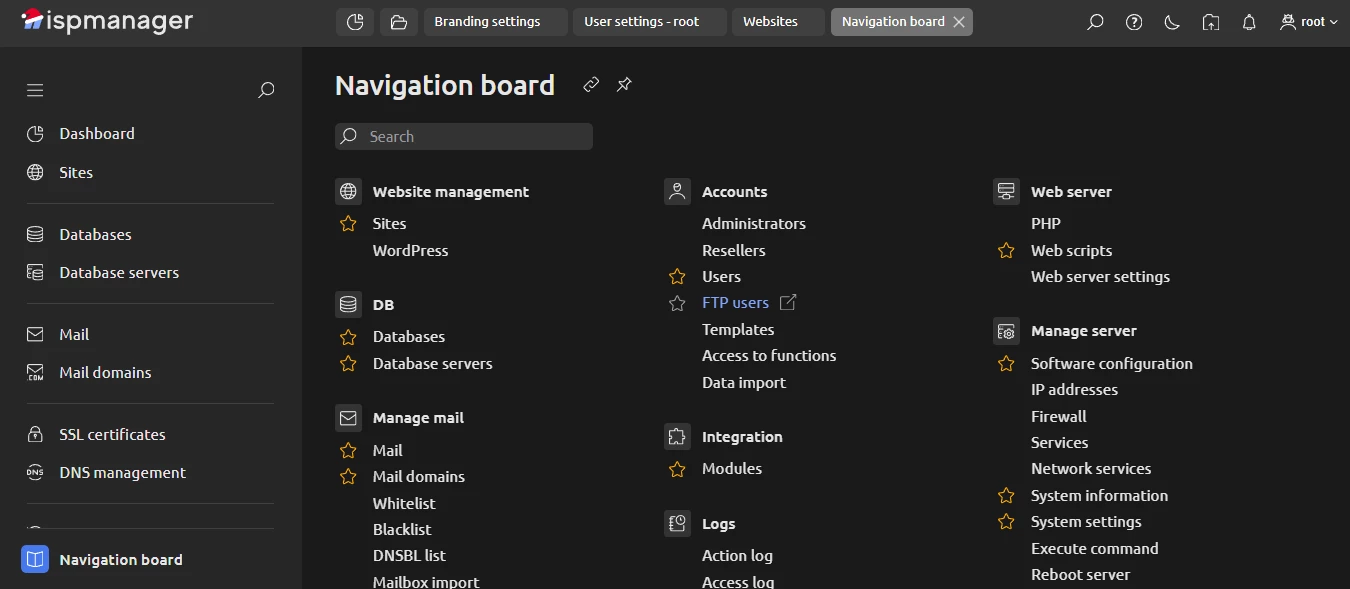
- Use a Navigation board that opens any tool or action available in the panel
Final thoughts on usability and interface
ispmanager feels friendlier and more flexible. Tabs, search, customization, and visual polish reduce friction. This matters even more if your clients will see the panel daily. ISPConfig feels more rigid, but predictable. Many users accept this trade-off, especially given that the panel is free. All in all, it depends on how much convenience you expect from a control panel.
ispmanager vs ISPConfig: Performance & Functionality
In many ways, the ispmanager vs ISPConfig comparison is a classic comparison between a commercial product versus a free, open-source panel. From that angle, ISPConfig performs better than you might expect.
For example, unlike CloudPanel, which we reviewed in our previous comparison, ISPConfig includes full email management out of the box. You can run mailboxes, aliases, filters, and limits without bolting on extra tools.
On the server side, ISPConfig lets you build both simple and complex setups using familiar components:
- Apache 2 and Nginx
- Dovecot for mail
- Bind or PowerDNS for DNS
- MariaDB and MySQL
For many admins, this is enough to run production servers reliably.
Now, does ispmanager offer things that ISPConfig doesn’t? Yes, and quite a few.
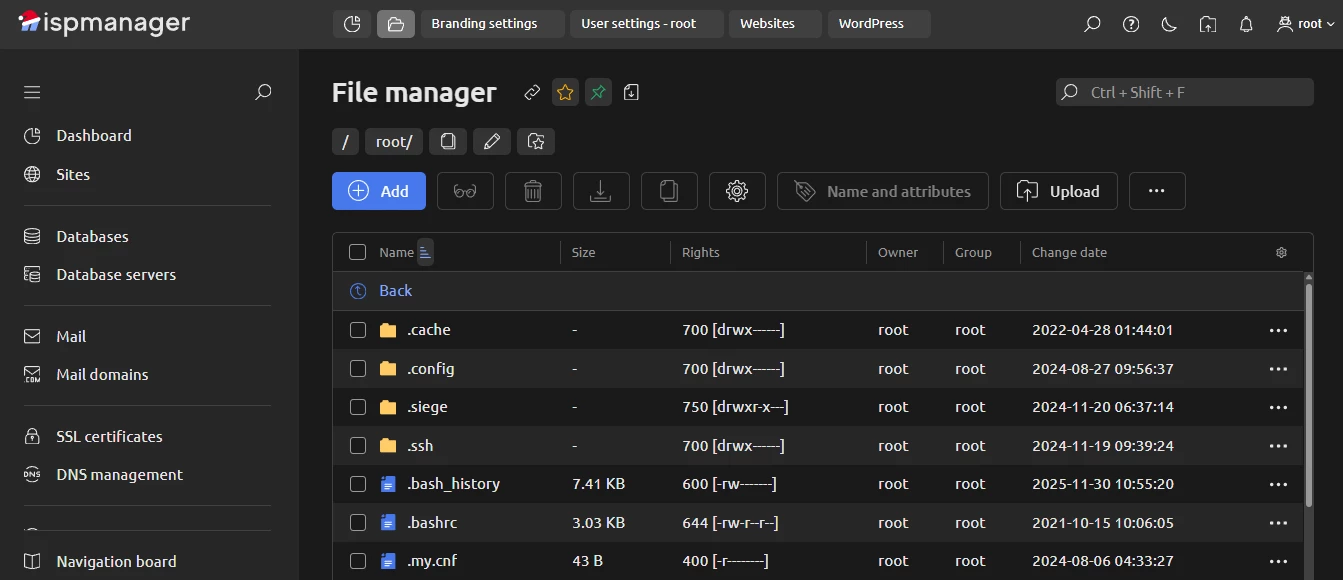
The first clear example is the file manager. ispmanager includes a full-featured file manager right in the panel. You can create and edit files, move directories, work with paths, pin folders to favorites, and browse a full directory tree. In ISPConfig, there is no built-in file manager. File operations usually mean FTP or SSH. This is not a problem for experienced admins, but it does slow things down and raises the entry barrier.
Second, ispmanager integrates with multiple security tools and services. You can enable antivirus scanning and protection modules such as ClamAV, ImunifyAV, Fail2Ban, ModSecurity (WAF), Cloudflare integration, KernelCare, BitNinja, Blackwall, and DDoS-GUARD.
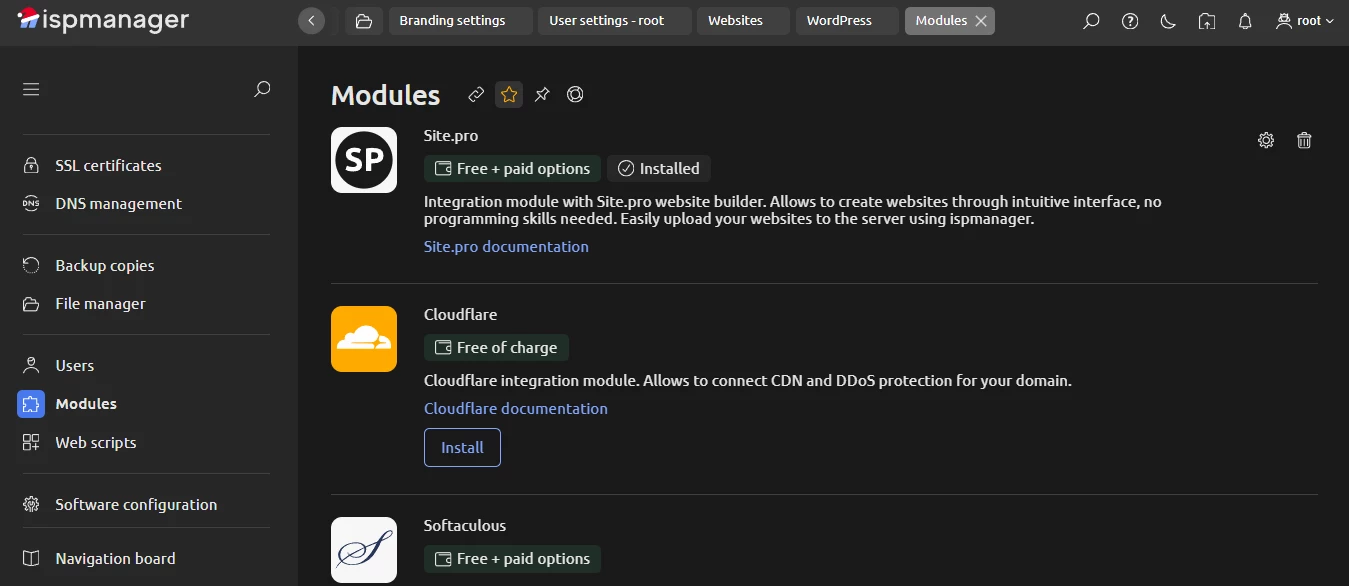
The ISPConfig security topic is a controversial one. The panel covers the basics, but, in general, its security stack is limited. The same applies to all integrations. The ispmanager apps ecosystem is smaller than cPanel’s or Plesk’s, but it is still broader and more practical than what ISPConfig offers.
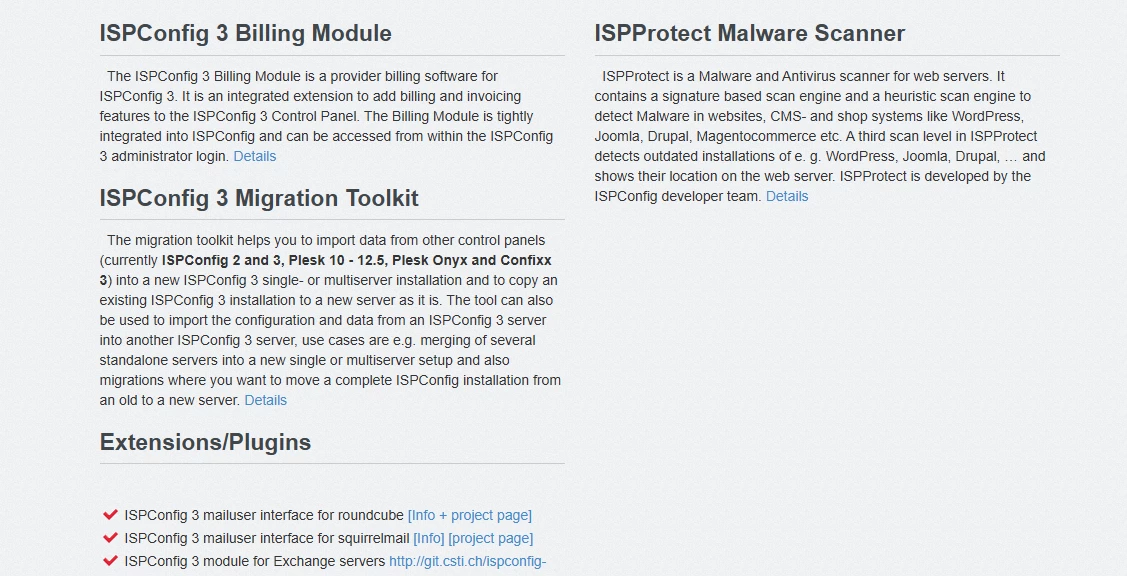
ISPConfig has only a few add-ons available, even compared to other free panels.
Functionality differences appear at other levels, too.
ispmanager supports more operating systems. In addition to Debian and Ubuntu, it works with AlmaLinux, Rocky Linux, and CloudLinux. ISPConfig officially supports only Debian and Ubuntu.
The same goes for web servers. ispmanager supports Apache and Nginx, but also OpenLiteSpeed and LiteSpeed. ISPConfig sticks to Apache and Nginx.
Billing is another practical example. ISPConfig offers its own ISPConfig 3 Billing Module. ispmanager integrates with popular billing systems like WHMCS, Blesta, HostBill, and BILLmanager, which makes it easier to build and scale a hosting business.
WordPress & CMS management
When it comes to websites and CMSs, ispmanager focuses on doing everything in one place and doing it fast.
To add a new website, you can choose a quick automated setup of a WordPress website. All you need to do is pick a theme and a domain, and the panel will configure the rest automatically.
Or, you can choose a manual website setup: here, you will work with basic settings and extended ones. During setup, you can select any popular CMS — WordPress included — and enable SSL at the same time. The certificate is issued automatically, usually in under 20 seconds.
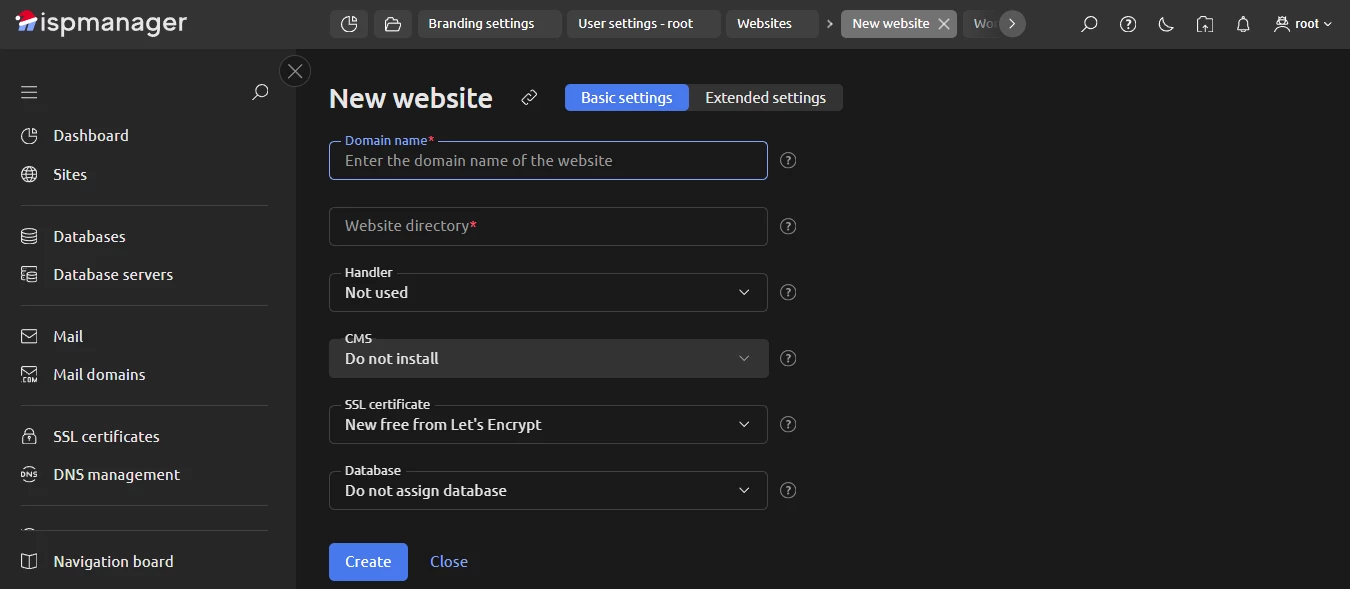
If you open extended settings, you can configure autosubdomains, logs, archives, default index pages, encoding, HSTS, SSI, CGI execution, and more.
Once the site is created, you don’t leave the panel. ispmanager installs the Site.pro builder automatically, so you can start editing the website visually. This is something open-source panels almost never offer.

ISPConfig takes a manual approach only. You can configure a website using a set of options that roughly matches ispmanager’s basic and extended settings combined.
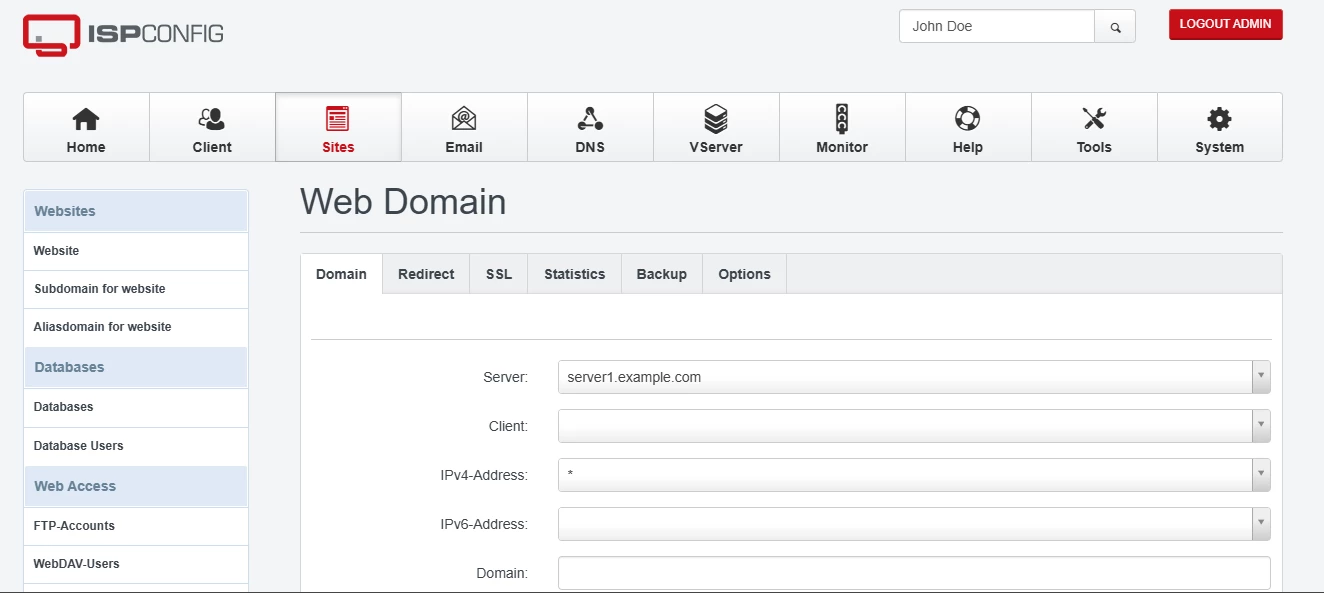
One difference from ispmanager is that, when creating a site in ISPConfig, you cannot create a MySQL or MariaDB database and a database user at the same time. You finish the website first, then go and set up the database separately.
Besides, ISPConfig does not offer CMS selection during site creation. There is no one-click WordPress setup, no WordPress manager, and no visual website builder.
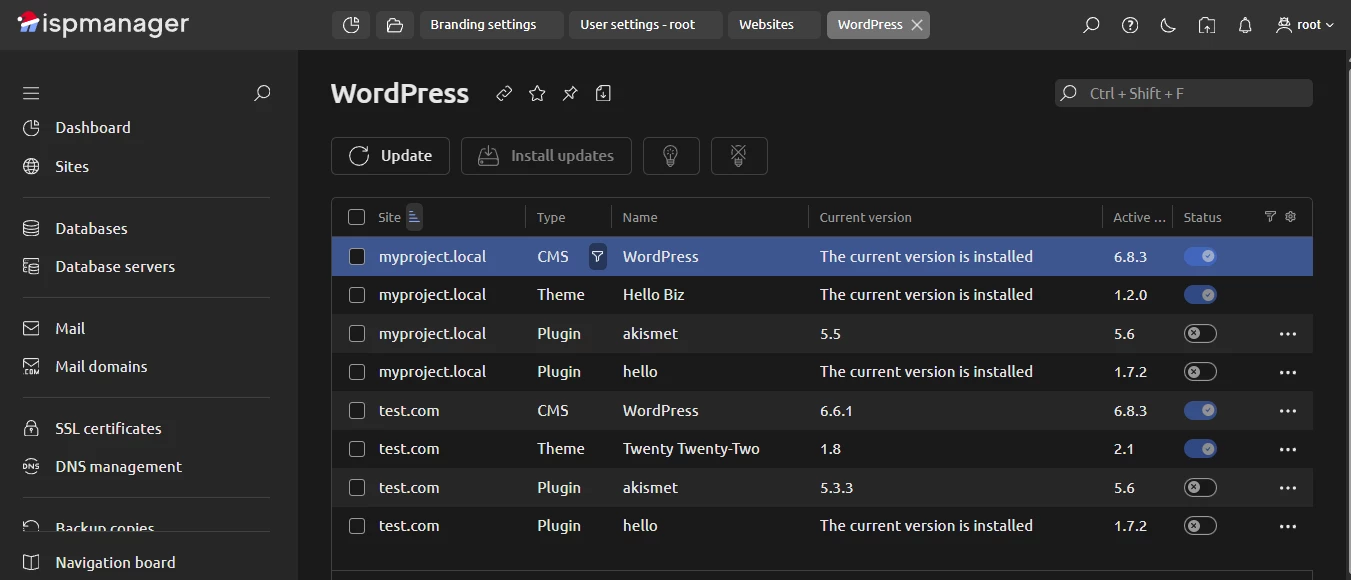
From this angle, fast WordPress setup and built-in management tools are a clear advantage of ispmanager.
Hosting plan configuration & resource limits
Both panels let you control how much each user can consume. This is essential for shared hosting and reseller setups. In ispmanager, limits are very granular. When creating a user, you can cap:
- disk space
- traffic per calendar month
- databases (including database size and database users)
- FTP users
- websites
- mail (including the number of mails sent per hour), and more
On top of that, you can apply resource limits: CPU time, RAM, the number of processes, mailbox size, and cron jobs. You also decide what technologies the user can access, such as SSL, CGI, different PHP modes, or shell access.
In ISPConfig, the logic is similar. When creating a client, you set limits across many categories:
- web
- XMPP
- databases
- DNS servers
- Virtualization
- APS installers
- cron jobs
There are dozens of options in total.
Plus, both ispmanager and ISPConfig support full reseller accounts. This makes them usable for building hosting plans and selling them to end customers.
Documentation, ecosystem & advanced environments
For a free control panel, ISPConfig has a stronger support ecosystem than you might expect. In addition to community forums, it offers business support, remote installation, and remote update assistance. This is not something you usually see around open-source panels.
Check our FASTPANEL vs ispmanager comparison
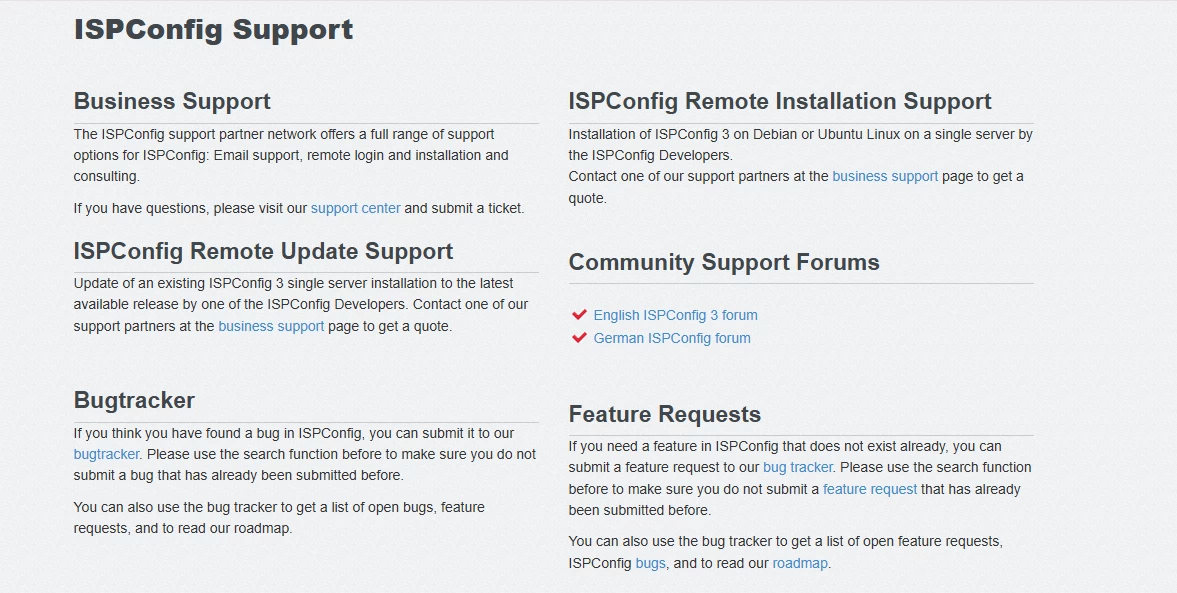
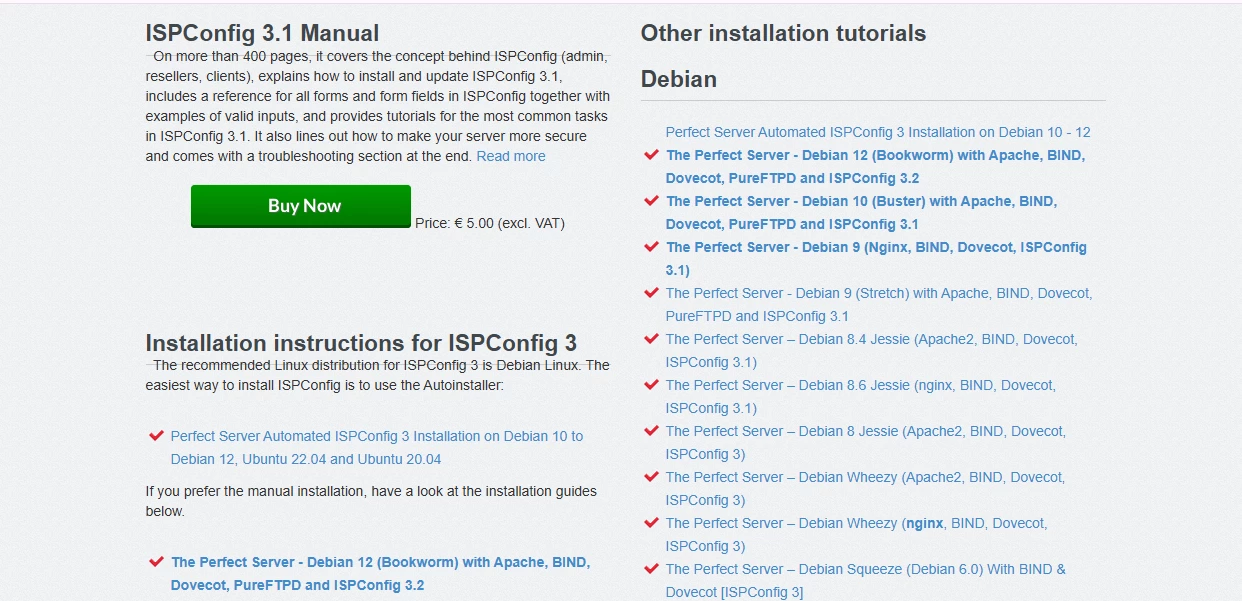
Another unusual detail is the documentation. ISPConfig has many free guides and tutorials, but the full, structured manual is paid. The price is modest, yet the model itself is uncommon.
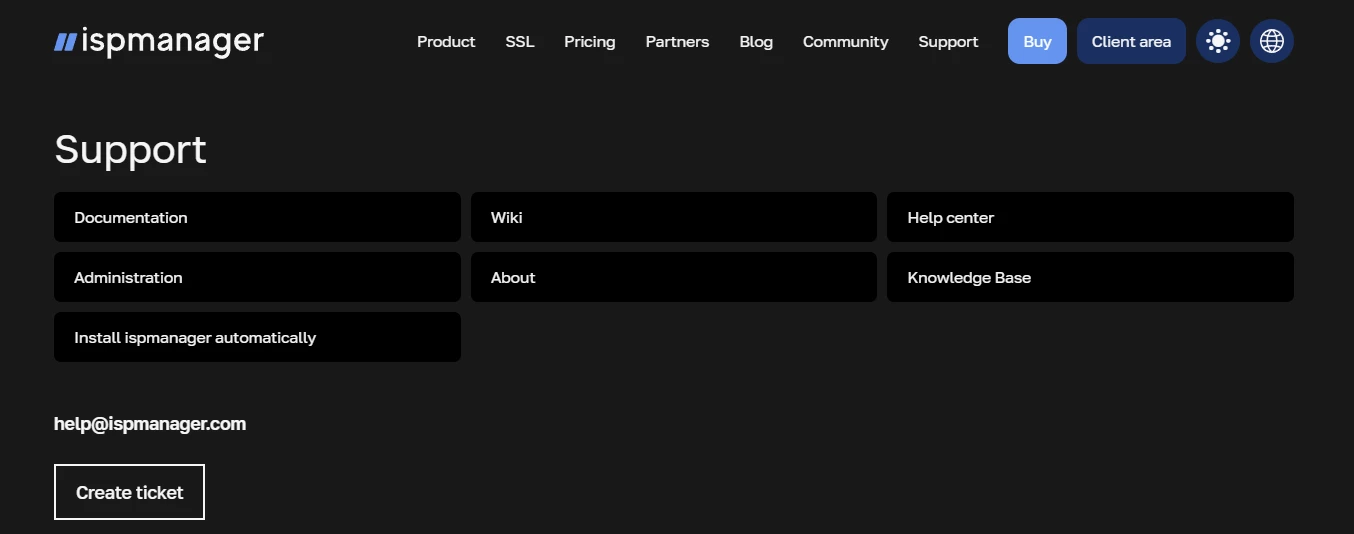
ispmanager follows a more classic path. Its ecosystem includes official documentation, a wiki, a knowledge base, and a help center. It also provides 24/7 live technical support.
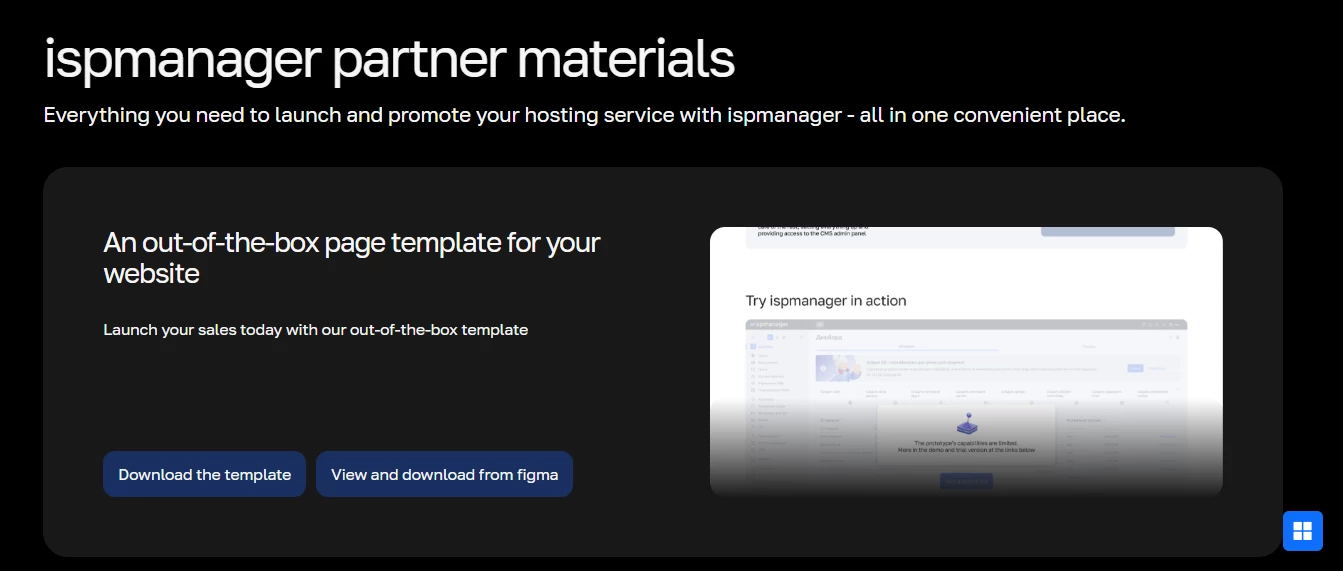
There is also a strong focus on partners and advanced hosting setups in ispmanager. There are ready-made materials for providers who bundle the panel with VPSs or shared hosting plans. One example is this guide for making the first sales by bundling ispmanager with VPSs. Other examples include:
- downloadable landing page templates
- product videos
- presentations for co-marketing
- add-on module resale options
- SSL-ready pages
- ad banners and other promo materials
Final thoughts on functionality
Overall, ISPConfig is a surprisingly capable hosting control panel, especially when compared to other free products. It handles websites, mail, limits, and multi-server setups well. For many personal or internal projects, that may be enough.
At the same time, in a direct ispmanager vs ISPConfig comparison, the gaps are easy to spot. ISPConfig has fewer supported operating systems, no built-in file manager, a smaller security and integrations ecosystem, and fewer billing options.
So the choice depends on how you plan to use the panel.
- Personal projects: Both can work. ISPConfig demands more technical involvement and patience. ispmanager is more flexible and beginner-friendly, with more tools available by default.
- Shared hosting: ispmanager is clearly more intuitive and feature-rich. Daily tasks take fewer steps, and clients adapt faster.
- Bundling with VPSs: If you plan to offer a control panel as an add-on, having both options can make sense. But if your task is to choose just one, ispmanager is the safer and more capable option.
Final Verdict: ISPConfig vs ispmanager, which is better?
So, what conclusions can we draw from the ISPConfig vs ispmanager comparison? Both are multifunctional hosting control panels. Both can handle servers, websites, and email. You can run real projects on either of them.
The difference shows up when you look at their limits and day-to-day comfort.
ispmanager is a commercial product with a professional development team behind it. That shows in two key ways. First, it’s friendlier. The interface is easier to navigate, the documentation is clearer, and support is always there. Second, it offers more: more supported operating systems, more security integrations, more billing options, a free website builder, a WordPress manager, and so on.
ISPConfig, on the other hand, is a solid free tool. If you are a confident sysadmin, comfortable with manual setup and command-line work, and you want to manage servers without licensing costs, it can be a reasonable choice (as long as you accept the limitations discussed above).
That is, if the panel is mainly for you, and you value control over convenience, ISPConfig may be enough. If the panel will be used by many people — especially clients — ispmanager is noticeably more versatile, more intuitive, and more robust in real-world hosting scenarios.

Choosing between ispmanager vs ISPConfig is mainly about who will use it. ISPConfig fits experienced admins who want a free tool and don’t mind manual work. ispmanager fits them too, but, along with that, it fits teams, hosting providers, and growing projects where ease of use, automation, and support matter.