Viewing backup and restore errors
Ispmanager rpovides the ability to view errors that occur during backup process or when restoring data from a backup.
Error Notifications
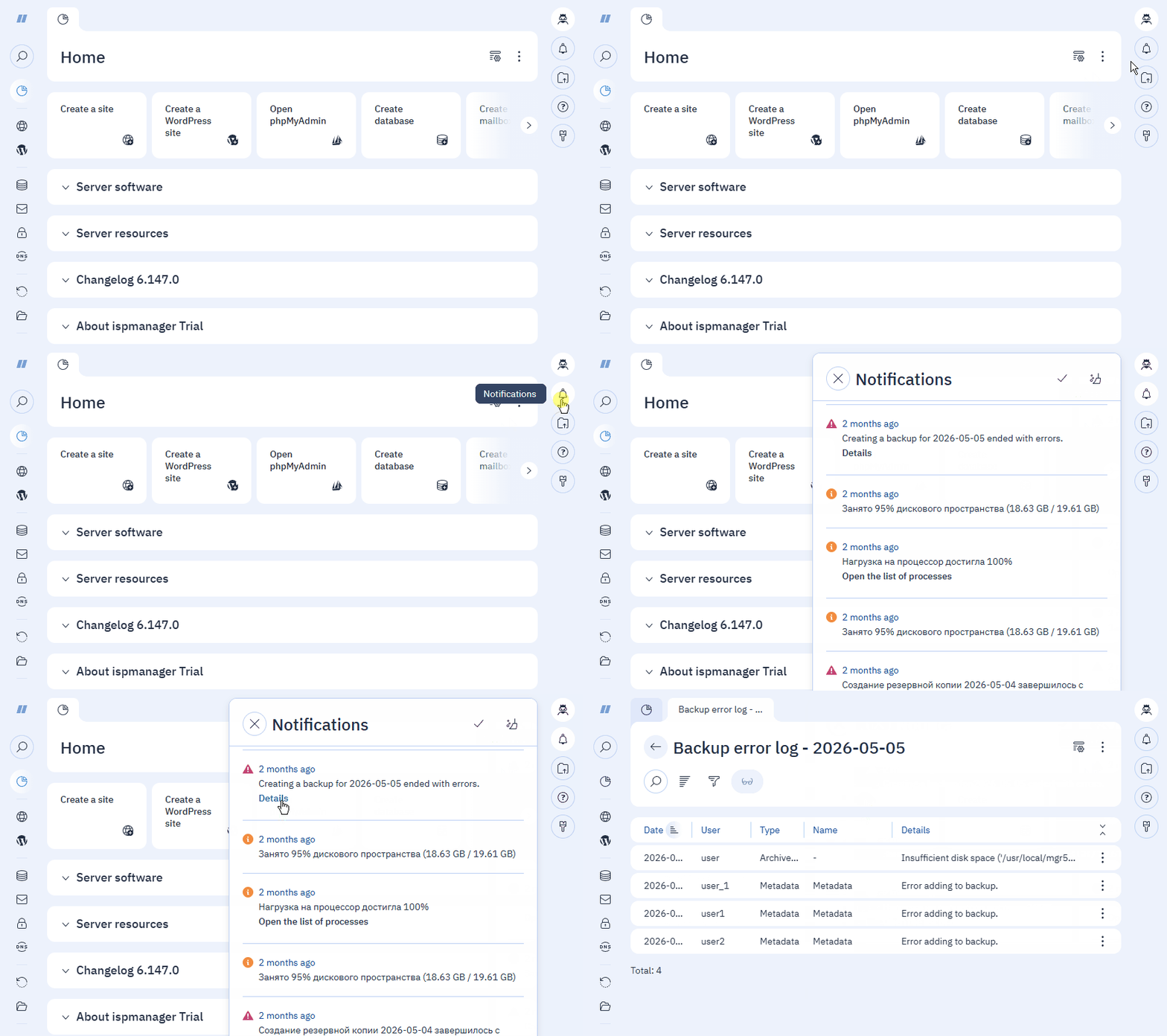
When errors occur, a notification is sent with a link to the error log:
- during scheduled backups, a notification will only be sent to the root user.
- during manual backups and restoration, a notification will be sent to the administrator or the user who initiated the backup or restoration.
Notifications are available for viewing in the  Notifications section in the upper-right corner of the interface and in the main menu.
Error Log
The log contains a list of errors with their descriptions and possible causes. To view the log:
- Log in to your ispmanager account.
Go to the log in one of the following ways:
Go to Notifications and click Details for the specific error notification.
In the Details column, click on the red icon for the specific backup.
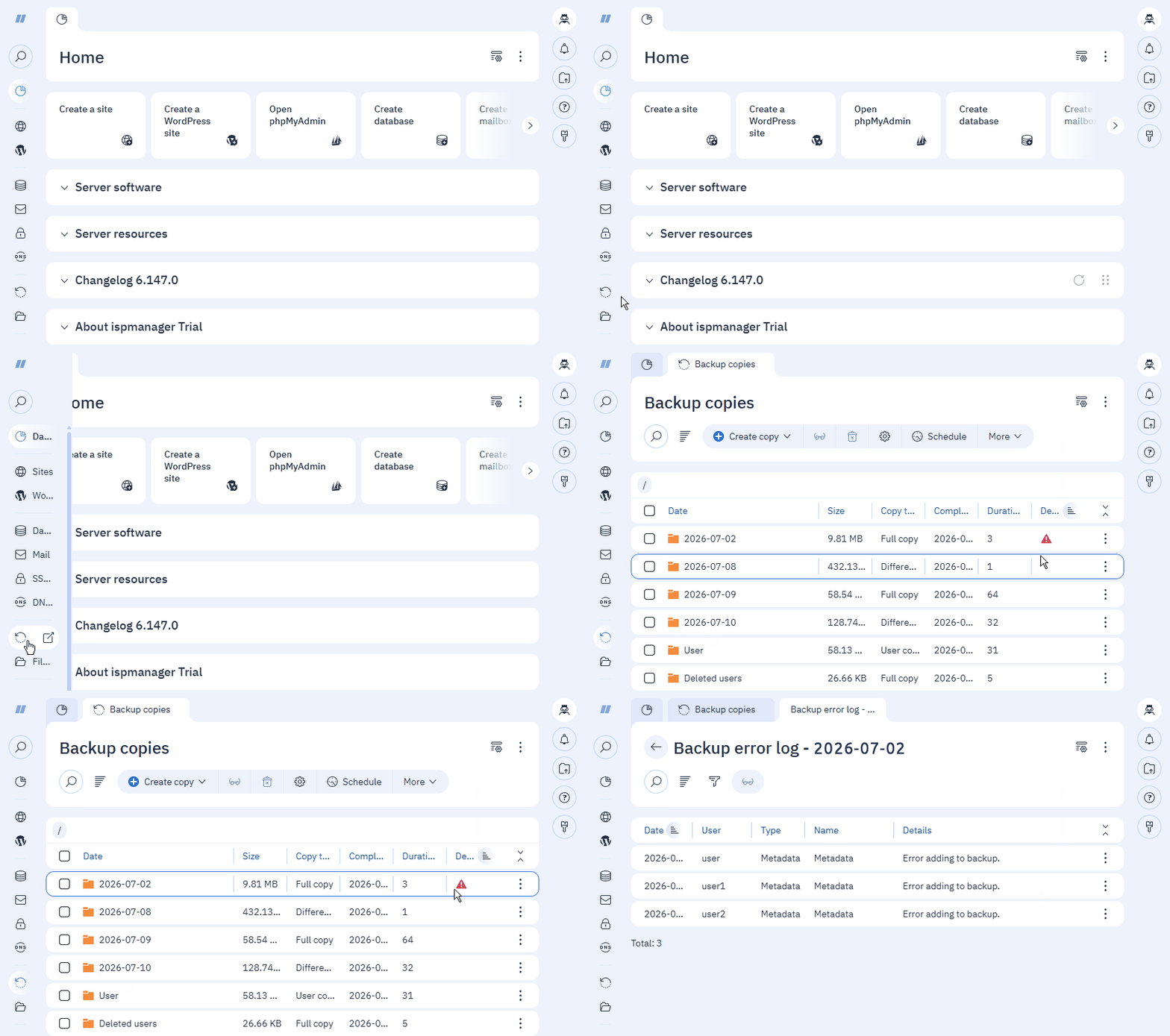
- For more detailed information about an error, select it from the list and click
 on the toolbar.
Log files
A separate log file is created for each user:
Backup log files created by the administrator: /usr/local/mgr5/var/backup2_report/COPY_CREATION_DATE/
Backup log files created by the user: /usr/local/mgr5/var/backup2_report/custom/:
The directories contain the following files:
USERNAME— a log with detailed error informationExample of log contents<?xml version="1.0" encoding="UTF-8"?> <doc><elem id="1" type="file" date="2025-12-17 11:48:26" custom_msg="backup2_errno_13"><name>/var/www/user/data/www/exa.com/index.html</name><details>Permission denied</details></elem></doc>Where:
- type — error type
- date — the date the error occured
- custom_msg — error details
.report_info— a service file responsible for displaying the number of errors in the list of backups and notifications.Example of the.report_infofile contents<?xml version="1.0" encoding="UTF-8"?> <doc> <user name="backup_report" error-count="1" status="error"/> <user name="www-root" error-count="2" status="error"/> </doc>Where:
- name — username in the backup
- error-count — number of errors in the backup log
- status — backup status; possible values:
- success — no errors occurred during backup process
- skipped — backup creation skipped due to an existing backup
- error — the backup was created with errors
When a user recreates a backup for the specified date, the log file is replaced with a newer one.
When an administrator re-creates a full backup for the specified date, the log file is replaced with a newer one; when creating a user data backup only, the log file is updated if new errors arise.
When a user backup is deleted, the user's backup log file is also deleted.
Restore log files for users: /usr/local/mgr5/var/restore2_report/ADMIN/RESTORED_USER.xml
Restore log files for user entities: /usr/local/mgr5/var/backup2_restore_report.USERNAME.xml
<?xml version="1.0" encoding="UTF-8"?>
<doc finalized="yes" type="restore" viewed="yes"><elem date="2025-12-18 15:28:28" owner="www-root" type="file" id="1"><name>/var/www/www-root/data/www/www-root.com/index.com</name><details>Failed to open folder www-root.com</details></elem></doc>
Where:
- elem date — the date the error occured
- owner — the name of the restored user or the user whose entity was restored
- type — error type
When you perform a second restore, the log file is replaced with a newer one.
When a user or administrator is deleted, the log and service file are deleted as well.