Configuring links to email client, phpMyAdmin, phpPgAdmin
The link to the external function is formed using the internal mechanisms of the control panel. To manage the link formation process, use the path parameters of ispmanager 6 Lite (Pro, Host) panel configuration file:
path roundcube-redirect— the mail client template link. The default value: http://$site/roundcube/path phpmyadmin-redirect— phpMyAdmin template link. The default value: http://$site/phpmyadmin/path phppgadmin-redirect— phpPgAdmin template link. The default value: http://$site/phppgadmin/
When switching to phpmyadmin, the link contains the IP address of the control panel. If you have restricted access to phpmyadmin (for example, through the web server settings or the firewall), add the control panel's IP address to the list of allowed ones.
Path templates can use the $site macro, which expands to the domain from which the transition is made.
If you have changed the value of the parameter after the $site macro, add the appropriate changes to the configuration file of the web server. For example, you have changed the phpmyadmin-redirect parameter from http://$site/phpmyadmin to http://$site/phpmyadmin_new. The control panel uses nginx as a web server. In order for the web server to use the changed parameter, add this path to the location section of the /etc/nginx/vhosts-includes/phpmyadmin.conf configuration file:
Example of the configuration file
location /phpmyadmin_new {
	alias /usr/share/phpMyAdmin;
	index index.php;
}
location ~* ^/phpmyadmin_new/(.+\.(jpg|jpeg|gif|css|png|js|ico|html|xml|txt))$ {
	alias /usr/share/phpMyAdmin/$1;
	error_page 404 @apache;
}
location ~ ^/phpmyadmin_new/(.+\.php)$ {
	alias /usr/share/phpMyAdmin/$1;
	fastcgi_pass unix:/var/run/php-fpm.apache.sock;
	fastcgi_index index.php;
	fastcgi_param SCRIPT_FILENAME $request_filename;
	include fastcgi_params;
	error_page 502 = @apache;
	error_page 404 = @apache;
}
location @apache {
	error_log /dev/null crit;
	proxy_pass http://127.0.0.1:8080;
	proxy_redirect http://127.0.0.1:8080 /;
	proxy_set_header Host $host;
	proxy_set_header X-Forwarded-For $proxy_add_x_forwarded_for;
	proxy_set_header X-Forwarded-Proto $scheme;
}

location ^~ /phpmyadmin_new/setup {
	deny all;
}
Customizing the path for phpMyAdmin and phpPgAdmin
Path format:
http://ISPMANAGER_ADDRESS/ENTERED_ADDRESS/phpmyadminWhere:
ISPMANAGER_ADDRESS— IP-address of the control panelENTERED_ADDRESS— the path that the user can change
To change the path:
- Log in to ispmanager with superuser rights.
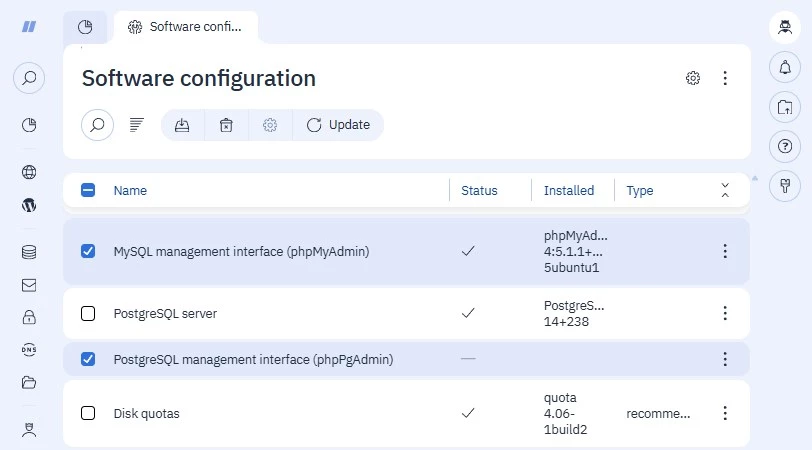
- Navigate to Software configuration.
- Select MySQL management interface (phpMyAdmin) or PostgreSQL management interface (phpPgAdmin).
On the toolbar, use the tool to click
 .
. 
In the form that opens, fill in the phpMyAdmin address field.
- Click Save.
The panel will save and update the path, for example:
http://172.31.97.45/example/phpmyadmin