Administrator
For more information about administrator functions, please see the Account levels article.
How to create an administrator
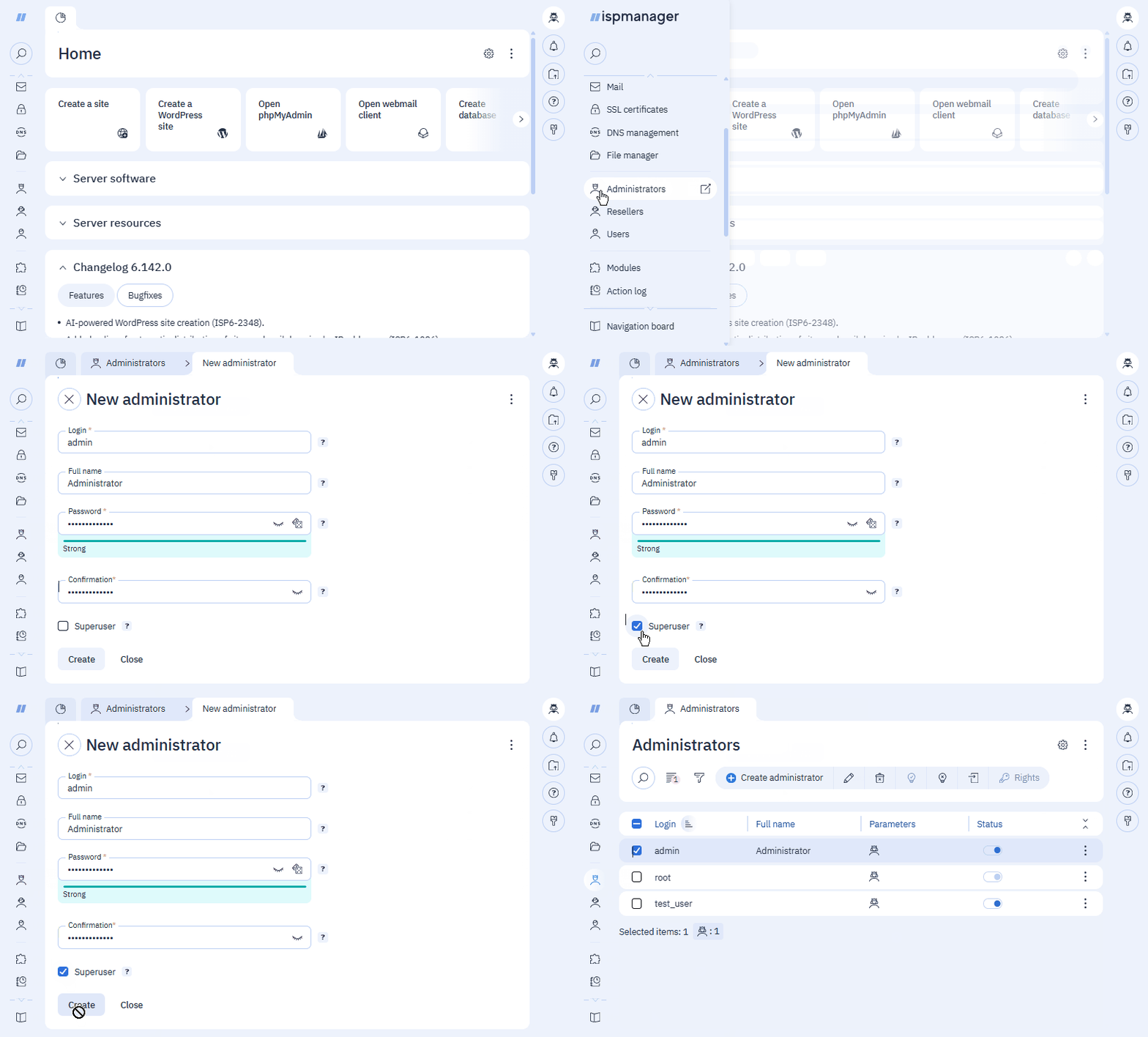
- Log in to ispmanager with superuser rights.
- Navigate to the Administrators section → click
 Create administrator in the toolbar.
 - Fill in the mandatory fields.
- Check the Superuser box if you want the new administrator to have superuser rights.
- Click Create.
Account management
- Log in to ispmanager with superuser rights.
- Navigate to the Administrators section and select an administrator from the list.
- Select the desired action from the toolbar.
| Button | Description |
 | Change administrator account settings |
 | Delete administrator |
 | Enable administrator |
 | Disable administrator |
 | Log in to the administrator's account with the administrator's rights |
 | Configure access to functions |