Clearing LiteSpeed website cache
If the cache is generated incorrectly, the website may malfunction. To avoid this, clear the LiteSpeed website cache via the ispmanager interface.
How to clear cache
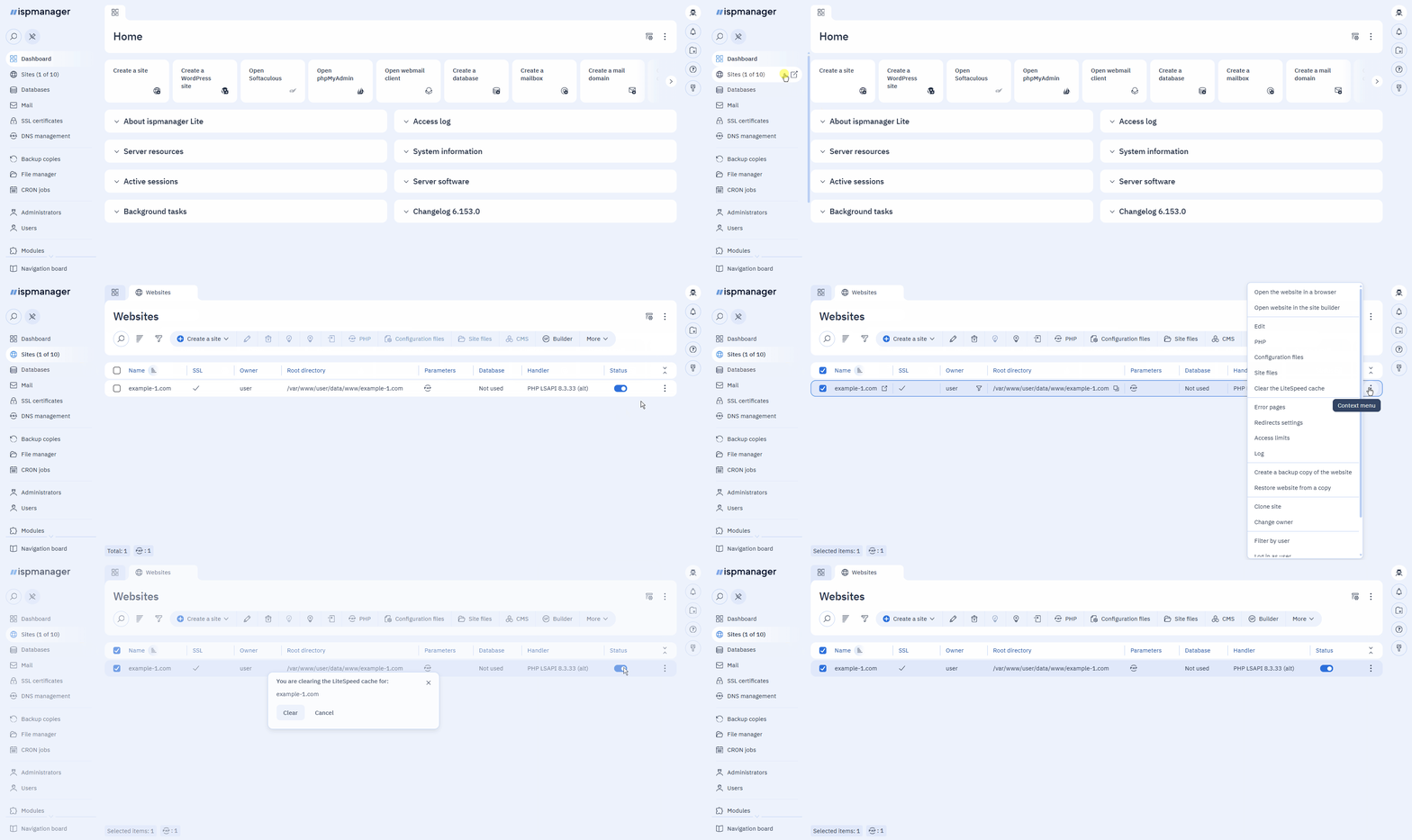
- Log in to ispmanager with a required account.
- Navigate to the Sites section.
- Click
 next to the required website.
 - Select Clear LiteSpeed cache in the context menu.
Confirm clearing the cache.
Technical details
This action deletes the contents of the USER_HOME_DIRECTORY/lscache/WEBSITE_NAME directory. The directory itself is not deleted.
For about one second after deletion, LiteSpeed continues to serve the old cache from memory. After that, the cache begins to regenerate.