Installing CloudLinux with OS conversion
CloudLinux is an operating system for servers used to host multiple websites. CloudLinux improves server stability, performance, and security.
ispmanager offers a module that allows converting AlmaLinux OS to CloudLinux.
OS conversion requirements
Server
- a virtual or physical server that supports hypervisor virtualization
- a virtual server must have the 'virtio' network card
Operating system
- 64-bit architecture
- AlmaLinux 8, 9, or 10
The wget utility is installed
If wget utility is not installed- Connect to the server with the ispmanager panel via SSH.
- Enter the following command in the terminal:
yum install wget
ispmanager panel
- web server is installed in the Software configuration section
CloudLinux license verions
- CloudLinux OS Legacy (Shared)
- CloudLinux OS Shared Pro
Only the features of the Legacy (Shared) version will work with the Shared Pro version. Other CloudLinux licenses do not include the required software and are not suitable for integration.
CloudLinux installation considerations
- Correct installation is not guaranteed if third-party repositories are enabled in the system.
- CloudLinux license activation by IP address is not supported for IPv6 addresses. Activate the license via IPv4 address or key.
- The OpenLiteSpeed web server is not supported after conversion.
Starting conversion
Installation process is run automatically. To start:
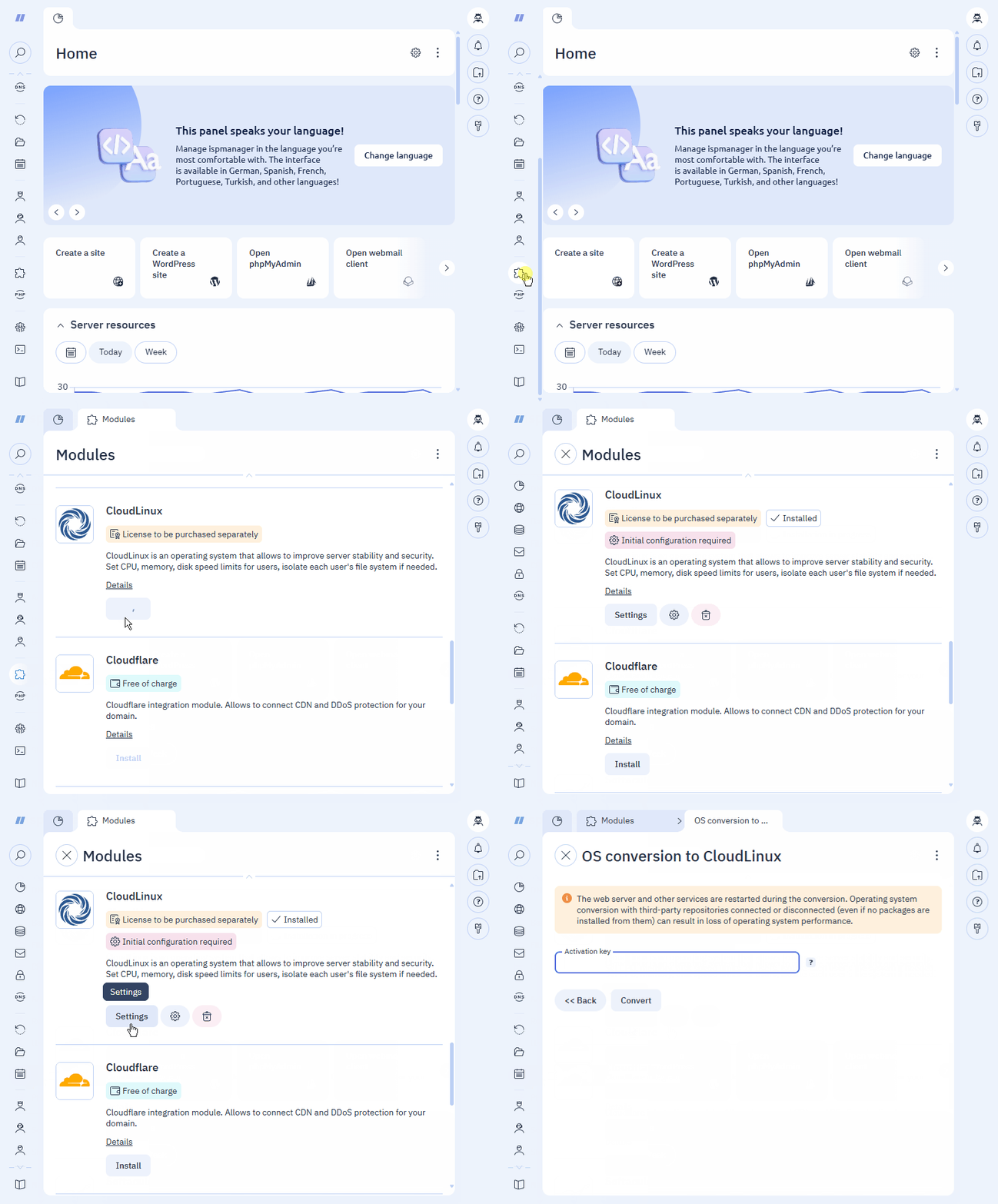
Order a CloudLinux license. Skip this step if you've already purchased a license.
How to order a CloudLinux license- Register with CloudLinux Network. Skip this step if you're already registered.
- Go to the specified email address.
- Find the email with the activation link.
- Log in to the system.
Select the appropriate CloudLinux version (Legacy (Shared) or OS Shared Pro).
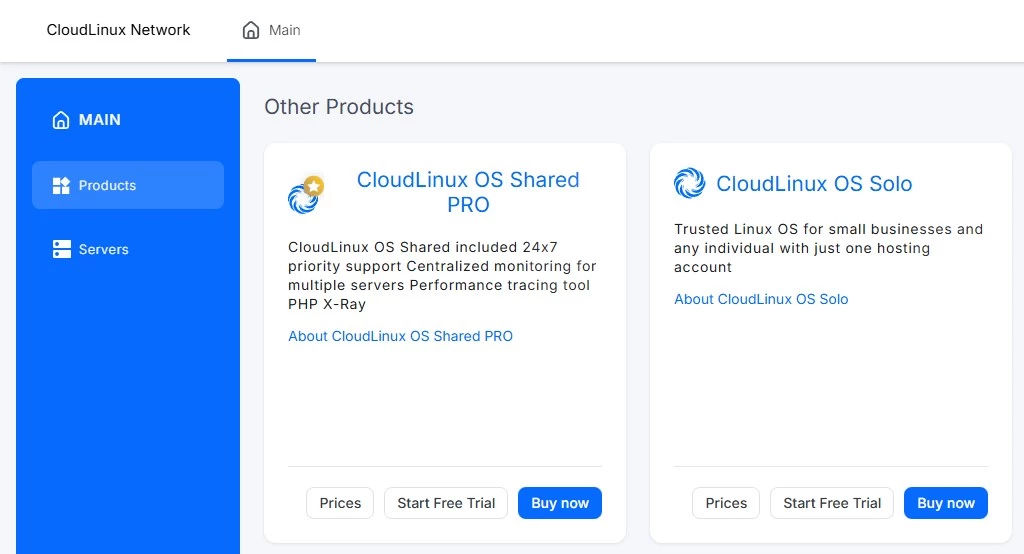
- Click:
- Start Free Trial — to purchase a free trial version of the OS
- Buy now — to purchase a paid version of the OS
- Select a payment method.
- Enter and confirm your payment details.
- Select the license connection method:
- via IPv4 address — enter the server address
- via key generation — after payment, you will receive a key of the following format: 12314-d34463a182fede4f4d7e140f1841bcf2
- Pay for the service.
- Log in to ispmanager with an administrator-level account or above.
- Go to the Modules section.
- Find the CloudLinux module.
- Click Install.
- Wait for the installation to complete.
- Click
 .
. - Enter the CloudLinux Activation key. Leave this field blank if you're activating the license using an IPv4 address.
- Click Convert.
Installation algorithm
The system will perform the following operations in two stages:
Installation
- The cldeploy script is launched.
- The license is activated with an IP address or key.
- The server and control panel are converted.
Conversion
- MySQL is reinstalled.
- The control panel server is restarted.
- Required software packages are installed and configured.
Technical details
When installing this module, the control panel installs the ispmanager-plugin-cloudlinux package. During OS conversion, the ispmanager-pkg-cl-lite package is installed.