ZipWP licensing
ZipWP trial license
For each ispmanager license, a non-expiring ZipWP trial license is available:
- with 1 free generation attempts for ispmanager trial
- with 5 free generation attempts for commercial ispmanager licenses
The ZipWP trial license is activated automatically using the ispmanager license key. Once you switch to a commercial license, it will not be possible to return to the trial version.
Ordering ZipWP license
- Log in to your client area.
- Go to Licenses → ispmanager modules.
- On the dashboard, click Order.
- Select AI site builder for WordPress (ZipWP) and specify the order details. Required fields are marked with asterisks.
- ID of the ispmanager license for which the module is purchased*
- Comment
- Number of website generations* — the number of generations per month. Five free generations are available for each license. Generations not used within a month expire.
- Payment period*:
- month
- year
- Auto-renewal
- Click Pay and complete the payment.
- Log in to the ispmanager panel with an administrator-level account or above.
- Go to the Modules section.
- Next to the AI site builder for WordPress (ZipWP) module, click Buy.
You will be redirected to your ispmanager clien area to complete your order.
After the purchase, activate the license.
Activating ZipWP license
- Log in to the ispmanager panel with an administrator-level account or above.
- Go to the Modules section.
- Next to the ZipWP module, click
 .
. - Enter the license key and click
 Update ispmanager license data.
The module does not require installation and is ready for use immediately after activation.
ZipWP generation attempts deduction
A generation attempt is deducted as soon as a site is created as an entity in the panel, regardless of whether content has been generated.
The number of used and available generation attempts is displayed on the dashboard and in the Sites → Create a site → AI WordPress section in the format GENERATION_ATTEMPTS_USED/TOTAL_GENERATION_ATTEMPTS_ALLOWED:
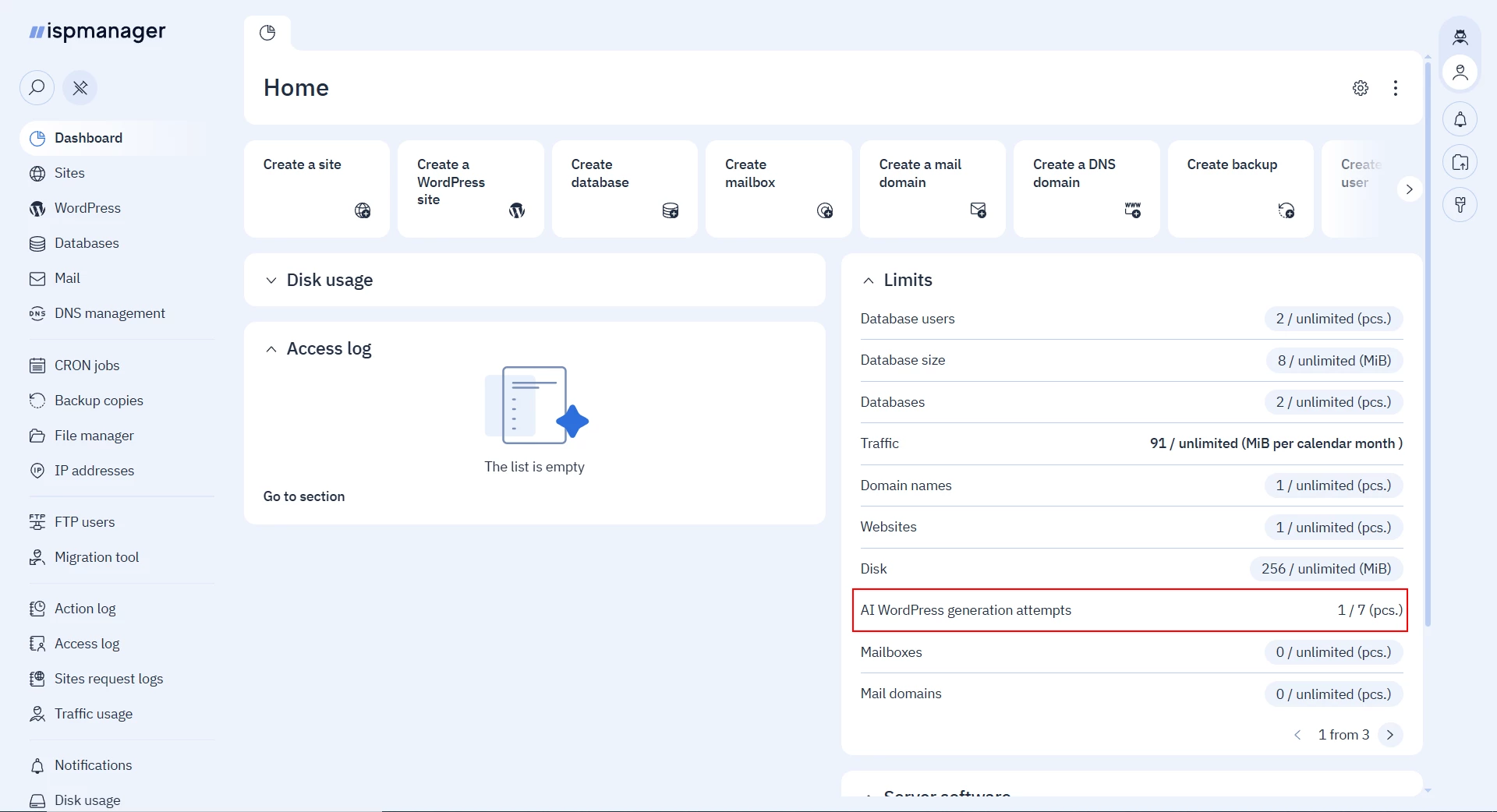
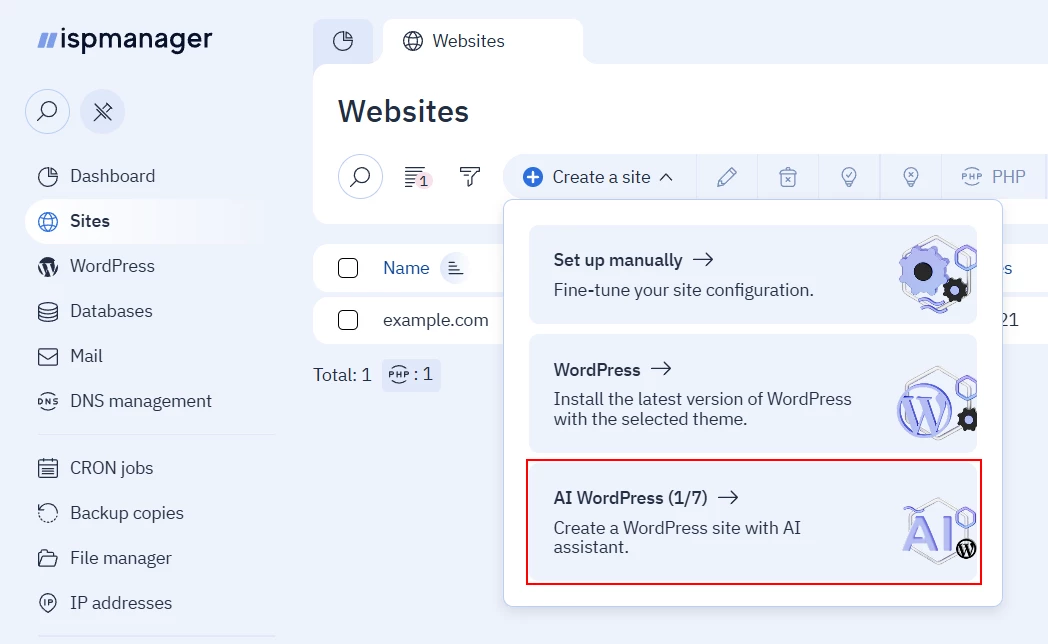
ZipWP license renewal
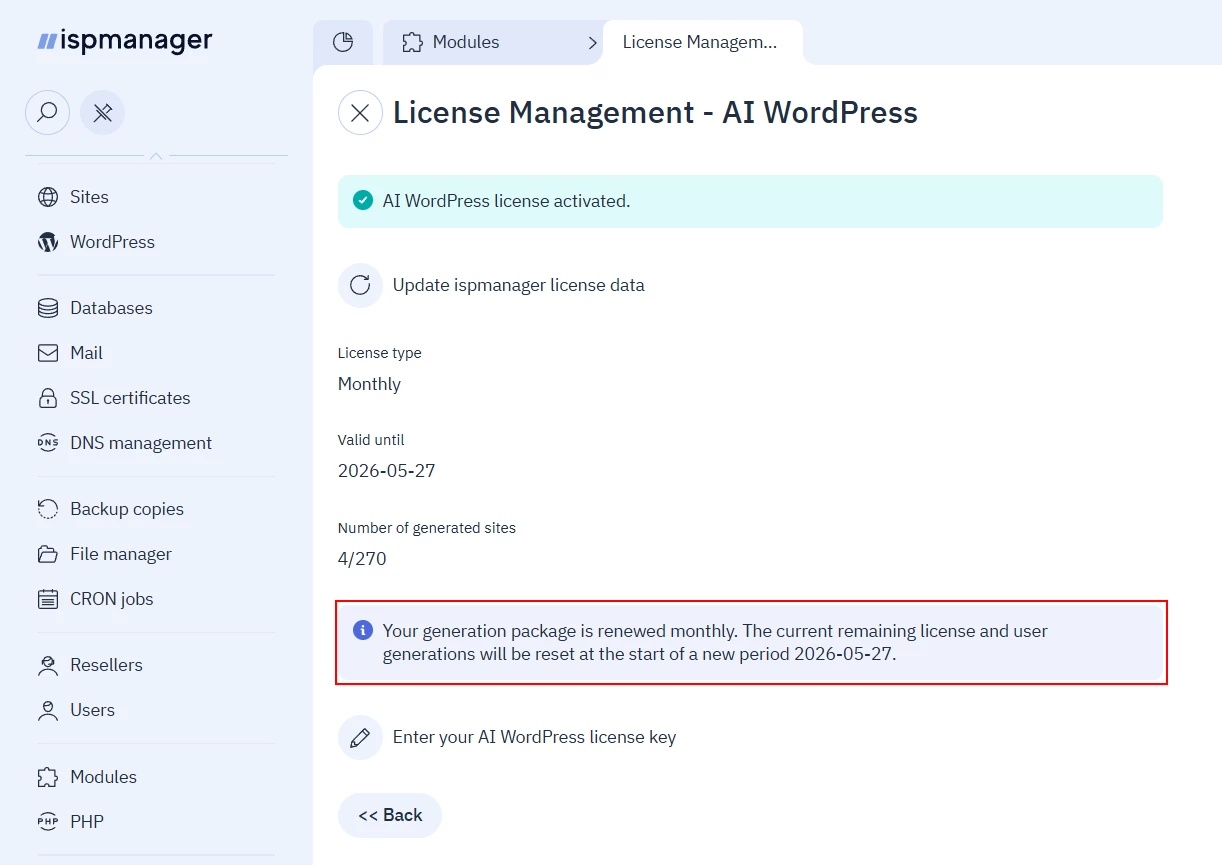
When a license is renewed, the number of generation attempts is reset. Unused generation attempts are not carried over to the next payment period. For example, if a user has used 15 generation attempts out of the permitted 30 last month, they will have access to 30 generations next month, not 45.
The reset date is specified in the module settings:
ZipWP disabling/deleting the module/reaching generation attempt limit
If a license has been disabled/deleted, has expired, reached its limit on the number of generation attempts, or the module has been deleted, it will be impossible to generate a new website. Existing websites will continue to work.
To increase the number of generation attempts, renew your license or order a new one.